

Blocking users from submitting blank forms is easy. Enabling this functionality also enables you to block out spam.
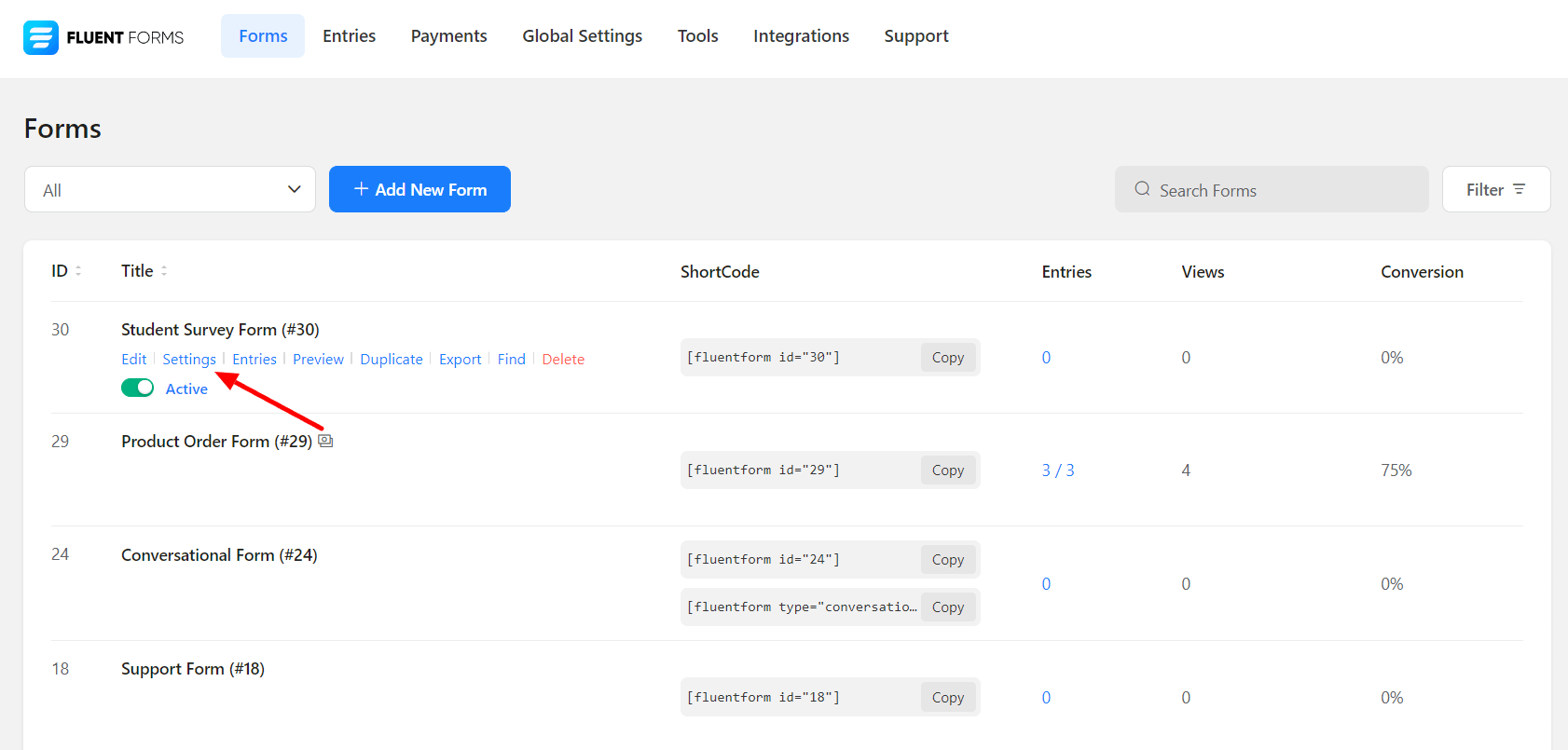
- First, go to the Settings of the Form you want to be free from blank submissions.
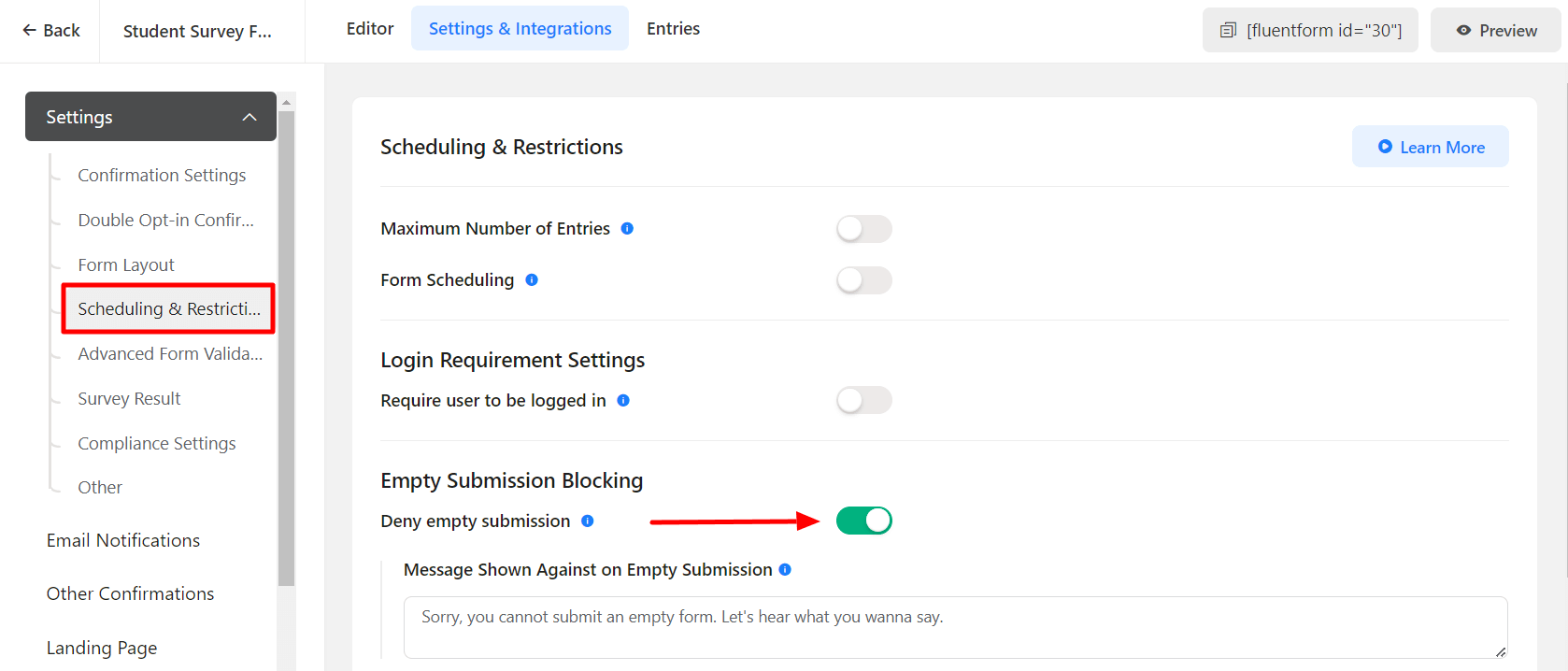
- Now, move into the Form Settings & Integrations → Scheduling & Restrictions (below Form Layout)
- Toggle on Deny empty submission in Empty Submission Blocking.
- Define the message to be shown to users when a blank form is submitted.
- Click on Save Settings when the customization is done.
