

Social Media Reputation Management: Guide to Manage Online Reputation

Your brand reputation is shaped daily by reviews, comments, social posts, customer conversations, and public feedback. Social media reputation management helps you monitor those signals, protect trust, respond smarter, and build a stronger online presence before small issues become bigger problems.
Key Takeaways
- Social media reputation management helps businesses monitor, protect, and improve how people perceive their brand online.
- Reviews, social media conversations, customer feedback, and brand mentions all contribute to your online reputation.
- A strong reputation can increase trust, improve conversions, and support long-term business growth.
- Monitoring social media and tracking brand mentions helps businesses identify opportunities and address issues early.
- Responding professionally to both positive and negative feedback demonstrates transparency and customer care.
- Reviews and testimonials serve as powerful trust signals that influence purchasing decisions.
- Social proof, including customer reviews, user-generated content, and social media activity, strengthens brand credibility.
- Reputation management tools can simplify monitoring, engagement, and review display across multiple platforms.
- WordPress businesses can use their websites to showcase reviews, testimonials, social feeds, and other trust-building elements.
- Effective reputation management is an ongoing process focused on building and maintaining customer trust.
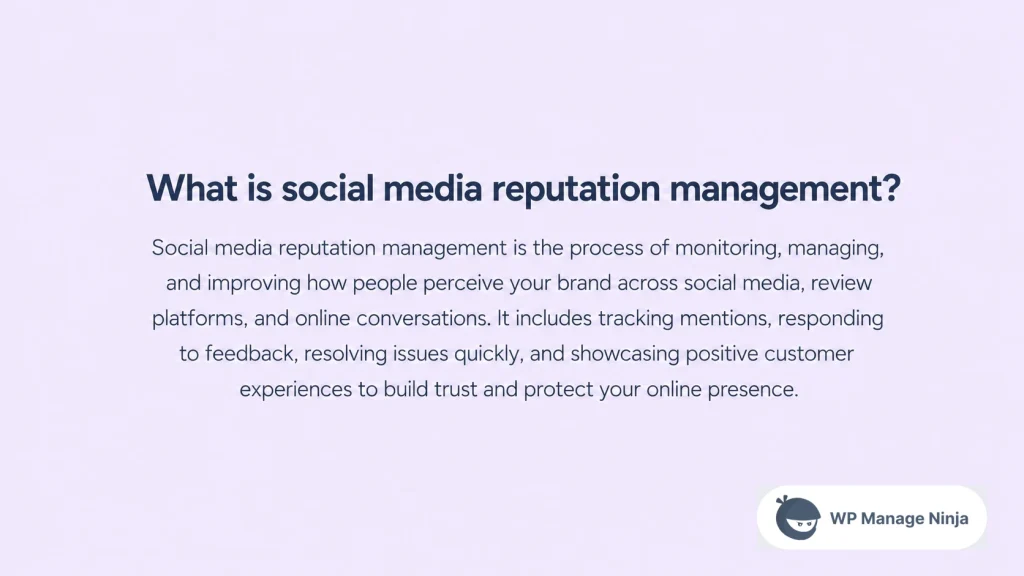
What is social media reputation management?
Social media reputation management is the process of monitoring, protecting, and improving how people see your brand across social media platforms, review sites, search results, and your own website. It includes tracking brand mentions, responding to customer feedback, managing reviews, and keeping your online presence trustworthy.
In the past, reputation management was mostly about PR, media coverage, and customer complaints. Today, it is much more public and much faster. A single online review, Facebook recommendation, Instagram comment, YouTube mention, or TikTok video can influence how people judge your business before they ever speak to you.
That is why social media reputation management is not just a defensive task. It is also a growth activity. When customers see recent reviews, helpful replies, active social media channels, and real conversations around your brand, they feel safer taking the next step.
Why does reputation management matter for small businesses?
For small businesses, reputation management often decides whether someone trusts you enough to buy, book, call, or request a quote. You may have the best product or service in your niche, but if your brand online looks inactive, inconsistent, or poorly reviewed, potential customers may quietly choose someone else.
The numbers explain why this matters. According to DataReportal’s global social media statistics, there were 5.79 billion social media user identities worldwide at the start of April 2026. The same report also says 94.7% of the world’s internet users use social media each month. In other words, your customers are already using social platforms to discover, compare, and judge businesses.
Reviews also play a huge role in this decision-making process. BrightLocal’s 2026 Local Consumer Review Survey found that 97% of consumers read reviews for local businesses, while 85% are more likely to use a business after reading positive reviews. Negative reviews, on the other hand, deter 77% of consumers.
So, reputation management is not vanity work. It affects trust, traffic, leads, conversion, and repeat business. A strong reputation can make your marketing easier. A weak one can make every campaign more expensive.
How does online reputation management work across social media platforms?
Online reputation management works by connecting four things: monitoring, response, review management, and trust-building. You need to know what people are saying, respond in the right way, collect honest customer feedback, and show proof that your business is reliable.
The difficult part is that reputation no longer lives in one place. Customers may leave Google reviews, Facebook recommendations, WooCommerce product reviews, Instagram comments, YouTube replies, or messages through WhatsApp and Messenger.
Your reputation on social media is scattered across different social media platforms and review channels.
That is why businesses need a simple system. First, identify the platforms that matter most to your audience. A local restaurant may care about Google, Facebook, Tripadvisor, and Instagram.
A eCommerce store may care about product reviews, Google reviews, social media mentions, and Instagram content. An agency may care about LinkedIn, Google reviews, testimonials, and client case studies.
Once you know the priority channels, you can create a weekly reputation workflow: monitor social media, check online mentions, review comments, respond to complaints, collect testimonials, and update your website with fresh proof.
What reputation management strategies should every business follow?
The best reputation management strategies are built around consistency. You do not need a massive team to manage your online reputation. You need a repeatable process that helps you listen, respond, resolve, and improve.
Start with reputation monitoring. Track brand mentions, review platforms, social media accounts, search results, and customer messages. You can use manual checks in the beginning, but as your business grows, listening tools and media monitoring can help you catch conversations faster.
Next, create response rules. Decide who replies to reviews, how quickly your team should respond, what tone to use, and when to escalate a complaint. This becomes even more important for agencies managing multiple client brands, because inconsistent replies can damage the client’s brand reputation.
Finally, document a crisis management plan. Not every negative comment is a crisis, but public issues can grow quickly. A crisis management plan should define what counts as urgent, who approves the response, what information should be shared publicly, and how the business will follow up privately.
Strong reputation management requires patience. You are not trying to remove every negative opinion. You are trying to build enough trust, responsiveness, and evidence that one bad comment does not define the entire brand.
How can you monitor social media and track brand mentions?
To monitor social media properly, start with the basics. Search your brand name, product name, founder name, branded hashtags, and common misspellings across social media channels. Check comments, tagged posts, mentions, review platforms, forums, and community discussions.
You should also track brand mentions that do not directly tag your social media profiles. Many customers talk about a business without using the official handle. This is where social listening becomes useful. Social listening tools can help you identify conversations, sentiment, complaints, competitor mentions, and industry trends.
A basic stack may include Google Alerts, native platform notifications, Google Business Profile alerts, review platform notifications, and a spreadsheet for tracking issues. Larger teams may use a social media monitoring or media monitoring tool like Sprout Social, Hootsuite, Brandwatch, Mention, or Semrush.
The social listening market is growing for a reason. Grand View Research projects the global social media listening market to grow at a 14.3% CAGR from 2025 to 2030, driven by brand reputation management, customer experience, and product development needs.
Still, do not overcomplicate it. Tools can help, but the real value comes from what you do after you find the conversation. Track the issue, reply with care, solve the root problem, and use repeated feedback to improve your business.
How should you respond to negative reviews and social media conversations?
Negative reviews are uncomfortable, but they are not always bad for business. In fact, a thoughtful response can show future customers that your business listens and takes responsibility. Silence usually causes more damage than the complaint itself.
When replying to a negative online review, avoid sounding defensive. Thank the customer for sharing the feedback, acknowledge the issue, apologize where appropriate, and offer a clear next step. If the matter involves personal details, order information, billing, or sensitive data, move the conversation to a private channel.
The same rule applies to social media conversations.
- If someone complains in a comment, reply publicly with empathy and invite them to continue through support, inbox, email, or chat.
- When someone shares false information, correct it politely with facts.
- If someone praises your business, thank them and, when appropriate, ask permission to reuse that feedback as social proof.
This is an important part of reputation management because people do not only read the original complaint. They also read how the business behaves under pressure. A calm, helpful response can protect your brand’s reputation better than an aggressive defense ever could.
For more perspective on turning negative feedback into learning opportunities, WPManageNinja has a useful article on why bad reviews can be good for your business.
How can reviews help build a positive online presence?
Reviews are one of the strongest trust signals a business can have. People want to know whether other customers had a good experience before they commit. That is why review management should be a core part of your social media reputation management strategy.
BrightLocal’s 2026 survey found that the average consumer uses six different review sites when choosing businesses. It also found that after reading positive reviews, 54% of consumers check the business website, 37% read more reviews, and 24% visit the business’s social media channels.
That means your website, social channels, and review profiles should tell the same story.
- If your Google reviews are strong but your website has no testimonials, visitors may not see enough proof.
- When your social media presence is active but your review profile is outdated, buyers may hesitate.
- If your product pages have no customer feedback, WooCommerce shoppers may leave before checkout.
To build a positive online presence, collect reviews regularly, keep them recent, respond to both positive and negative feedback, and display selected reviews in high-intent places like your homepage, service pages, product pages, and landing pages.
For eCommerce stores, this connects directly with conversion. WPManageNinja’s guide on WooCommerce marketing tips recommends using product reviews, customer photos, testimonials, recent purchase notifications, and social proof to build trust on store pages.
What is the role of social proof in brand reputation?
Social proof turns reputation into visible evidence. It shows visitors that real people have bought from you, reviewed you, recommended you, followed you, or interacted with your brand. This can include reviews, testimonials, social feeds, user-generated content, ratings, case studies, community posts, and customer photos.
This matters because people are more careful now. BrightLocal’s 2025 report found that only 42% of consumers trusted online reviews as much as personal recommendations, down sharply from 79% in 2020. The 2026 report shows trust has improved to 49%, but the bigger message is clear: consumers still rely on reviews, but they are more selective about what they believe.
So, businesses need more than a five-star rating. They need detailed reviews, recent feedback, authentic customer stories, consistent responses, and visible activity across social platforms. Social proof works best when it feels real, not staged.
A practical way to strengthen brand reputation is to bring your best public proof into your owned channels. Your website should not just describe your value. It should show evidence from customers, buyers, followers, and community members.
WPManageNinja’s guide on embedding social media feeds on WordPress websites is useful here because social feeds can make a website feel more active, current, and connected to real audience conversations.
Which social media reputation management tools should you use?
The right social media reputation management tools depend on your business size, budget, and workflow. A local service business does not need the same management software as an enterprise brand with thousands of daily mentions.
For basic reputation management, you can start with free or low-cost tools. Google Alerts can help with online mentions. Google Business Profile can help with Google reviews. Native notifications from Facebook, Instagram, LinkedIn, TikTok, YouTube, and X can help you track comments and messages. A simple spreadsheet can help you log recurring complaints and response times.
For growing teams, social listening tools and a social media management platform can help you track conversations across social media platforms and review sites. Tools like Sprout Social, Hootsuite, Brandwatch, Mention, and Semrush can support social media monitoring, competitor tracking, engagement, reporting, and social media management.
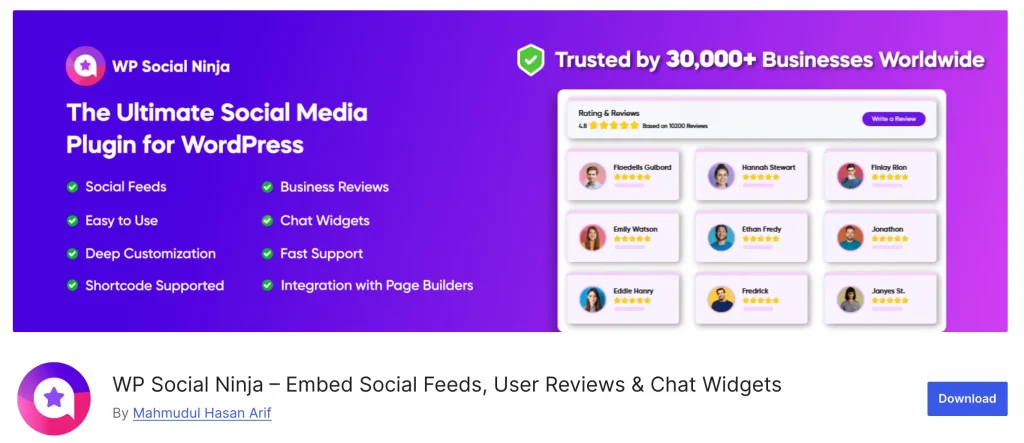
If you run a WordPress site, you may also need a tool for social media reputation that helps you display reviews, social feeds, testimonials, and chat options on your website. This is where a plugin like WP Social Ninja can fit into the stack without becoming your entire reputation strategy.
The key is to separate tracking from presentation. Some tools help you track brand mentions. Some of them help you reply. Then comes some tools help you display trust signals. Reputation management tools can help, but they work best when your process is already clear.
For a broader WordPress-focused list, WPManageNinja’s article on social media tools for business websites can help you compare different types of tools.
How can WordPress businesses manage their reputation from their website?
Your website is one of the most important parts of reputation management because it is where interest turns into action. Someone may discover your brand on social media, read reviews on Google, compare you with competitors, and then visit your website before making a decision.
That is why your website should support your overall reputation management efforts. Add recent reviews to important pages. Show testimonials where visitors are likely to hesitate. Use social feeds to show activity and community engagement. Add social chat so visitors can ask questions before frustration builds. Keep your contact information, product details, business hours, and policies accurate.
For WordPress and WooCommerce site owners, a plugin like WP Social Ninja can help display Google Reviews, Facebook Reviews, WooCommerce Reviews, social feeds, notification popups, and social chat widgets from one dashboard. The goal is not to overload every page with widgets. The goal is to place the right trust signal in the right place.
For example, a local business can show Google Reviews on its homepage and contact page. A WooCommerce store can display product reviews and recent review popups on product pages. An agency can show testimonials, case studies, and LinkedIn-style social proof near service CTAs.
If Google reviews are a priority, WPManageNinja’s comparison of the best Google Reviews widget for WordPress gives a practical breakdown of display options, filtering, schema, templates, and review management features.
Social Media Reputation Management Checklist
How do you measure the impact of reputation management?
The impact of your reputation management should be measured through both trust metrics and business metrics. Start by tracking review volume, average rating, response rate, response time, positive and negative sentiment, brand mentions, and the number of unresolved complaints.
Then connect those numbers to business outcomes. Are more people visiting your website after reading reviews? Are product pages with reviews converting better? Check are social chat widgets generating qualified questions? Are service pages with testimonials getting more form submissions? Are branded searches increasing over time?
You should also review the quality of your responses. Fast replies are good, but helpful replies are better. A generic response to every complaint can hurt trust. A personal reply that solves the problem can improve your overall reputation.
For agencies, this can become a strong client reporting section. Instead of only reporting likes, followers, and impressions, include review growth, response activity, customer sentiment, website engagement, and conversion improvements. That turns reputation management from a vague service into measurable business value.
Final thoughts: Reputation management is a trust system
Social media reputation management is not about looking perfect. It is about staying aware, responding with care, and making your best customer experiences easier to find.
For small businesses, agencies, and WordPress/WooCommerce site owners, the opportunity is simple. Monitor what people say. Respond before small issues grow. Collect honest reviews. Display social proof where buyers make decisions. Keep your website and social channels aligned.
Your brand’s online reputation is already being shaped every day. The only question is whether you are actively managing it or leaving it to chance.
If your website is built on WordPress, you can start by displaying your reviews, feeds, and chat widgets in a clean, conversion-friendly way. Try WP Social Ninja for free and bring your best social proof closer to where customers decide.

WordPress, automation, eCommerce and growth marketing specialist, a WordPress Core Contributor and Media Corps member blending storytelling with technology to craft strategies in SEO, email marketing, and beyond.
-
10 Best jQuery Table Plugins for Best Data Visualization in 2026
Discover the 10 best jQuery table plugins for 2026. Compare -

Black Friday Marketing Strategies for 2026: Core and Advance Move
Black Friday is the most celebrated shopping season worldwide. Discover -

How Much Can You Earn With Amazon Affiliate Marketing? Rates & Niches
How much can you earn with Amazon affiliate marketing? Dive



Leave a Reply
You must be logged in to post a comment.