

14 Best Wireframing Tools in 2026: Free, AI & Paid Options
A wireframe should make a bad idea cheap to throw away.
The wrong tool does the opposite. It pulls you into colors, animations, polished copy, and tiny spacing decisions before anyone has answered the bigger questions: What belongs on this screen? What should users notice first? Where do they go next?
The best wireframing tools protect that early thinking. Some give you a deliberately rough canvas. Others turn a prompt into editable screens, connect wireframes to a design system, or let a remote team build a user flow together.
We compared 14 popular options across speed, ease of use, collaboration, fidelity, AI support, prototyping, handoff, and price. Whether you are planning a WordPress website, SaaS product, mobile app, dashboard, or online store, this guide will help you choose a tool that fits the work—not merely the trend.
Key Takeaways
- Figma is the best all-round choice when a wireframe needs to grow into a polished interface and developer handoff.
- Flowstep is the strongest pick when a wireframe needs to become a multi-screen, code-ready UI without a separate step.
- Balsamiq is the best dedicated low-fidelity tool because its sketch-like style keeps feedback focused on structure.
- Uizard and Visily are the easiest AI wireframing tools for non-designers who want editable screens from prompts or references.
- Penpot is the strongest free, open-source option, especially for teams that want developer-friendly layouts and no vendor lock-in.
- Miro and Whimsical are better for collaborative planning when user flows, diagrams, and team workshops matter as much as the screens.
- Axure RP, UXPin, and Justinmind suit complex prototypes with logic, realistic states, data, or interactions.
- You do not always need specialist software. Wireframe.cc and Excalidraw work well when the goal is to think quickly and discard ideas without regret.
The Best Wireframing Tools at a Glance
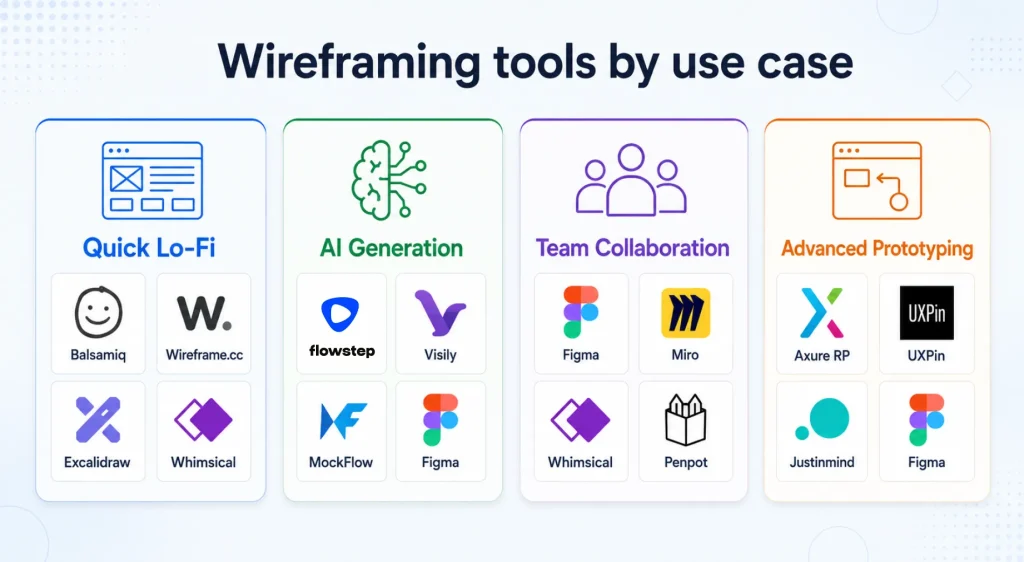
Short on time? Start here.
| Need | Best wireframing tool | Why it fits |
|---|---|---|
| Best overall | Figma | Takes a project from rough wireframe to design system, prototype, and handoff. |
| Best for AI wireframes with multi-screen UI | Flowstep | Generates connected screens at once and exports UI directly to React, TypeScript, and Tailwind CSS. |
| Best for low-fidelity wireframes | Balsamiq | Fast, focused, and intentionally rough. |
| Best AI wireframing tool for beginners | Uizard | Creates editable screens from prompts, screenshots, and sketches. |
| Best AI tool for non-design teams | Visily | Low learning curve and one-click switching between lo-fi and hi-fi views. |
| Best for user flows and wireframes | Whimsical | Keeps flowcharts, diagrams, and screens on one clean canvas. |
| Best for remote workshops | Miro | Strong facilitation, commenting, voting, templates, and integrations. |
| Best free open-source option | Penpot | Full design platform with open standards and self-hosting options. |
| Best for complex interactions | Axure RP | Handles conditions, variables, dynamic panels, and realistic behavior. |
| Best for code-backed design systems | UXPin | Uses coded components for more realistic prototypes and handoff. |
| Best dedicated wireframe workspace | MockFlow | Purpose-built UI packs, sitemaps, AI generation, and exports. |
| Best free interactive wireframing | Justinmind | Free plan includes unlimited screens and working form elements. |
| Best distraction-free browser tool | Wireframe.cc | Minimal controls and a deliberately limited visual palette. |
| Best for quick collaborative sketches | Excalidraw | Free, open-source, no-sign-up canvas with a hand-drawn look. |
Wireframing Tools Comparison
| Tool | Best for | Fidelity | Free option | AI support | Paid plans start at* |
|---|---|---|---|---|---|
| Figma | End-to-end product design | Low to high | Yes | Yes | $16/full seat/month |
| Flowstep | Multi-screen wireframes and UI | Mid to high | Yes | Yes | $15/month |
| Balsamiq | Focused low-fidelity work | Low | 14-day trial | Yes | $16/editor/month |
| Uizard | Prompt-to-wireframe creation | Low to high | Yes | Yes | $12/month |
| Whimsical | Wireframes plus user flows | Low | Yes | Yes | $10/editor/month |
| Visily | Non-designers and AI-assisted UI | Low to high | Yes | Yes | $11/editor/month |
| Miro | Workshops and team planning | Low to mid | Yes | Yes | $8/member/month |
| Penpot | Open-source design and handoff | Low to high | Yes | Agent workflows | $7/user/month |
| Axure RP | Logic-heavy prototypes | Low to high | Trial | Not a core strength | $29/user/month |
| UXPin | Code-based prototyping | Mid to high | Limited | Yes | $29/month |
| MockFlow | Dedicated wireframing | Low to mid | Yes | Yes | $27/month |
| Justinmind | Interactive web and app flows | Low to high | Yes | No built-in generation | $19/editor/month |
| Wireframe.cc | Simple browser-based layouts | Low | Yes | No | $12/month |
| Excalidraw | Fast, disposable sketches | Low | Yes | Extended on Plus | $6/user/month |
*Starting prices are shown in USD. Some prices require annual billing. Free-plan limits, AI credits, and pricing may change.
If you are comparing free wireframing tools, look beyond the $0 label. Check how many editable files, pages, collaborators, AI generations, exports, and private projects the plan allows.
Penpot offers the broadest fully featured free workspace here, while Excalidraw and Wireframe.cc are quicker for rough one-off ideas.
What Is a Wireframing Tool?
A wireframing tool is software used to map the structure, content hierarchy, navigation, and basic interactions of a website or app before visual design and development begin.
You may also see the category described as wireframe software, UX wireframe tools, or website wireframing tools.
Think of a wireframe as the floor plan, not the furnished room. It may show:
- Headers and navigation
- Content sections
- Image placeholders
- Buttons and calls to action
- Forms and input fields
- Sidebars, filters, or tabs
- The path between screens
- Notes about behavior or content
Most early wireframes use grayscale shapes and placeholder text. That lack of polish is useful. It keeps the discussion on usability and function instead of brand colors or final copy.
Wireframing sits inside the wider user experience basics. Research identifies the problem, user flows map the route, wireframes organize each screen, and testing reveals what still needs work.
If that process is new to you, read WPManageNinja’s guide to user experience basics before opening a design tool.
Low-, Mid-, and High-Fidelity Wireframes
| Fidelity | What it looks like | Best time to use it | Typical tools |
|---|---|---|---|
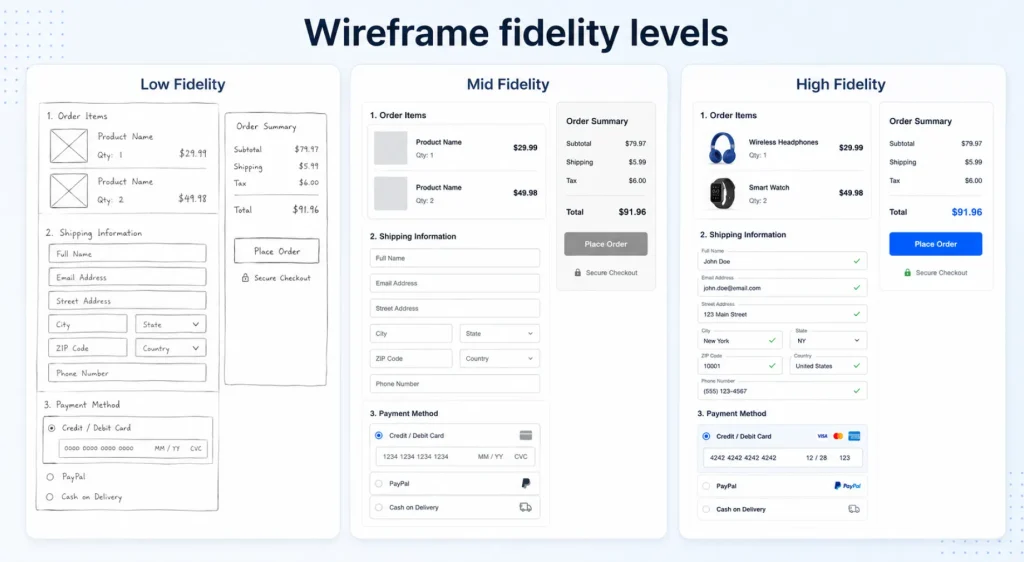
| Low | Rough boxes, labels, and placeholders | Early ideas, workshops, and rapid feedback | Balsamiq, Whimsical, Wireframe.cc, Excalidraw |
| Mid | More accurate layout, components, and content | Comparing solutions and testing task flows | Uizard, Visily, MockFlow, Miro |
| High | Detailed UI with realistic states and interactions | Usability testing, approval, and handoff | Figma, Penpot, Axure RP, UXPin, Justinmind |
A project does not need to pass through all three levels. A familiar landing page may move from a paper sketch to high-fidelity design in a day. A new checkout flow may need several low-fidelity rounds before anyone should touch the visual layer.
How We Evaluated These Wireframe Design Tools
No single feature makes a wireframing tool “the best.” We compared each option using criteria that affect real work:
- Speed: How quickly can someone move from an idea to a useful first draft?
- Ease of use: Can a marketer, founder, or product manager contribute without formal design training?
- Fidelity control: Does the tool support rough exploration, detailed design, or both?
- UI libraries and templates: Are common web and mobile elements ready to use?
- Collaboration: Can people co-edit, comment, review, and share without a messy handoff?
- Prototyping: Can the wireframe demonstrate navigation, states, or complex behavior?
- AI support: Does AI create editable work, or does it only produce a pretty image?
- Design system support: Can approved components replace placeholders without rebuilding every screen?
- Developer handoff: Can developers inspect, export, or connect designs to real components?
- Price and limits: Is the free or entry plan useful enough for its target user?
The rankings favor fitness for purpose. A simple tool can beat a powerful one when the job is to sketch five homepage options before lunch.
1. Figma: Best Wireframing Tool Overall
Best for: Product teams that want one workspace from early structure to final interface
Free option: Yes
Starting paid price: $16 per full seat/month on the Professional plan
Works on: Browser, macOS, Windows
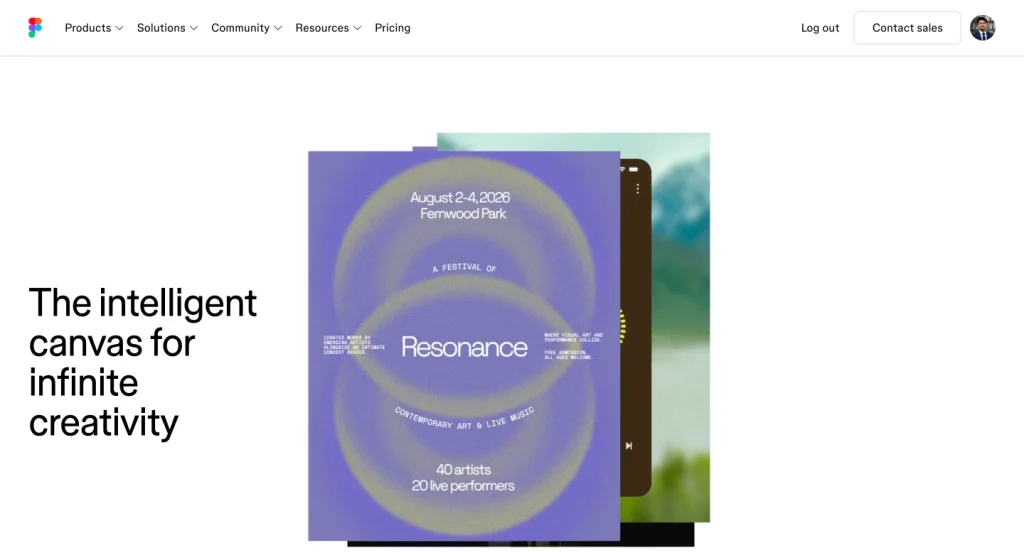
Figma is the safest recommendation for most design and product teams. You can begin with simple grayscale frames, invite the team to comment in real time, connect screens into a clickable flow, and gradually replace placeholders with production-ready components.
The work does not need to be recreated in another app when the project moves forward.
Its community libraries are a major advantage. Search for “wireframe kit,” and you will find free web, mobile, dashboard, and eCommerce components that remove hours of setup. FigJam also handles rough user flows, workshops, and idea mapping before the screens take shape.
Figma now includes AI-assisted wireframing through Figma Make. A prompt can produce an interactive starting layout that you refine visually or through follow-up instructions.
That speed is useful, but the usual rule applies: generated structure still needs human review for hierarchy, accessibility, and product logic. WPManageNinja’s guide to AI in product design covers where that judgment matters.
What stands out
- Strong real-time collaboration
- Huge template and plugin ecosystem
- Low- to high-fidelity work in the same file
- Prototyping, comments, version history, and handoff
- Shared libraries for repeatable components
Where it falls short
Figma can be too powerful for a five-minute sketch. New users may also drift into visual polish too early because every design control is within reach.
Choose Figma if: The same file should survive from wireframe to final design and development.
2. Flowstep: Best AI Wireframing Tool with Multi-Screen UI & Code Export
Best for: Product teams, designers, and devs who want a wireframe that grows into functional, code-ready prototypes without a separate handoff step
Free option: Yes, free tier available
Starting paid price: $15/month on the Starter plan
Works on: Browser
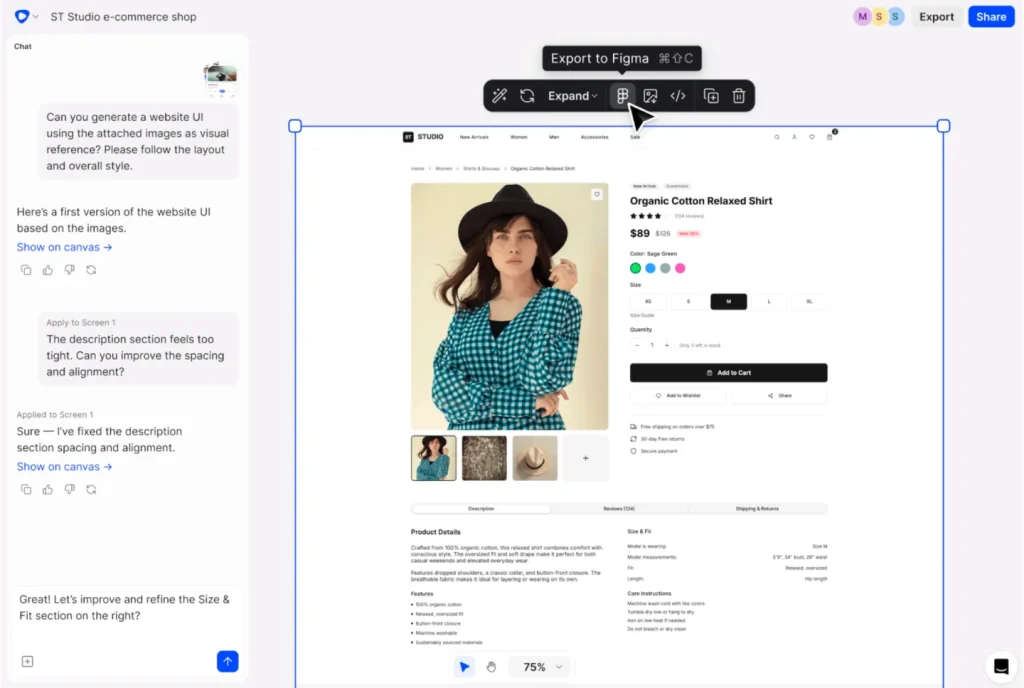
Flowstep is an AI UI design tool rather than a traditional grid-and-shapes wireframing tool. Instead of assembling boxes and labels by hand, you describe the product and it generates multiple connected screens at once, rather than one page at a time. That approach suits teams who normally sketch fast in a lightweight tool and then rebuild everything in a separate design or code environment.
Copy a design in Flowstep and paste it directly into Figma with ⌘C/⌘V. Because the underlying output is React, TypeScript, and Tailwind CSS (with shadcn components), the “wireframe” is closer to a working front end by the time a developer touches it.
For teams already building inside Cursor or Claude Code, Flowstep connects through MCP, so the screens and their structure carry into the coding step rather than restarting from a spec doc.
What stands out
- Multi-screen generation instead of one page at a time
- Plugin-free ⌘C/⌘V handoff to Figma
- Code export to React, TypeScript, and Tailwind CSS/shadcn
- MCP integration with Cursor and Claude Code
- Real-time collaboration with live cursors
- Message-based pricing with a free tier
Where it falls short
Flowstep isn’t built for the deliberately rough, grayscale-box stage. It leans toward higher-fidelity, structured UIs from the first generation.
Choose Flowstep if: You want the wireframe stage and the code-ready screen to be closer to the same artifact.
3. Balsamiq: Best for Fast Low-Fidelity Wireframes
Best for: Founders, product managers, business analysts, and teams that need structural decisions fast
Free option: 14-day trial
Starting paid price: $16 per editor/month, billed annually
Works on: Browser and desktop
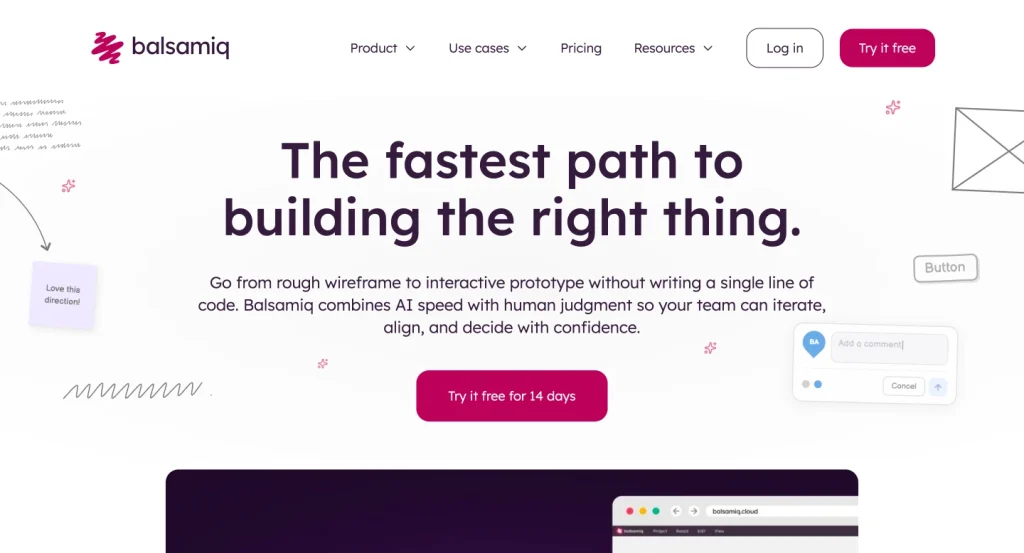
Balsamiq is built around one smart constraint: a wireframe should look unfinished.
Its hand-drawn components make it difficult to confuse an early idea with an approved interface. Stakeholders are more likely to discuss the page hierarchy, missing steps, and navigation because there is no polished visual design to pick apart.
The drag-and-drop library covers common website and app elements, while reusable components help keep repeated screens consistent.
Balsamiq also added AI generation that can create and edit wireframes, convert screenshots, and generate interactive prototypes through a credit system.
What stands out
- Very short learning curve
- Deliberately rough visual language
- Reusable UI components
- Unlimited reviewers on paid plans
- PDF and image export
Where it falls short
There is no natural high-fidelity design stage. Once the structure is approved, most teams rebuild the interface in Figma, Penpot, Sketch, or another visual design tool.
Choose Balsamiq if: Your biggest risk is polishing the wrong solution.
4. Uizard: Best AI Wireframing Tool for Beginners
Best for: Founders, marketers, consultants, and non-designers creating quick app or website concepts
Free option: Yes, with limited projects and AI generations
Starting paid price: $12/month, billed annually
Works on: Browser
Uizard reduces the distance between “I can explain the idea” and “I can show the screen.”
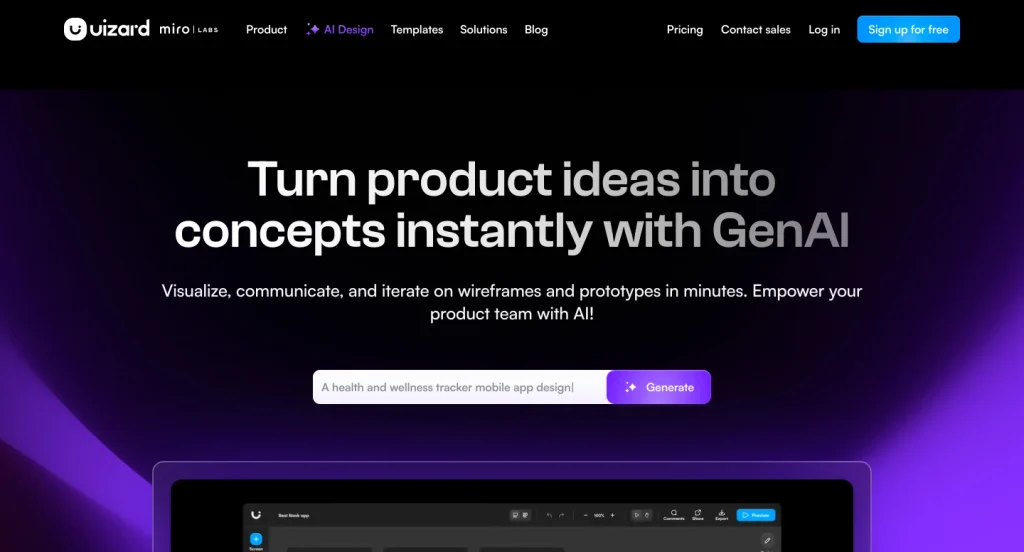
Its Autodesigner can turn a text prompt into an editable project, screen, or theme. The Screenshot Scanner converts an interface reference into editable elements, while the Wireframe Scanner digitizes a hand-drawn sketch.
That combination makes Uizard particularly useful for early MVP conversations. A founder can describe a booking dashboard, show the result to a developer, revise the flow, and create a clickable demo without first learning a full professional design suite.
Uizard also includes a wireframe mode, templates, interactions, commenting, and exports. Paid plans add more AI generations, private projects, broader template access, and developer handoff.
What stands out
- Text-to-design generation
- Screenshot and sketch conversion
- Low barrier for non-designers
- Editable output rather than a flat image
- Quick path from wireframe to clickable prototype
Where it falls short
AI-generated screens can look plausible while hiding weak content priorities or broken flows. Experienced designers may also find Uizard less flexible than Figma for detailed systems work.
Choose Uizard if: You have a clear product idea but limited time or design experience.
5. Whimsical: Best for Wireframes and User Flows Together
Best for: Product teams that want wireframes, flowcharts, mind maps, and documentation in one place
Free option: Yes
Starting paid price: $10 per editor/month, billed annually
Works on: Browser, macOS, Windows
Some teams start drawing screens before they agree on the journey between them. Whimsical helps prevent that.
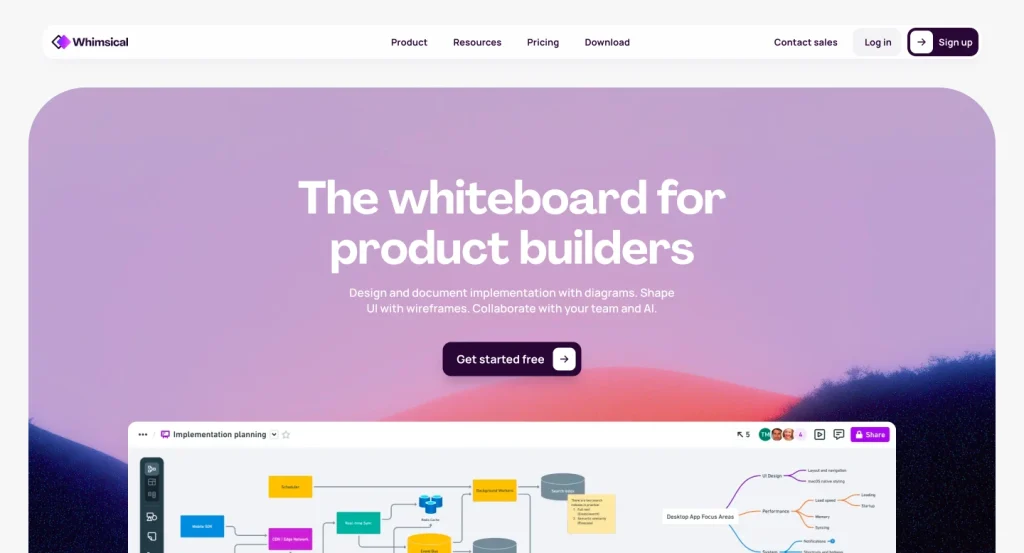
Its boards support wireframes, flowcharts, diagrams, and mind maps with a consistently clean interface. A team can map the signup flow and sketch each step without splitting the work across several tools.
The wireframe library is fast and opinionated. It is not trying to replace a full UI design platform. That is exactly why it works well for product discovery, sprint planning, and stakeholder reviews.
Whimsical’s AI can also turn a prompt into editable wireframes and wireflows.
What stands out
- Fast, tidy canvas
- Wireframes and flows live together
- Real-time editing and comments
- Useful AI generation
- Easy to share with non-design stakeholders
Where it falls short
High-fidelity UI, advanced interactions, and detailed developer handoff are outside its strongest use case.
Choose Whimsical if: The screen and the path between screens need to be discussed at the same time.
6. Visily: Best AI Wireframing Tool for Non-Design Teams
Best for: Product managers, business analysts, founders, and cross-functional teams
Free option: Yes
Starting paid price: $11 per editor/month, billed annually
Works on: Browser
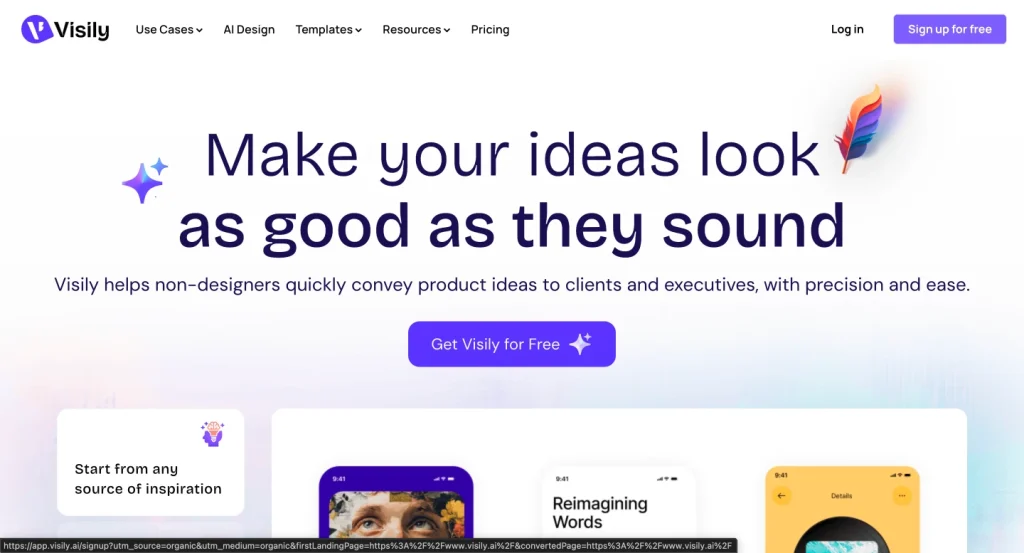
Visily is built for people who need to communicate a UI idea without becoming professional designers first.
It can generate screens, components, diagrams, prototypes, themes, and content from prompts. You can also use screenshots as references and ask the assistant to refine selected parts of a design.
Its most useful wireframing feature is the ability to switch between low- and high-fidelity views. A team can keep an early review rough, then present a more realistic version without rebuilding the full screen.
The free plan includes core wireframing and 300 monthly AI credits, though board and element limits apply.
What stands out
- Almost no learning curve
- Prompt, screenshot, and canvas-aware generation
- Lo-fi and hi-fi switching
- Interactive prototyping
- Figma import and export on paid plans
Where it falls short
The free plan restricts editable boards, and teams that already have a mature Figma workflow may not need another design environment.
Choose Visily if: Several non-designers need to build and revise interface ideas together.
7. Miro: Best for Collaborative Wireframing Workshops
Best for: Distributed teams, discovery workshops, stakeholder feedback, and user journey planning
Free option: Yes
Starting paid price: $8 per member/month, billed annually
Works on: Browser, macOS, Windows, mobile
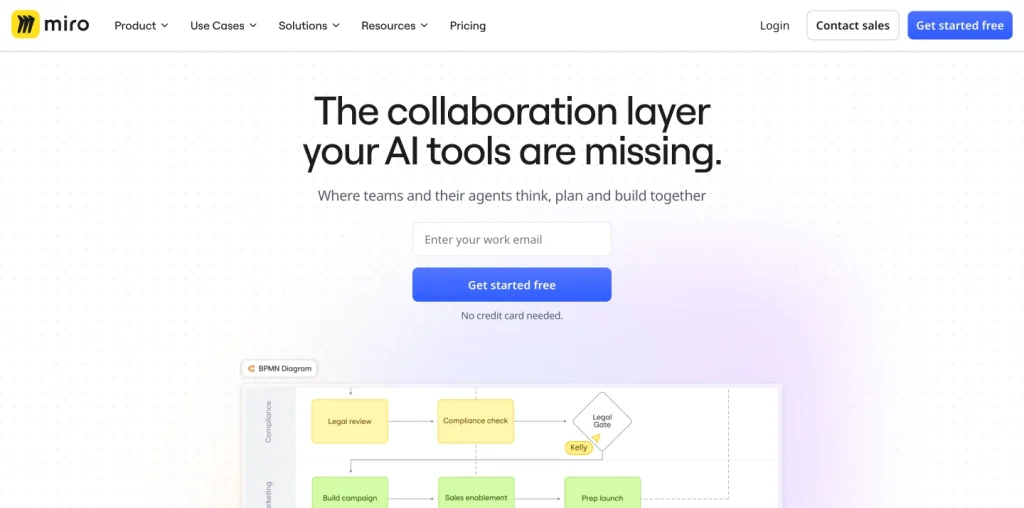
Miro is a visual workspace rather than a dedicated UI design app, but that broader canvas is its advantage.
Research notes, journey maps, user flows, competitor references, sticky-note feedback, and wireframes can all sit together. During a workshop, people can co-edit, vote, comment, react, and present without changing tools.
The built-in wireframe library and templates are sufficient for low- and mid-fidelity website or app concepts.
Miro AI can generate diagrams and summaries, while its newer prototype features can create interactive concepts from prompts, screenshots, HTML, code, or board content on eligible plans.
What stands out
- Excellent real-time and asynchronous collaboration
- Facilitation tools for meetings and workshops
- Large template collection
- Strong integration catalog
- Room for research, flows, wireframes, and feedback
Where it falls short
Large boards can become chaotic. It is also less precise than a dedicated interface tool once detailed design and handoff begin.
Choose Miro if: Alignment and participation matter more than pixel-level control.
8. Penpot: Best Free and Open-Source Wireframing Tool
Best for: Design and development teams that value open standards, self-hosting, and a strong free plan
Free option: Yes
Starting paid price: $7 per user/month
Works on: Browser; self-hosting available
Penpot is more than a free Figma alternative. It is an open-source design platform built around web standards, including CSS Grid and Flex Layout.
That makes its layout behavior familiar to developers and can reduce translation problems during handoff.
The free cloud plan supports up to eight team members, unlimited viewers, unlimited design files within storage limits, libraries, templates, multiplayer editing, comments, prototypes, and inspect tools.
Penpot also offers a free wireframing kit with more than 100 components.
Its open-source model matters to teams that want greater control over data and tooling. Self-hosting is available, while paid cloud plans add storage, longer history, and enterprise controls.
What stands out
- Fully featured free plan
- Open-source and self-hostable
- Developer-friendly layout model
- Libraries, design tokens, prototypes, and inspect mode
- No file limit within plan storage
Where it falls short
The plugin and template ecosystem is smaller than Figma’s. Teams migrating from Figma should also expect some workflow adjustment.
Choose Penpot if: You want a serious design platform without locking your team into a closed ecosystem.
As wireframes mature, repeated patterns should become reusable components rather than copied shapes. WPManageNinja’s guide to building a design system explains how those shared rules keep the product consistent as more screens and contributors are added.
9. Axure RP: Best for Complex Logic and Functional Prototypes
Best for: UX professionals, business analysts, and enterprise teams designing complex software
Free option: Trial
Starting paid price: $29 per user/month
Works on: macOS and Windows, with Axure Cloud for sharing
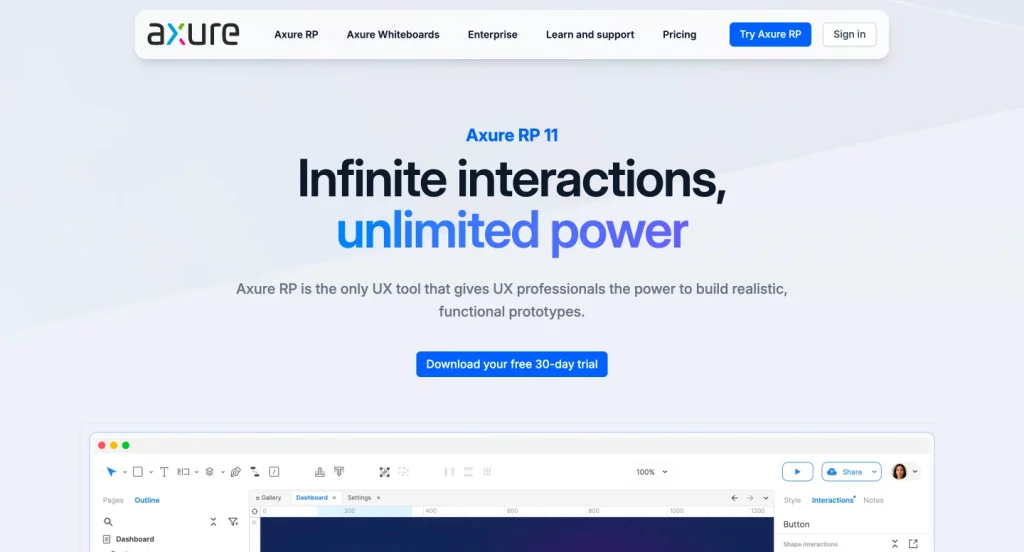
Axure RP is the specialist choice when a clickable link between screens is not enough.
It supports variables, conditions, expressions, dynamic panels, adaptive views, data-driven widgets, and detailed documentation. That makes it suitable for enterprise dashboards, financial software, admin systems, and workflows with many states or rules.
You can start with plain wireframes and keep adding realistic behavior until stakeholders can test the logic before engineering begins.
Axure Cloud handles publishing and review, while the Team plan adds co-authoring and revision history.
What stands out
- Deep interaction logic without code
- Dynamic content and conditional states
- Strong documentation features
- Unlimited projects and reviewers on paid plans
- Good fit for complex enterprise requirements
Where it falls short
Axure has a steeper learning curve than most tools in this list. It is unnecessary for a simple marketing site or straightforward mobile flow.
Choose Axure RP if: Your wireframe needs to prove how complicated behavior works, not merely where buttons sit.
10. UXPin: Best for Code-Based Prototypes and Design Systems
Best for: Mature product teams that want realistic components and tighter design-development alignment
Free option: Limited plan after a 14-day trial
Starting paid price: $29/month, billed annually
Works on: Browser, macOS, Windows
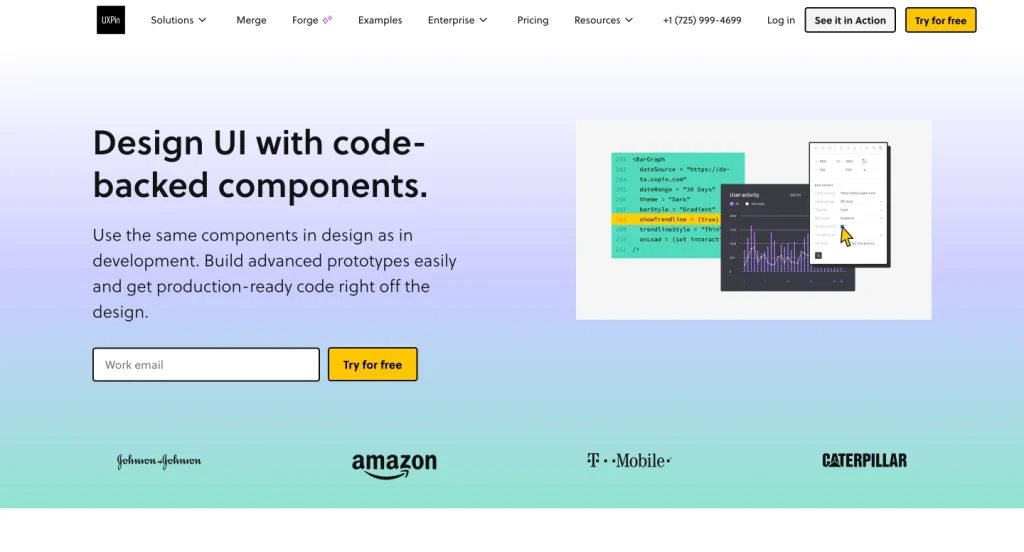
UXPin sits closer to a working product than a traditional drawing tool.
Its prototypes can use interactive, code-backed components with states, properties, and real behavior. Teams can work with built-in libraries such as MUI, Bootstrap, Tailwind, Ant Design, and shadcn/ui, while higher plans connect design systems through Storybook or Git.
That is valuable when a team has already established reusable components and wants wireframes or prototypes to reflect what engineers can actually ship.
Conditional logic, variables, expressions, interactions, and accessibility features add realism for usability testing.
What stands out
- Coded component libraries
- Advanced states, logic, and interactions
- Design system and Storybook workflows
- Strong specifications and handoff
- AI-assisted prototyping
Where it falls short
UXPin is more expensive and more technical than a simple wireframe tool. It delivers the most value after a team has moved beyond informal sketching.
Choose UXPin if: Your team wants the prototype and production component model to stay closely connected.
11. MockFlow: Best Dedicated Wireframing Workspace
Best for: Agencies, freelancers, and teams that want a purpose-built wireframe toolkit
Free option: Yes
Starting paid price: About $27/month when billed annually
Works on: Browser, macOS, Windows
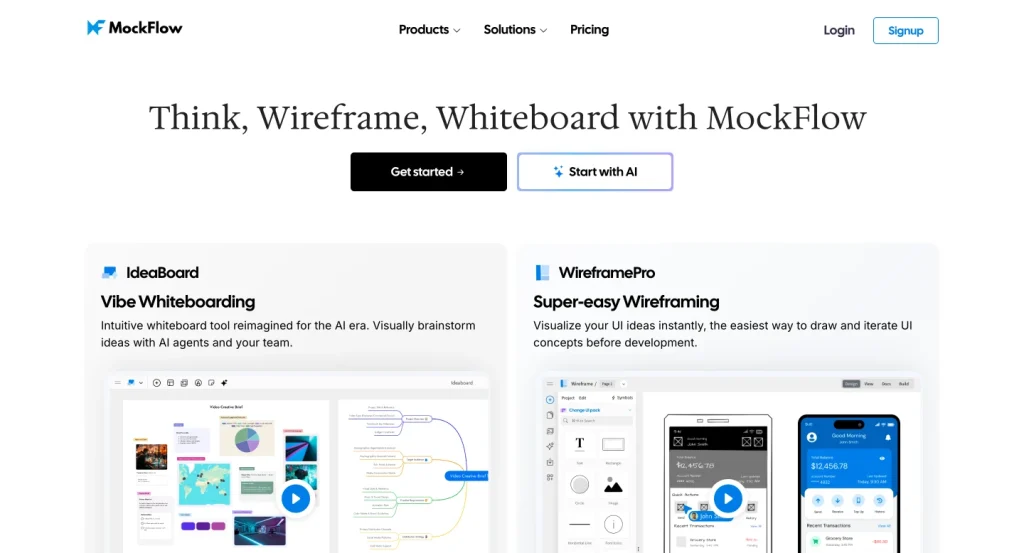
MockFlow’s WireframePro keeps the full workflow centered on interface planning.
It includes wireframe templates, UI packs, sitemaps, reusable assets, multiplayer editing, comments, review links, presentations, and exports.
Its AI tools can generate wireframes from prompts or screenshots, turn live webpages into editable wireframes, create sitemaps and flows, review a design, and prepare visual prompts for coding tools.
Paid plans also support Figma export and code-related handoff options.
The free plan is useful for evaluating the product, but it is limited to one wireframe project and three pages.
What stands out
- Dedicated wireframe and sitemap workflow
- Broad UI pack and template selection
- AI generation from prompts, screenshots, and webpages
- Review, presentation, and documentation features
- Integrations for common work tools
Where it falls short
The plan structure and credit system take time to understand. Teams already settled in Figma plus a whiteboard may find the overlap hard to justify.
Choose MockFlow if: You want a specialist wireframe workspace with planning, review, and handoff built around it.
12. Justinmind: Best Free Tool for Interactive Wireframes
Best for: Web and mobile prototypes with forms, data, gestures, and realistic interactions
Free option: Yes
Starting paid price: $19 per editor/month
Works on: macOS and Windows
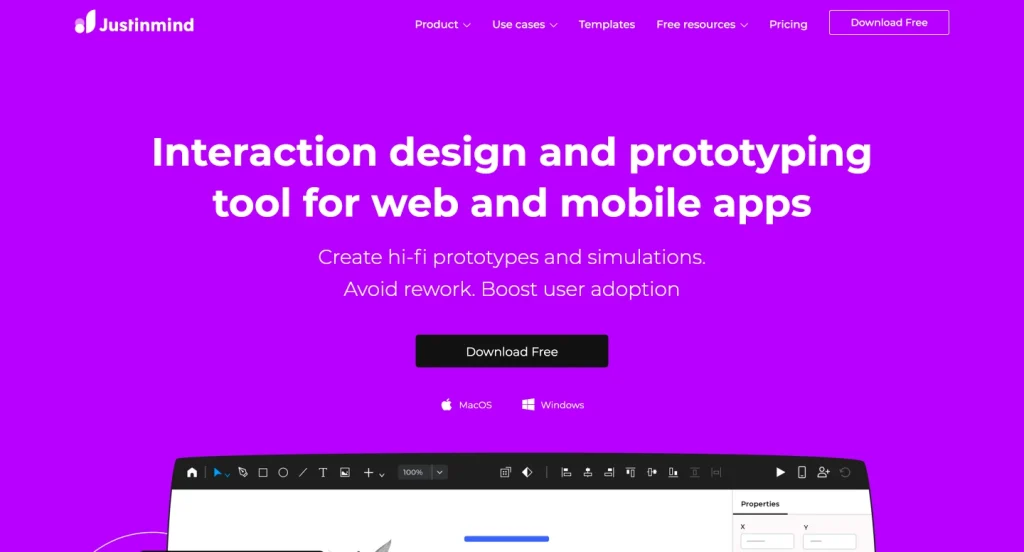
Justinmind has an unusually capable free plan.
It includes wireframing, vector tools, unlimited screens, one project, working input fields, UI widgets, and image or SVG export. That is enough to build and test a substantial personal project without a subscription.
Paid plans add variables, advanced interactions, collaboration, device testing, shared libraries, responsive design, data simulation, user flows, testing integrations, and HTML export.
Its working forms are especially useful when a product depends on input behavior rather than simple page navigation.
What stands out
- Functional form fields
- Unlimited screens on the free plan
- Strong web and mobile UI libraries
- Advanced interactions and data simulation on paid plans
- Perpetual license options alongside subscriptions
Where it falls short
The desktop interface can feel heavier than browser-first tools, and real-time team workflows require a paid plan.
Choose Justinmind if: You need a free starting point that can grow into a realistic interactive prototype.
13. Wireframe.cc: Best Distraction-Free Online Wireframe Tool
Best for: Quick website or mobile layouts with almost no setup
Free option: Yes
Starting paid price: $12/month, billed annually
Works on: Browser
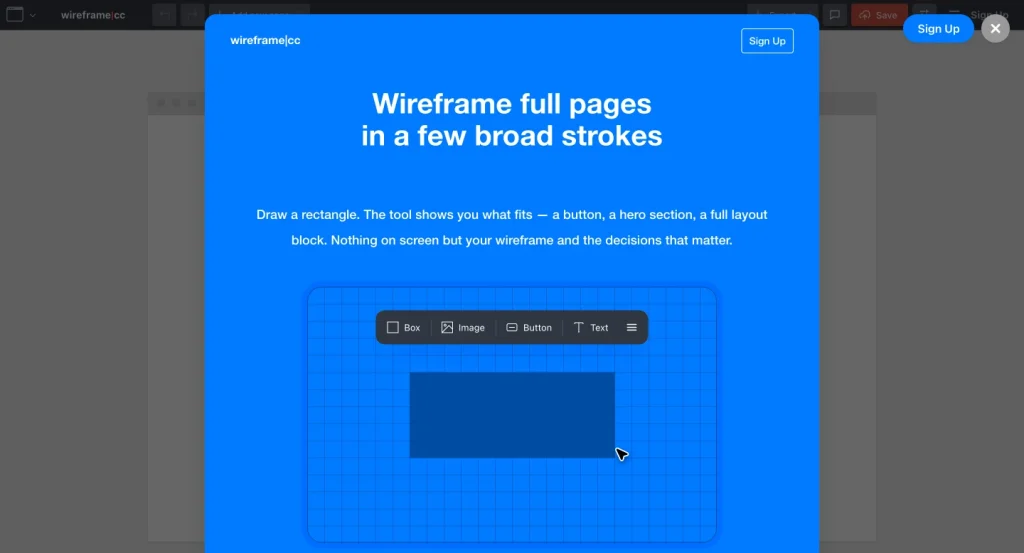
Wireframe.cc removes nearly everything that might distract you from layout.
Draw a rectangle, choose what it represents, add a label, and continue. Controls appear only when needed, while the restricted styling options keep the result firmly in low-fidelity territory.
You can try the tool without creating an account and share the wireframe through a URL.
Premium plans add private workspaces, unlimited projects, multiple pages, clickable flows, reusable master pages, and PDF or PNG export.
What stands out
- Extremely simple interface
- No account required for a quick start
- Deliberate low-fidelity constraints
- Web and mobile canvases
- Shareable links
Where it falls short
The free version is best for simple, public, single-page concepts. It lacks the collaboration depth and full design workflow of larger platforms.
Choose Wireframe.cc if: Opening a heavyweight design suite would take longer than drawing the idea.
14. Excalidraw: Best for Quick, Disposable Team Sketches
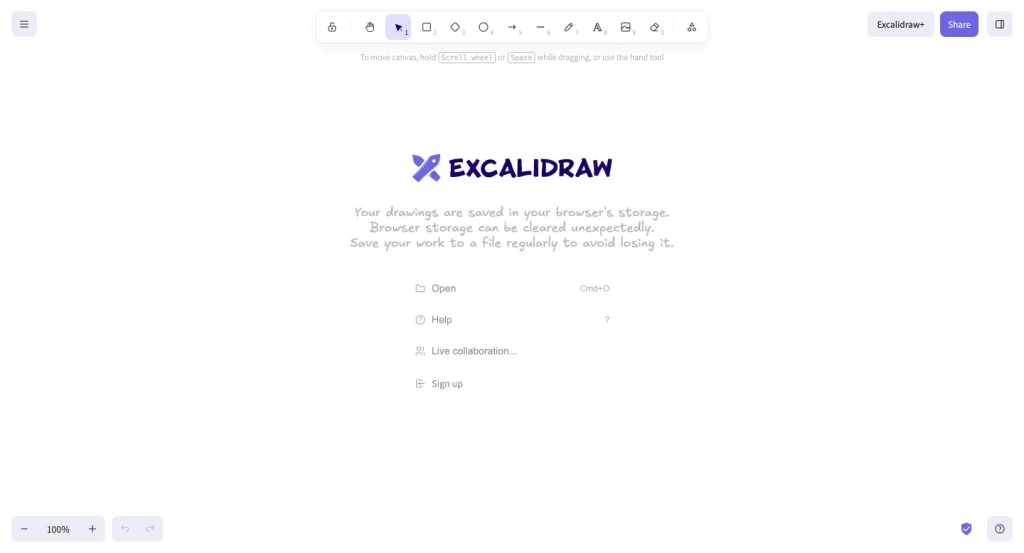
Best for: Rough concepts, live discussions, user flows, and collaborative sketches
Free option: Yes, open-source
Starting paid price: $6 per user/month for Excalidraw Plus
Works on: Browser; self-hosting available
Excalidraw feels like a shared whiteboard that refuses to become precious.
Its hand-drawn shapes, arrows, text, image support, libraries, and real-time collaboration are enough to sketch a landing page, checkout, dashboard, or app flow in minutes.
The free editor requires no sign-up and supports unlimited collaborators, plus PNG and SVG exports.
Excalidraw Plus adds saved scenes, folders, access controls, comments, presentations, screen sharing, and extended AI features.
It is not a structured UI design tool, and that is often the point. When a conversation needs a picture immediately, Excalidraw gets out of the way.
What stands out
- Free and open-source
- No sign-up required
- Real-time collaboration
- Hand-drawn style encourages honest early feedback
- Easy export and embedding
Where it falls short
There are no advanced UI components, responsive layouts, design systems, or professional handoff features in the basic editor.
Choose Excalidraw if: The wireframe is a thinking aid, not an artifact you plan to polish.
Which Wireframing Tool Should You Choose?
Do not choose by feature count. Choose by the decision your team needs to make next.
Choose by Role
| Your role | Start with | Why |
|---|---|---|
| UX/UI designer | Figma or Penpot or Flowstep | Full control from structure to finished UI |
| Product manager | Flowstep, Whimsical, or Visily | Fast enough for product discussions without deep design training |
| Founder | Uizard or Figma | Quick MVP concepts with room to refine |
| Marketer or content strategist | Whimsical, Miro, or Wireframe.cc | Clear landing-page structure and easy feedback |
| Business analyst | Axure RP or Balsamiq | Requirements, flows, annotations, and complex logic |
| Developer | Penpot or UXPin | Better alignment with code, layout rules, and production components |
| Agency or freelancer | Figma or MockFlow | Reusable templates, client review, and multiple project types |
| Student or beginner | Figma, Penpot, or Excalidraw | Strong free options and plenty of room to learn |
Or Choose by Project
- Marketing website: Figma, Whimsical, or Wireframe.cc
- eCommerce store: Figma, Uizard, or Visily
- Mobile app: Figma, Uizard, Visily, or Justinmind
- Complex SaaS dashboard: Figma, Axure RP, UXPin, or Penpot
- Remote design workshop: Miro or Whimsical
- Enterprise workflow: Axure RP or UXPin
- Open-source product: Penpot or Excalidraw
- One-hour idea session: Balsamiq, Wireframe.cc, or Excalidraw
For an online store, do not treat wireframing as decoration. Map search, product discovery, filters, product details, cart, checkout, errors, and confirmation as one connected experience.
FluentCart’s guide to eCommerce user experience basics provides a useful checklist for those decisions.
Ask These Seven Questions Before Paying
- Do we need low fidelity or a realistic prototype?
- Who will edit the file: designers only or the wider team?
- Do we need real-time workshops, asynchronous comments, or both?
- Will the wireframe become the final UI in the same tool?
- Do we need logic, forms, data, or working component states?
- Must the tool connect to a design system or developer workflow?
- Are the free-plan limits acceptable after the first project?
If you only need rough thinking, use the simplest tool that supports sharing. If the file must continue into prototyping, testing, and handoff, switching later may cost more than choosing a broader platform at the start.
Wireframe vs. Mockup vs. Prototype
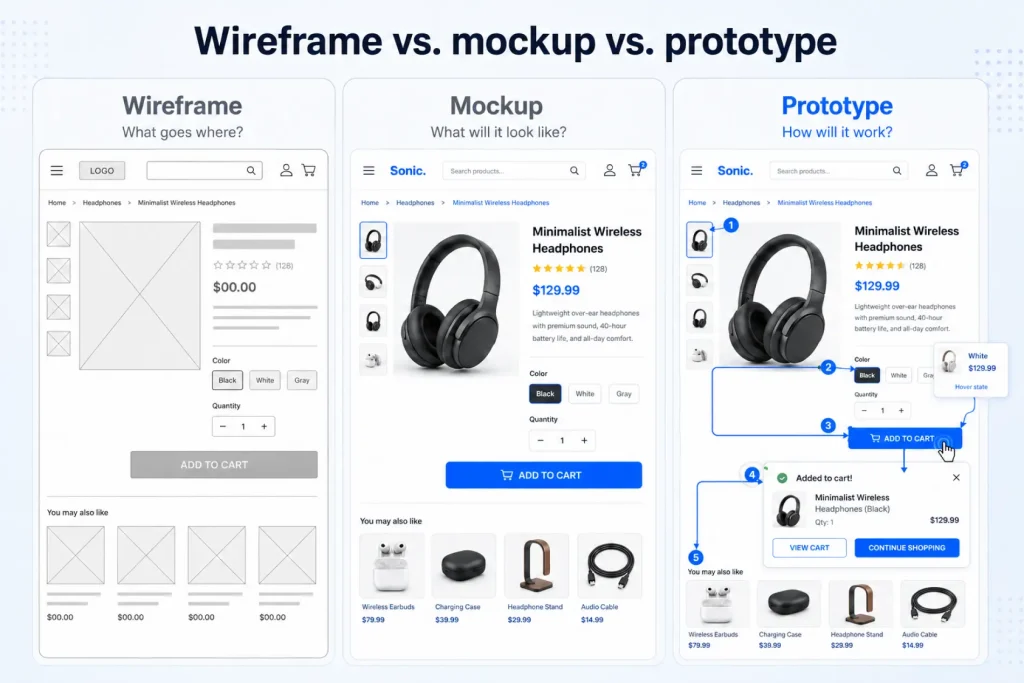
These terms are often mixed together, but they answer different questions.
| Artifact | Main question | Typical detail | Interaction |
|---|---|---|---|
| Wireframe | What goes where? | Structure, hierarchy, navigation, and content blocks | None or basic links |
| Mockup | What will it look like? | Color, typography, images, spacing, and brand styling | Usually static |
| Prototype | How will it work and feel? | Realistic screens, states, transitions, and flows | Clickable or functional |
A wireframe is not automatically low fidelity, and a prototype is not automatically polished. You can create a clickable low-fidelity wireframe or a beautiful static mockup.
The difference is the purpose: structure, appearance, or behavior.
A Simple Wireframing Workflow That Prevents Rework
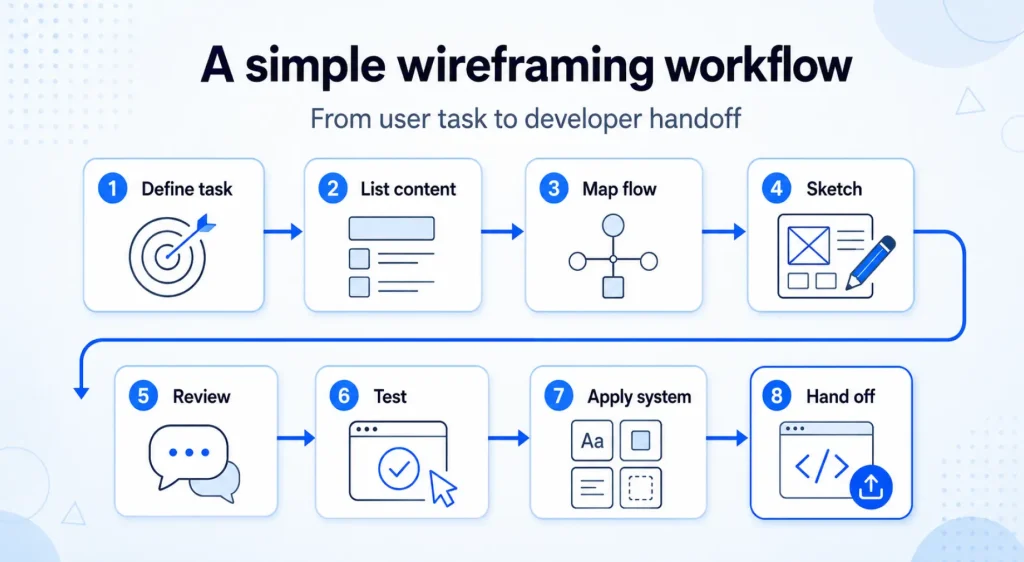
The tool matters less than the order of decisions.
1. Define the User and the Task
Write one sentence:
“This screen helps [user] complete [task].”
If the team cannot agree on that sentence, a canvas will not solve the confusion.
2. List the Required Content
Identify what the user needs to see, know, compare, enter, or decide.
Use real content labels where possible. “Three pricing benefits” is more useful than six lines of lorem ipsum.
3. Map the User Flow
Draw the steps before drawing every screen.
Include success, error, empty, loading, and permission states—not only the happy path.
4. Start With Low Fidelity
Build the smallest version that communicates hierarchy. Skip logos, photography, custom icons, and final colors.
If a stakeholder says, “Can you make it look more finished?” explain which structural decision the rough version is meant to test.
5. Review With a Specific Question
Do not ask, “What do you think?” Ask:
- Can you find the primary action?
- What would you click next?
- What information is missing?
- Which part feels unnecessary?
- Where would you expect to go back or change your choice?
6. Test the Core Task
Connect the key screens and give a few target users a realistic task.
Watch what they do before explaining the design. Their hesitation is often more useful than their opinion.
7. Move Approved Patterns Into the Design System
Once the structure works, replace rough elements with shared components, content rules, spacing, and accessible states.
This is where Figma, Penpot, or UXPin can prevent repeated work.
8. Hand Off Decisions, Not Just Screens
Add notes for behavior, responsive changes, validation, empty states, permissions, and content.
A developer should not have to reverse-engineer why the layout exists.
For larger website projects, connect the design work to owners, milestones, content, QA, and launch tasks. WPManageNinja’s website project planning template can help turn the approved wireframe into an executable plan.
Practical Wireframing Tips for Websites
Website wireframes deserve a few specific rules because pages must work across devices, content lengths, and traffic sources.
- Start with the page’s job. A homepage, comparison page, blog post, product page, and checkout should not share the same hierarchy.
- Use realistic headings early. The length of the message changes the layout. Placeholder text hides that problem.
- Wireframe mobile alongside desktop. Do not wait until the desktop layout is “done” to discover that its hierarchy collapses on a narrow screen.
- Give every page one primary action. Secondary actions can exist, but they should not compete equally.
- Design the form states. Include instructions, errors, success messages, optional fields, and validation. These user-friendly form design tips cover the details that rough boxes often miss.
- Show trust where doubt appears. Put reassurance near pricing, payment, privacy, shipping, cancellations, or risky actions.
- Plan reusable sections. Repeated patterns are the beginning of a design system, not an excuse to copy and paste forever.
- Wireframe the conversion path, not only the landing page. For campaign pages, WPManageNinja’s guide to affiliate landing pages is a useful reference for offer, proof, CTA, and tracking structure.
AI will keep making first drafts faster. That does not remove the need for information hierarchy, accessibility, clear copy, or testing. It simply moves the first version closer.
WPManageNinja’s look at the future of web design explains why human review becomes more important as generation becomes easier.
Common Wireframing Mistakes
Making It Look Finished Too Soon
Polish changes the feedback.
People start debating the font, photo, or corner radius instead of questioning the structure. Keep the first review visibly rough.
Starting Without a User Flow
A good-looking screen can still sit inside a broken journey.
Map where the user came from, what they need to do, and what happens next.
Using Placeholder Content Everywhere
Real labels expose hierarchy problems.
A navigation item called “Integrations and Developer Platform” behaves differently from “Features.”
Designing Only the Happy Path
Include empty results, invalid inputs, slow loading, failed payments, unavailable products, permission limits, and confirmation states.
Treating AI Output as a Decision
An AI wireframe is a proposal.
Check whether it reflects your actual users, content, business rules, accessibility needs, and technical constraints.
Collecting Unstructured Feedback
“I don’t like it” is not a useful review.
Give reviewers a goal, a user scenario, and two or three questions to answer.
Choosing One Tool for Every Stage
The team may brainstorm in Miro, wireframe in Balsamiq, design in Figma, and manage the build elsewhere.
That is fine when the handoffs are clear. A single-tool workflow is convenient, not mandatory.
Frequently Asked Questions About Wireframing Tools
What is the best wireframing tool?
Figma is the best wireframing tool for most teams because it supports low- and high-fidelity design, real-time collaboration, prototyping, shared libraries, and developer handoff in one workspace.
Balsamiq is better when the only goal is fast low-fidelity wireframing.
What is the best free wireframing tool?
Penpot is the best fully featured free and open-source wireframing tool.
Figma has a strong free plan for individuals and small projects, while Excalidraw is the fastest free option for rough sketches with no sign-up.
What is the easiest wireframe tool for beginners?
Balsamiq is the easiest traditional wireframing tool because it uses familiar drag-and-drop components and keeps visual choices limited.
Uizard and Visily are easier for beginners who want AI to create an editable first draft from a prompt.
Can ChatGPT or AI create wireframes?
AI can generate wireframe ideas, screen lists, user flows, component requirements, and prompts for design tools.
Tools such as Figma Make, Uizard, Visily, Whimsical, Miro, Balsamiq, and MockFlow can turn prompts into editable wireframes.
A person still needs to review usability, content, accessibility, edge cases, and business logic.
Is Figma a wireframing tool?
Yes. Figma can create wireframes at any fidelity, connect them into prototypes, collect feedback, and continue into final interface design.
Its broad feature set is helpful for end-to-end work but can feel excessive for a very rough sketch.
Can Canva be used for wireframing?
Yes. Canva offers wireframe templates and a collaborative whiteboard, so it can handle simple website or app layouts.
It is a reasonable option for marketers already using Canva, but dedicated wireframing tools offer stronger UI libraries, interaction design, version control, and handoff.
Is wireframing still necessary when AI can generate a full interface?
Yes, whenever the product structure or user flow is uncertain.
A polished AI interface can make weak decisions look convincing. Wireframing isolates layout, hierarchy, navigation, and task flow so the team can test those decisions before investing in the visual layer or code.
What should a website wireframe include?
A website wireframe should show the header, navigation, content hierarchy, key messages, images or media, calls to action, forms, supporting proof, footer, responsive behavior, and links to the next step.
Add notes for interactions, validation, and states that cannot be shown with static boxes.
How much do wireframing tools cost?
Many wireframing tools offer free plans.
Entry-level paid options in this guide start around $6 to $29 per user or editor each month, while advanced collaboration, security, AI credits, and enterprise controls cost more. Annual billing is often cheaper.
What is the difference between a wireframe and a prototype?
A wireframe mainly communicates structure and content hierarchy.
A prototype simulates how the product behaves through links, interactions, states, or functional components. A wireframe can become a simple prototype when its screens are connected.
Final Verdict
The best wireframing tool is the one that helps your team answer the next expensive question while changes are still cheap.
Choose Figma if the wireframe should continue into final design. Pick Flowstep when you want to go straight from a prompt to multi-screen UIs with code export. Use Uizard or Visily when a non-designer needs to turn a written idea into editable screens.
Choose Penpot for an open-source workflow, Miro or Whimsical for collaborative planning, and Axure RP or UXPin when behavior is too complex for simple clickable screens.
And when the idea is still fragile?
Open Excalidraw or Wireframe.cc, draw the boxes, ask the hard questions, and keep only what survives.

WordPress, automation, eCommerce and growth marketing specialist, a WordPress Core Contributor and Media Corps member blending storytelling with technology to craft strategies in SEO, email marketing, and beyond.
-
All in One SEO vs Yoast: Which WordPress SEO Plugin Wins in 2026?
All in One SEO vs Yoast SEO Plugins compared across -

Complete Guide on How to Build A Church Website with WordPress
Learn how to build a church website with WordPress, from -
Contact Form 7 vs Fluent Forms: Which one should you go for?
Learn the comparison between Fluent Forms vs Contact Form 7.


Leave a Reply
You must be logged in to post a comment.