

HubSpot Review: Features, Walkthrough, Pros, Cons & Alternative
HubSpot is one of those tools almost every marketer hears about at some point. Some call it a CRM. Some call it an email marketing platform. Even some use it as a website builder, sales pipeline, help desk, automation engine, or learning platform through HubSpot Academy.
And honestly, all of them are right.
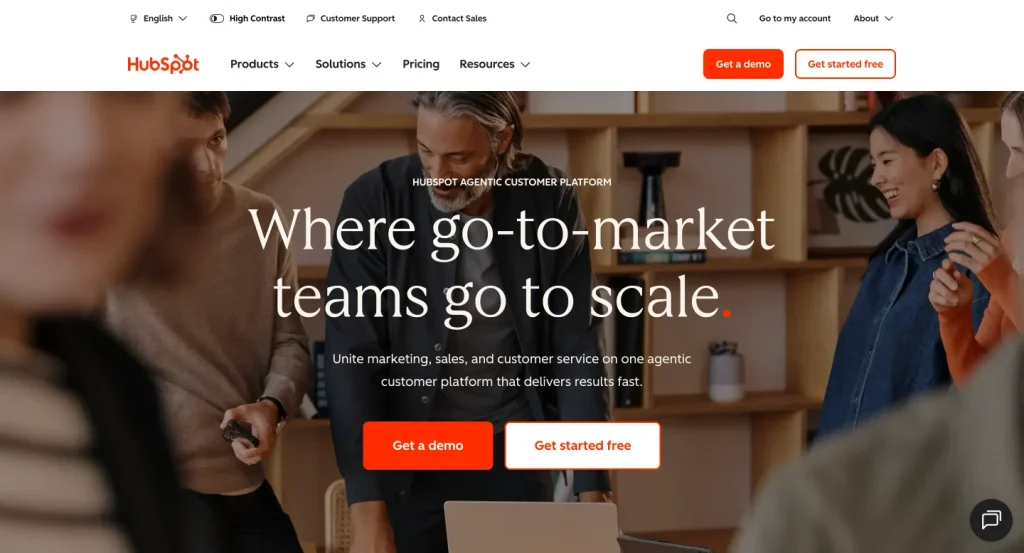
HubSpot has grown far beyond a simple CRM. Today, it positions itself as an agentic customer platform that connects marketing, sales, customer service, content, data, commerce, CRM, and AI tools in one place. According to HubSpot, more than 299,000 customers in over 135 countries use its platform to grow their businesses.
But that also brings a bigger question:
Is HubSpot the right platform for your business, or is it more than you actually need?
In this HubSpot review, we’ll walk through its features, CRM, email marketing tools, website builder, automation, pricing, HubSpot Academy, real customer reviews, pros, cons, and the kind of businesses that should consider it. We’ll also discuss when a WordPress-native alternative may make more sense for email marketing, SMS marketing, and automation.
Key Takeaways
- HubSpot is not just a CRM anymore. It is a full customer platform for marketing, sales, service, content, data, commerce, and AI.
- Its biggest strengths are the connected CRM, marketing automation, sales pipeline tools, reporting, and HubSpot Academy.
- HubSpot’s free CRM is useful for getting started, but advanced features, automation, reporting, and higher contact limits can become expensive as you grow.
- Real user reviews often praise HubSpot for ease of use and all-in-one functionality, while pricing and learning curve come up as common concerns.
- WordPress businesses that mainly need email marketing, SMS marketing, segmentation, and automation may not always need the full HubSpot ecosystem.
What Is HubSpot?
HubSpot is a cloud-based customer platform that helps businesses manage contacts, capture leads, run email campaigns, automate marketing, track sales, support customers, publish content, clean data, and analyze growth.
At the center of HubSpot is its CRM. Around that CRM, HubSpot offers multiple “Hubs,” including Marketing Hub, Sales Hub, Service Hub, Content Hub, Data Hub, and Commerce Hub. These products are designed to work together so teams can manage the full customer journey from the first website visit to final purchase and post-sale support. HubSpot describes its platform as a connected system where CRM data, business tools, and AI work together across teams.
So instead of thinking of HubSpot as one tool, it is better to think of it as a complete SaaS ecosystem.
You can use HubSpot for simple contact management, but you can also build full marketing funnels, automated sales workflows, landing pages, websites, support portals, customer journeys, reports, and AI-assisted processes inside the same platform.
HubSpot at a Glance
| Category | Details |
|---|---|
| Product type | CRM and customer platform |
| Best for | B2B teams, SaaS companies, agencies, sales teams, service businesses, and growing marketing teams |
| Main products | Smart CRM, Marketing Hub, Sales Hub, Service Hub, Content Hub, Data Hub, Commerce Hub, and Breeze AI |
| Free plan | Available |
| Free CRM limit | Up to 2 users and 1,000 contacts |
| Biggest strength | Connected all-in-one ecosystem |
| Biggest concern | Pricing and complexity as needs grow |
| WordPress fit | Useful for some teams, but may be more than many WordPress businesses need |
HubSpot’s free CRM is one of its biggest entry points. HubSpot says the free CRM includes up to two users, 1,000 contacts, and no expiration date, while more advanced CRM features are available in premium plans.
HubSpot Features: What Do You Get?
HubSpot’s biggest strength is not one single feature. The real value is how its features connect with each other.
A form submission can create a contact. That contact can enter a list. The list can trigger an email workflow. The workflow can notify sales. Sales can create a deal. Support can later see the same customer history. Marketing can then track which campaign influenced revenue.
That connected journey is where HubSpot feels powerful.
Let’s break down the major parts.
HubSpot CRM
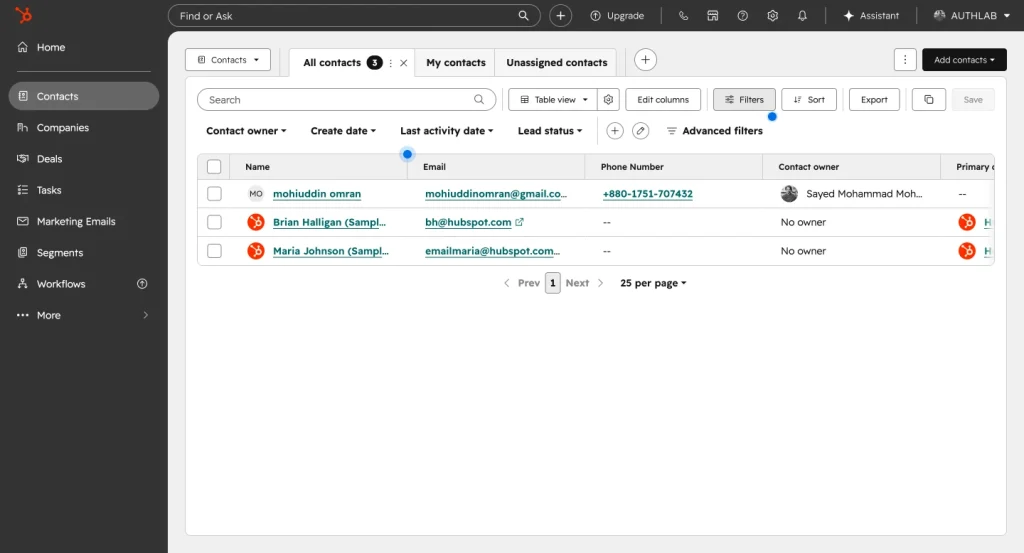
HubSpot CRM is the foundation of the platform. It helps you store, organize, and track contacts, companies, deals, tasks, conversations, and customer activity.
For a small team, the CRM can work as a simple contact database. For a larger team, it becomes the main source of truth for marketing, sales, service, and reporting.
With HubSpot CRM, you can:
- Add and manage contacts
- Track companies and deals
- Create sales pipelines
- Assign tasks and follow-ups
- Track emails and calls
- View customer activity history
- Manage meetings and quotes
- Connect marketing and sales data
The free CRM is useful for businesses that are just getting started. It gives teams a way to move away from spreadsheets and start organizing customer relationships in a structured system.
But the real power appears when CRM data connects with Marketing Hub, Sales Hub, Service Hub, and automation workflows.
HubSpot Marketing Hub
HubSpot Marketing Hub is built for lead generation, campaign management, email marketing, automation, landing pages, forms, reporting, and marketing analytics.
This is where HubSpot becomes especially attractive for marketers. Instead of using separate tools for forms, email campaigns, landing pages, lead tracking, ads, reporting, and automation, HubSpot brings them into one connected system.
Marketing Hub can help you:
- Capture leads with forms and landing pages
- Build email campaigns
- Segment contacts
- Create automated workflows
- Manage marketing campaigns
- Track campaign performance
- Personalize content
- Connect marketing activity with CRM data
- Measure how marketing influences sales
HubSpot describes Marketing Hub as a tool to attract and convert leads, run campaigns, personalize content, and track performance.
That CRM connection is the main advantage. Email marketing, landing pages, forms, and campaigns are not isolated. They all connect back to the customer profile.
HubSpot Email Marketing
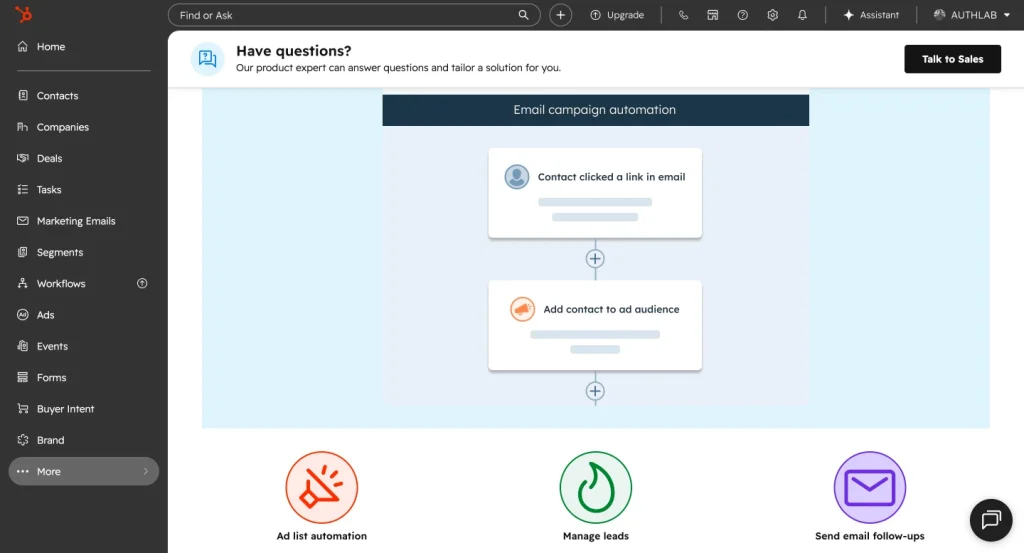
HubSpot email marketing is one of the most used parts of Marketing Hub.
You can create newsletters, promotional emails, lead nurturing campaigns, onboarding sequences, customer follow-ups, and automated email workflows. Since HubSpot email marketing is tied to the CRM, you can personalize messages based on contact properties, lifecycle stages, list membership, form submissions, deal status, and previous interactions.
HubSpot email marketing includes:
- Drag-and-drop email editor
- Email templates
- Personalization tokens
- Contact lists
- Segmentation
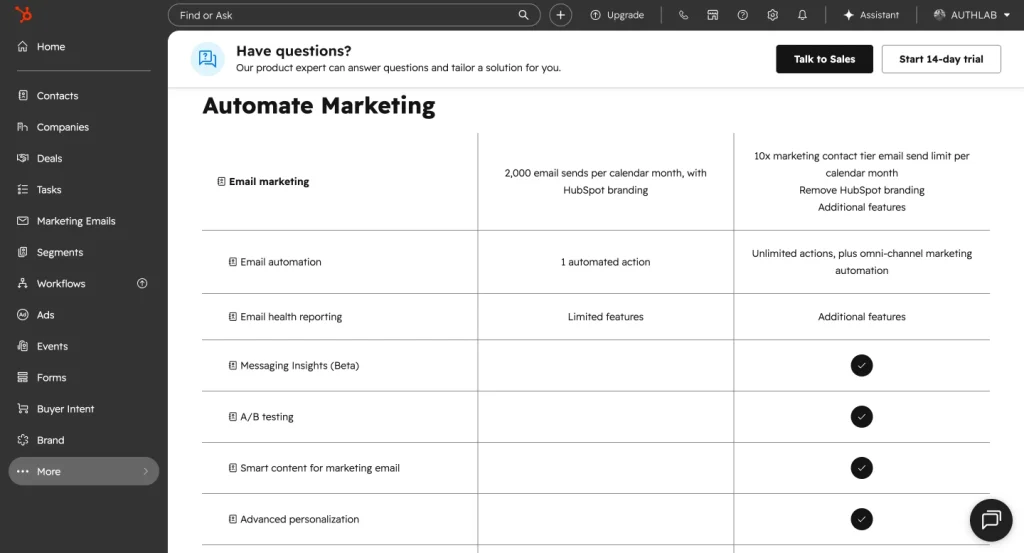
- A/B testing on selected plans
- Automated email workflows
- Email reporting
- CRM-based targeting
This makes HubSpot email marketing very useful for teams that want email to work closely with sales and CRM data.
For example, a B2B SaaS company can send different emails to trial users, sales-qualified leads, lost deals, paying customers, and churn-risk accounts. A service business can send follow-ups based on form submissions, consultation requests, or pipeline stages.
However, if your only need is sending newsletters or a few basic automation sequences, HubSpot may feel heavier than necessary. Its email marketing becomes more valuable when you use it with the wider CRM and automation ecosystem.
HubSpot Sales Hub
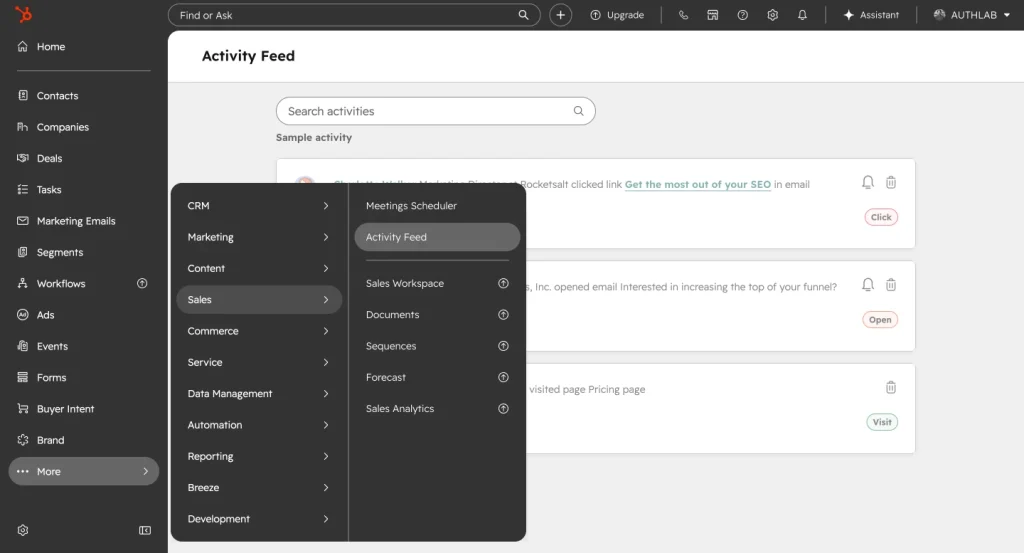
HubSpot Sales Hub is designed for sales teams that need to manage leads, deals, pipelines, outreach, forecasting, and revenue activity.
Popular Sales Hub features include contact and lead management, email tracking, automated sequences, deal and pipeline management, sales analytics, document management, workflow automation, and forecasting.
Sales Hub can help teams:
- Track leads and prospects
- Manage sales pipelines
- Automate follow-up tasks
- Create email sequences
- Schedule meetings
- Track email opens and clicks
- Manage quotes
- Forecast revenue
- Report on sales performance
This is one of the reasons HubSpot works well for B2B companies and sales-led businesses. Marketing and sales can work from the same contact data instead of passing leads between disconnected tools.
HubSpot Service Hub
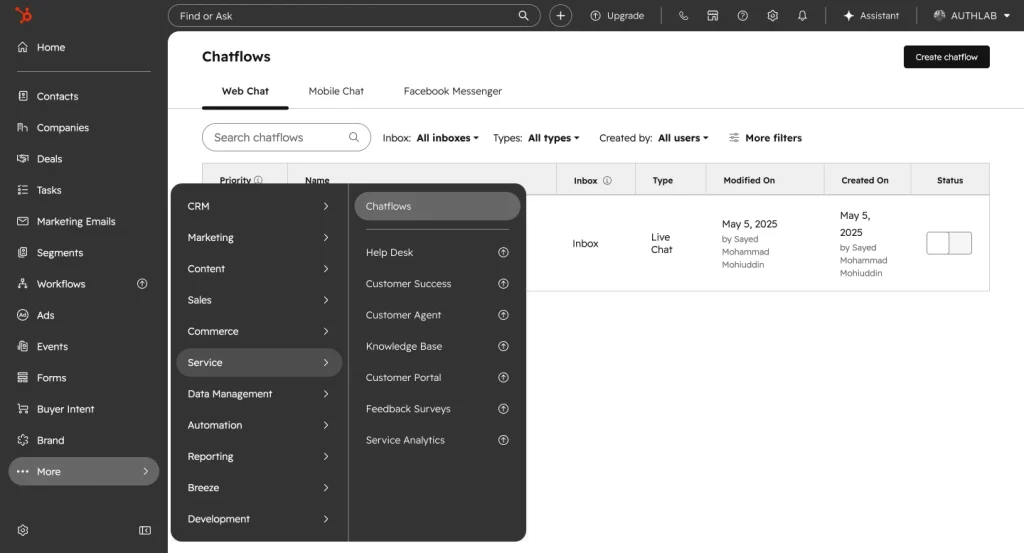
HubSpot Service Hub is built for customer support, help desk, ticketing, knowledge base, customer portals, and service automation.
It helps support teams manage customer conversations and give customers a self-service experience. HubSpot’s Service Hub includes knowledge base tools, customer portal features, and Breeze Customer Agent for resolving customer inquiries across email and live chat with AI automation.
Service Hub can help you:
- Create and manage tickets
- Build a knowledge base
- Offer live chat
- Set up a customer portal
- Track support conversations
- Automate support workflows
- Measure ticket performance
- Understand customer health
This is useful for companies that want sales, marketing, and support teams to see the same customer history.
For example, if a customer submits a support ticket, the service team can see previous deals, marketing emails, website activity, and contact notes. That shared context can improve the customer experience.
HubSpot Content Hub and Website Tools
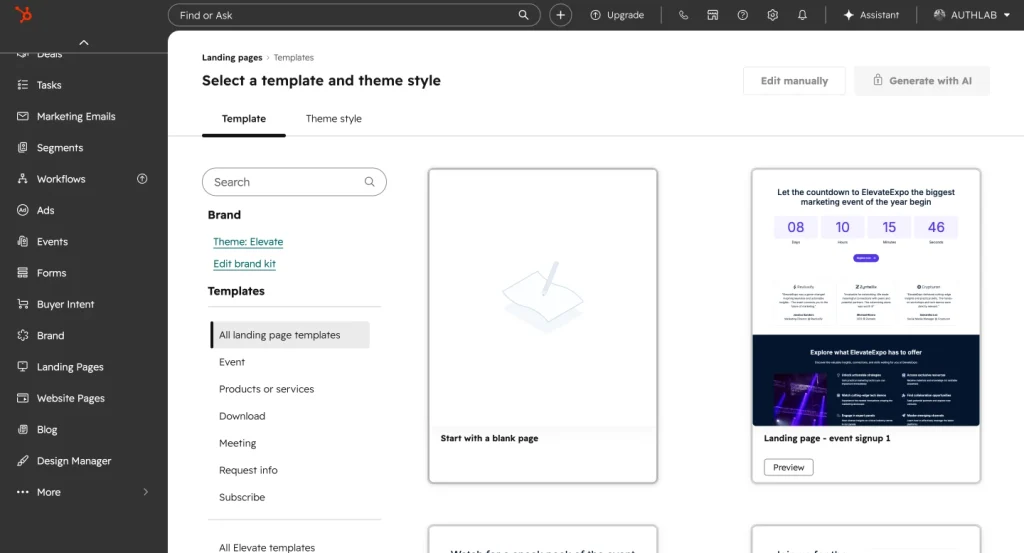
HubSpot also offers website and content tools through Content Hub. This is where HubSpot starts moving into CMS territory.
With Content Hub, businesses can build pages, publish blogs, create landing pages, manage content, use SEO recommendations, personalize content, and track performance.
HubSpot lists popular Content Hub features such as SEO recommendations, landing pages and forms, content repurposing, dynamic content blocks, AI-powered content writing tools, pre-designed website themes, reporting, drag-and-drop website building, app integrations, and content personalization.
This makes HubSpot attractive for businesses that want their website, CRM, content, and marketing data in one SaaS platform.
But this is also where WordPress users need to think carefully.
HubSpot’s website tools are convenient, especially for teams that want everything hosted and connected in one place. WordPress, on the other hand, gives more flexibility, ownership, plugin choice, design freedom, and open-source control.
So the question is not simply “Which one is better?”
The better question is:
Do you want your website and marketing stack inside a SaaS ecosystem, or do you want more control through WordPress?
HubSpot Data Hub
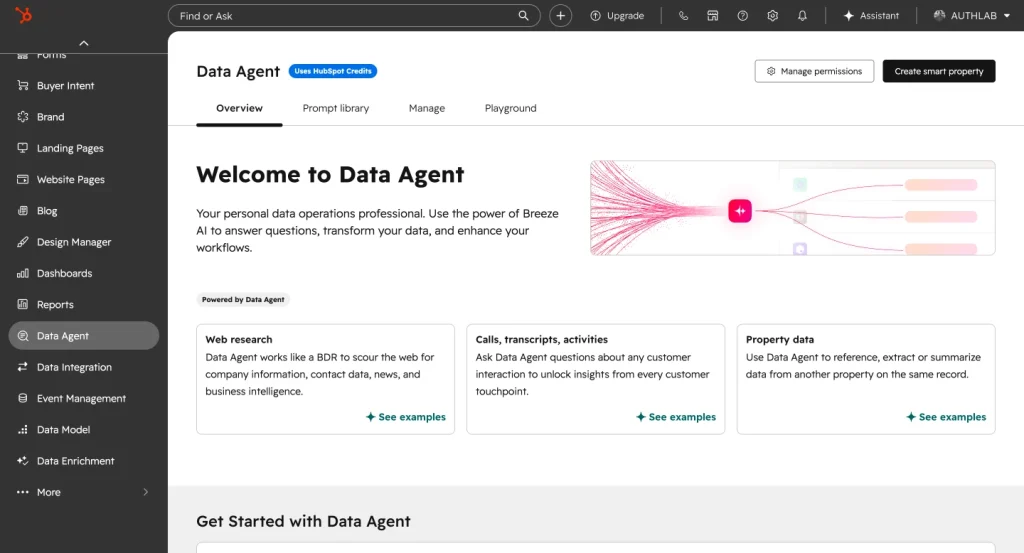
HubSpot Data Hub is built for teams that need cleaner, more connected customer data.
It helps businesses manage data sync, data quality, custom field mapping, and operational workflows. In HubSpot’s product catalog, Data Hub starts at $20/month per seat for Starter, while Professional starts at $800/month with one core seat included.
Data Hub is especially useful when a company uses multiple tools and wants customer data to stay clean across departments.
For small businesses, this may not be a priority. But for growing teams with multiple systems, messy data can quickly become a serious problem.
HubSpot Commerce Hub
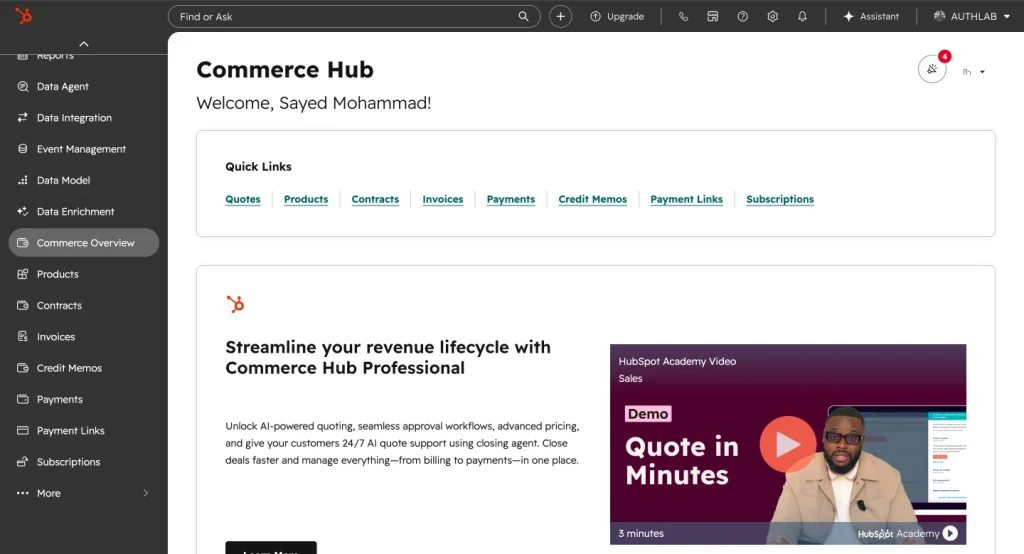
Commerce Hub is HubSpot’s product for quotes, payments, billing, and revenue-related workflows.
It is useful for businesses that want to manage parts of their selling and payment process inside HubSpot. This is more relevant for B2B teams, service providers, and companies that already use HubSpot for CRM and sales.
For a typical WordPress eCommerce store, Commerce Hub may not replace WooCommerce or a dedicated eCommerce setup. But for companies already using HubSpot pipelines and sales workflows, it can help connect revenue activity with CRM data.
HubSpot Breeze AI
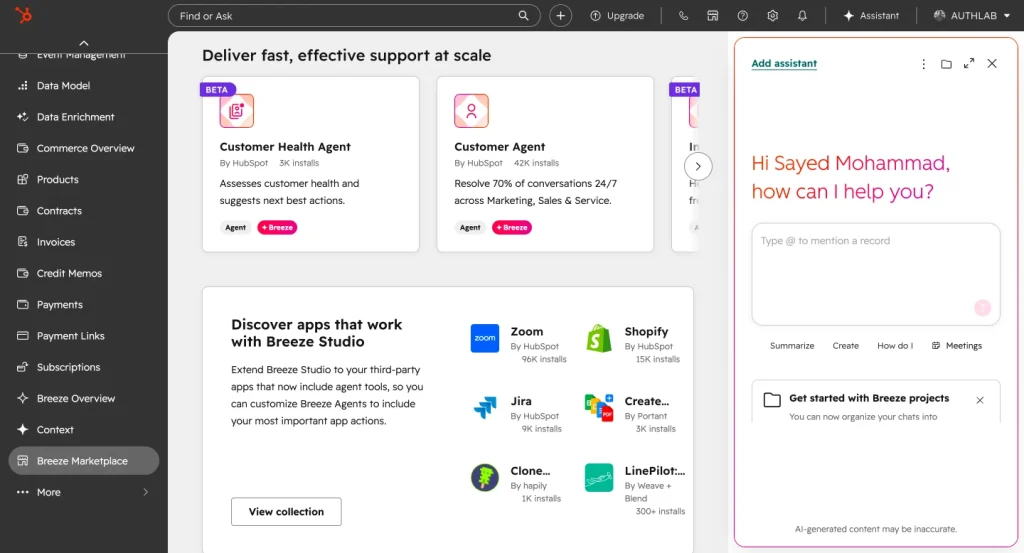
HubSpot now puts a lot of emphasis on Breeze, its AI layer across the customer platform.
It describes Breeze as built-in AI that helps boost productivity, scale growth, and unlock insights. Its homepage also describes Breeze Agents as AI tools that can support customer inquiries, prospecting, and data tasks.
Breeze AI can support:
- Content creation
- Customer support automation
- Prospecting
- CRM insights
- Data questions
- Workflow assistance
- Customer communication
This matters because CRM and marketing automation platforms are no longer only about storing data. They are moving toward helping teams act on that data faster.
Still, AI should not be the only reason to choose HubSpot. The real value depends on how deeply your business uses the CRM, automation, reporting, and customer platform.
HubSpot Walkthrough: How the Platform Works
HubSpot can look simple from the outside, but the platform becomes more layered as you use more tools.
Here is a practical walkthrough of how a business might use HubSpot.
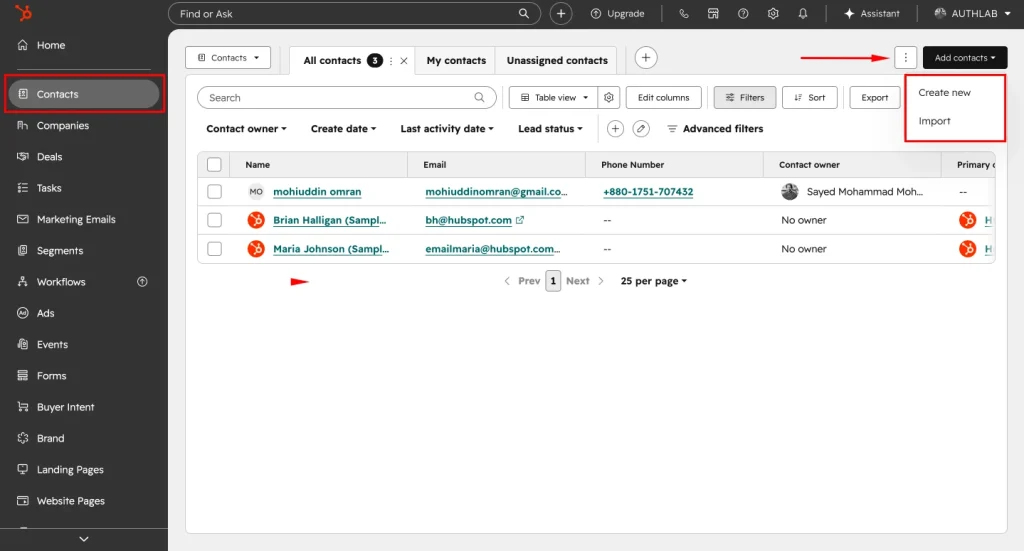
Step 1: Add or Import Contacts
The first step is usually adding contacts.
You can manually create contacts, import them from a CSV file, or collect them through forms, landing pages, live chat, meetings, or integrations.
Each contact profile can include basic details like name, email, phone number, company, lifecycle stage, lead source, and activity history.
This contact timeline is one of HubSpot’s strongest CRM features. It gives you a single place to see how someone has interacted with your business.
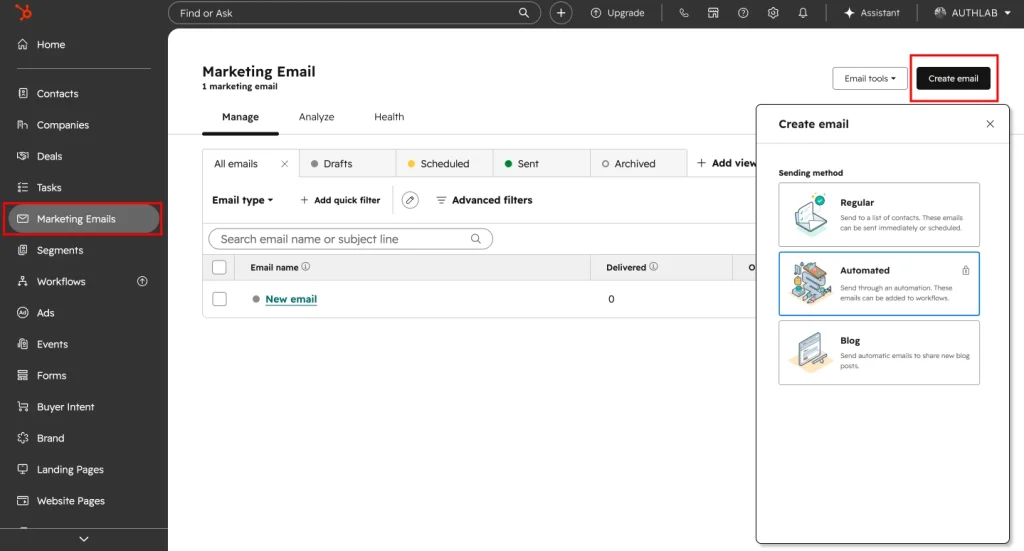
Step 2: Set Up Your CRM Pipeline
Next, you can create a sales pipeline.
A pipeline includes deal stages such as new lead, qualified, proposal sent, negotiation, won, or lost. Sales teams can move deals through these stages and track revenue opportunities.
This makes the sales process more visible. Instead of guessing where leads are, managers can see pipeline value, open deals, stuck deals, and expected revenue.
Step 3: Create Forms and Landing Pages
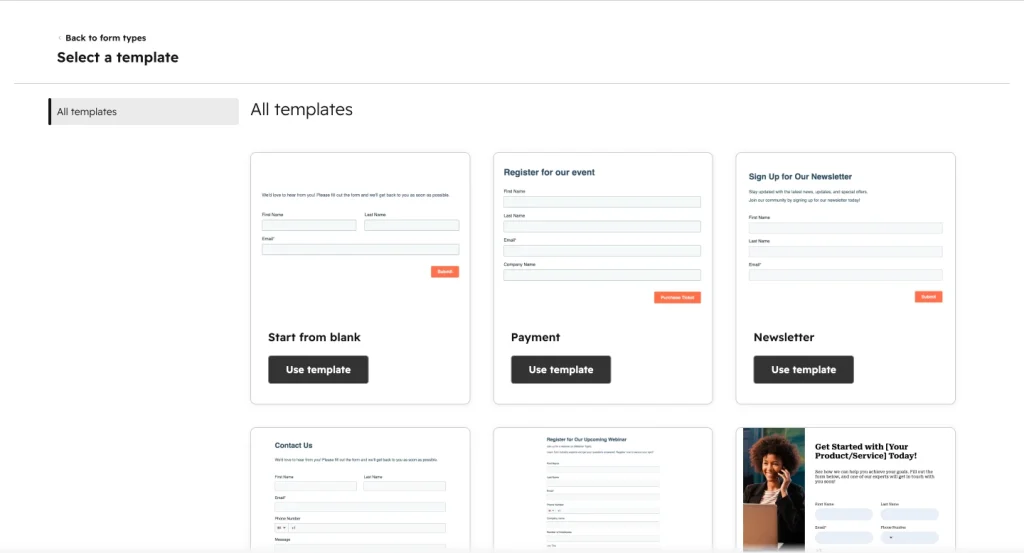
HubSpot lets you create forms and landing pages to capture leads.
For example, you can create a landing page for an ebook, webinar, consultation, product demo, or newsletter signup. When someone fills out the form, HubSpot can automatically create or update the contact record.
That is where HubSpot becomes useful for inbound marketing. Lead capture is directly connected to CRM data.
Step 4: Build an Email Campaign
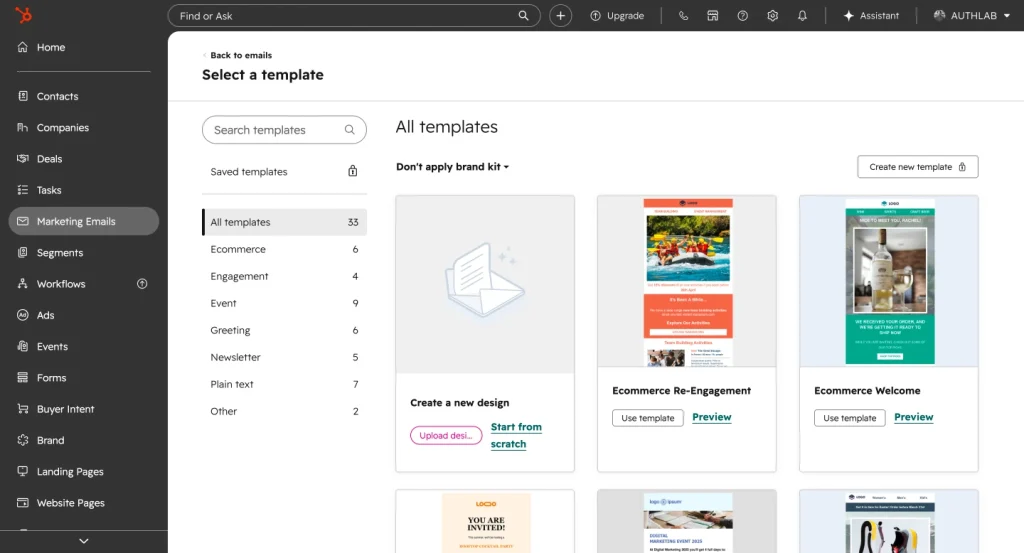
After collecting contacts, you can create email campaigns.
You can choose a template, write your email, personalize it with contact data, select a list, and send the campaign. You can also track opens, clicks, replies, and engagement.
If you are using Marketing Hub automation, you can go further and send emails based on behavior.
For example:
- Send a welcome email after someone joins your list
- Send a product guide after a demo request
- Send a follow-up if someone clicks a pricing page
- Send a re-engagement campaign to inactive contacts
This is where HubSpot email marketing becomes stronger than a basic newsletter tool.
Step 5: Create an Automation Workflow
HubSpot workflows let you automate actions based on triggers.
A workflow can start when someone submits a form, joins a list, opens an email, becomes a customer, changes lifecycle stage, or meets certain conditions.
A simple workflow might look like this:
- Contact downloads a lead magnet.
- HubSpot sends a welcome email.
- Wait two days.
- Send a case study.
- If the contact clicks the link, notify sales.
- If they do not engage, send a different follow-up.
- Update the contact’s lifecycle stage.
This kind of automation saves time and keeps customer communication consistent.
Step 6: Track Reports and Performance
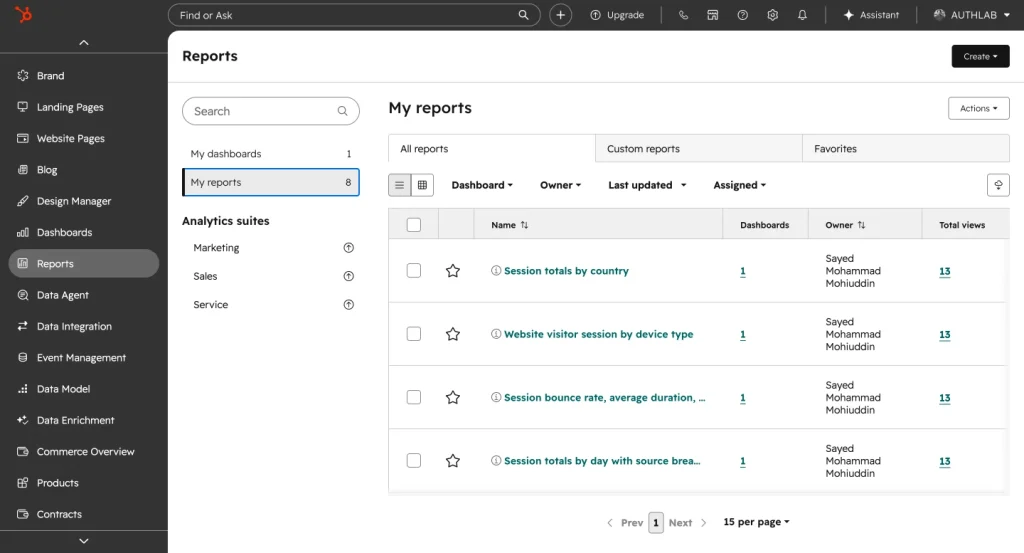
Finally, HubSpot gives teams reporting dashboards.
You can track email performance, landing page conversions, deal movement, sales activities, support tickets, campaign results, and revenue influence.
This reporting is one of the reasons businesses choose HubSpot. It connects marketing and sales data in a way that is difficult to do when every tool is separate.
HubSpot Academy: A Life-Changing Learning Platform for Thousands of Learners
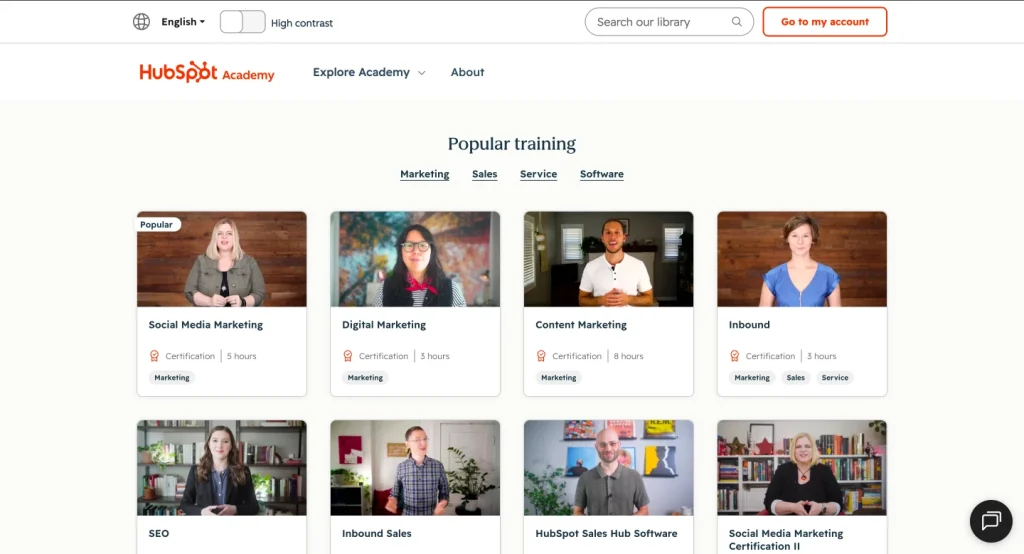
HubSpot Academy is one of HubSpot’s strongest assets. It is not just a place to learn the software; it is a free learning platform for marketers, sales professionals, business owners, students, and growing teams.
It offers free courses, certifications, templates, guides, and practical resources across marketing, sales, CRM, customer service, email marketing, SEO, content marketing, and inbound strategy.
For beginners, HubSpot Academy makes complex topics easier to understand. For professionals, it helps sharpen skills and earn certifications that can be added to LinkedIn profiles.
This is where HubSpot stands apart from many SaaS platforms. It does not only sell tools; it educates the market. That education-first approach has helped thousands of learners build skills, grow careers, and use HubSpot more effectively.
HubSpot Pricing: Free vs Paid Plans
HubSpot pricing is one of the most important parts of this review because the platform can start free but become expensive as your needs grow.
HubSpot’s free CRM includes up to two users and 1,000 contacts, with no expiration date.
That makes it attractive for freelancers, startups, and small teams. You can start with contact management, basic CRM features, and simple business organization without paying immediately.
But HubSpot’s paid plans are where things become more serious.
According to HubSpot’s product and services catalog, Smart CRM Starter starts at $20/month per seat, Smart CRM Professional starts at $50/month per seat, and Smart CRM Enterprise starts at $75/month per seat. Marketing Hub Starter starts at $20/month per seat, while Marketing Hub Professional starts at $890/month with 3 core seats included.
Content Hub Professional starts at $500/month with 3 core seats included, and Content Hub Enterprise starts at $1,500/month with 5 core seats included. Data Hub Professional starts at $800/month with 1 core seat included, according to the same HubSpot catalog.
So the pricing story is simple:
HubSpot is easy to start with, but serious HubSpot usage can become a serious investment.
The cost usually depends on:
- Which Hub you choose
- How many users need access
- How many marketing contacts you have
- Whether you need Professional or Enterprise features
- Whether you need advanced automation, reporting, or onboarding
- Whether you use multiple Hubs together
For many businesses, the free and Starter plans are enough at the beginning. But once you need advanced workflows, custom reports, A/B testing, revenue reporting, complex automation, or larger team access, you may need higher plans.
Pricing Table
Free CRM and Smart CRM Pricing
| HubSpot Product | Starting Price | Included Seats / Contacts | Best For | Pricing Note |
|---|---|---|---|---|
| Free CRM | $0/month | Up to 2 users and 1,000 contacts | Freelancers, startups, and small teams getting started with CRM | Free CRM tools with no expiration date |
| Smart CRM Starter | From $20/month per seat | Core seat pricing applies | Small teams that need basic CRM features | Additional Starter Core Seats are available at $20/month per seat |
| Smart CRM Professional | Begins at $50/month per seat | Core seat pricing applies | Growing teams that need more advanced CRM capabilities | Extra Professional Core Seats cost $50/month per seat |
| Smart CRM Enterprise | Available from $75/month per seat | Core seat pricing applies | Larger teams with advanced CRM needs | Extra Enterprise Core Seats cost $75/month per seat |
Marketing Hub Pricing
| HubSpot Product | Starting Price | Included Seats / Contacts | Best For | Pricing Note |
|---|---|---|---|---|
| Marketing Hub Starter | Entry price is $20/month per seat | 1,000 marketing contacts included | Businesses starting with email marketing, forms, and lead capture | Marketing contact costs may rise as your list grows |
| Marketing Hub Professional | Plans begin at $890/month | 3 Core Seats and 2,000 marketing contacts included | Marketing teams that need automation, campaigns, and deeper reporting | Required onboarding starts with a one-time $3,000 fee |
| Marketing Hub Enterprise | Pricing starts from $3,600/month | 5 Core Seats and 10,000 marketing contacts included | Large teams with advanced marketing operations and reporting needs | Billed annually, with required onboarding from $7,000 |
Sales Hub Pricing
| HubSpot Product | Starting Price | Included Seats / Contacts | Best For | Pricing Note |
|---|---|---|---|---|
| Sales Hub Starter | From $20/month per seat | Core seat pricing applies | Sales teams managing deals, outreach, and follow-ups | A practical starting point for basic sales workflows |
| Sales Hub Professional | Begins at $100/month per seat | Sales seat pricing applies | Teams that need sequences, automation, and advanced sales tools | Additional Sales Professional Seats cost $100/month per seat |
| Sales Hub Enterprise | Available from $150/month per seat | Sales seat pricing applies | Enterprise sales teams with complex pipeline and reporting needs | Billed annually, with required onboarding from $3,500 |
Service Hub Pricing
| HubSpot Product | Starting Price | Included Seats / Contacts | Best For | Pricing Note |
|---|---|---|---|---|
| Service Hub Starter | Entry price is $20/month per seat | Core seat pricing applies | Support teams starting with basic service tools | Useful for ticketing and simple customer support workflows |
| Service Hub Professional | Plans begin at $100/month per seat | Service seat pricing applies | Support teams that need automation, help desk tools, and reporting | Additional Service Professional Seats cost $100/month per seat |
| Service Hub Enterprise | Priced from $150/month per seat | Service seat pricing applies | Larger service teams with advanced customer support operations | Billed annually, with required onboarding from $3,500 |
Content Hub and Data Hub Pricing
| HubSpot Product | Starting Price | Included Seats / Contacts | Best For | Pricing Note |
|---|---|---|---|---|
| Content Hub Professional | From $500/month | 3 Core Seats included | Teams that want website, content, landing page, and personalization tools | Extra Professional Core Seats cost $50/month per seat |
| Content Hub Enterprise | Begins at $1,500/month | 5 Core Seats included | Large content teams with advanced website and content operations | Billed annually; additional Enterprise Core Seats cost $75/month per seat |
| Data Hub Professional | Available from $800/month | 1 Core Seat included | Teams that need cleaner, connected customer data across tools | Additional Professional Core Seats cost $50/month per seat |
| Data Hub Enterprise | Pricing starts from $2,000/month | 1 Core Seat included | Advanced operations teams with larger data management needs | Billed annually; extra Enterprise Core Seats cost $75/month per seat |
Note: HubSpot pricing can change based on seats, marketing contacts, onboarding fees, add-ons, billing terms, and selected products. Review HubSpot’s official pricing pages before making a purchase decision.
Real HubSpot Customer Reviews
Customer reviews show both sides of HubSpot clearly.
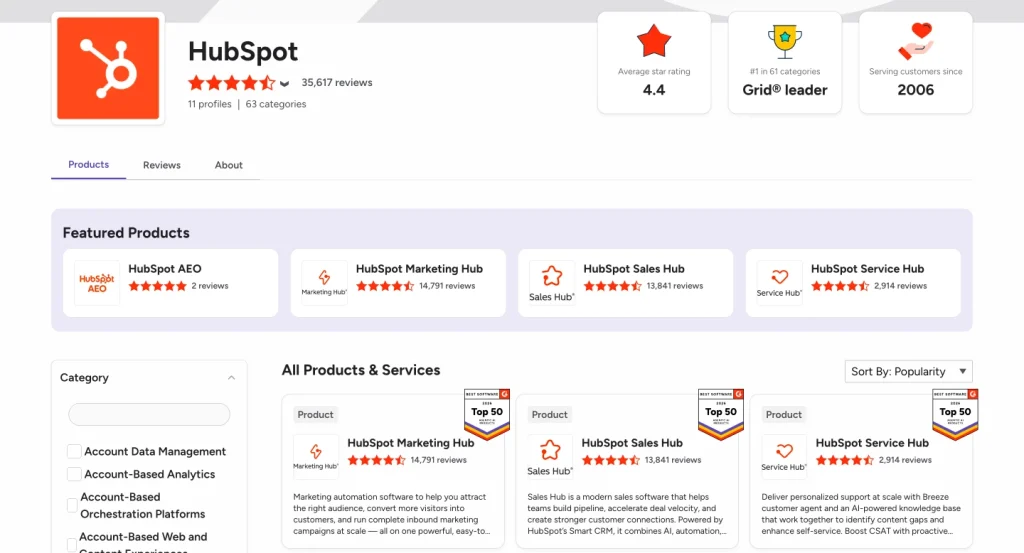
On G2, HubSpot Marketing Hub has thousands of reviews and a rating around 4.4/5. G2’s review summary says users often praise the intuitive interface, powerful automation features, campaign tracking, and all-in-one tool consolidation. The same summary also notes that some users say pricing can rise quickly as contact lists grow or when advanced features are needed.
Capterra reviews show similar patterns. One 2026 reviewer described HubSpot as useful for small to mid-sized businesses because it integrates across several areas and is easy to use. Another reviewer said HubSpot helps track leads, client conversations, and follow-ups without adding unnecessary complexity.
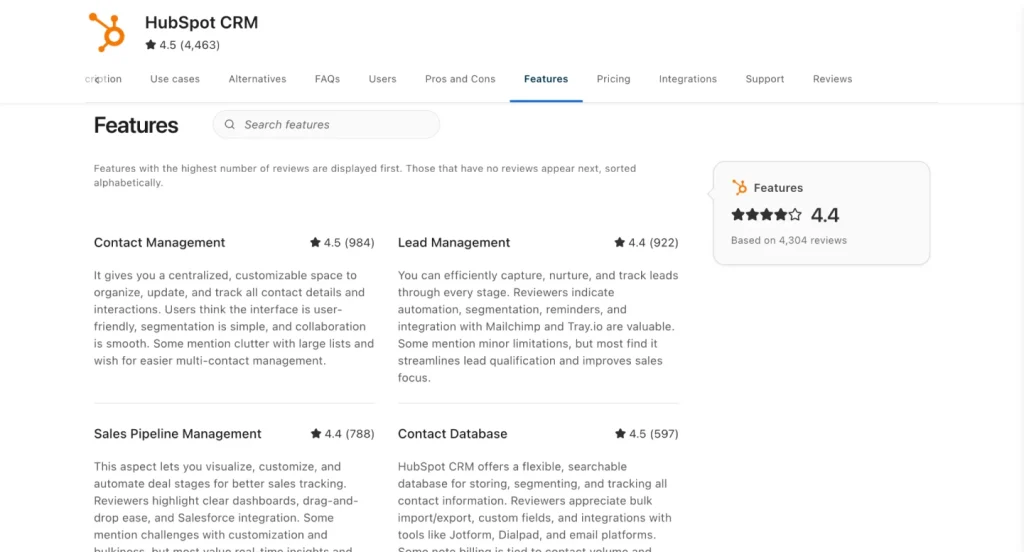
But pricing appears again in customer feedback. One Capterra reviewer called HubSpot an excellent CRM with dependable support, but said marketing add-ons can push the budget higher than expected. Another reviewer said HubSpot is good for getting marketing and sales teams on the same page but needs clearer pricing.
So the customer review summary is balanced:
| What Users Like | What Users Dislike |
|---|---|
| Easy-to-use interface | Pricing can rise quickly |
| Strong CRM connection | Learning curve for advanced features |
| All-in-one marketing tools | Some features require higher plans |
| Good email and campaign tracking | Reporting limitations on some use cases |
| Sales and marketing alignment | Can feel complex for smaller teams |
That is also the fairest way to review HubSpot.
It is powerful and polished. It solves real business problems. But it is not always lightweight, cheap, or simple once your needs grow.
HubSpot Pros
1. Strong All-In-One Ecosystem
HubSpot’s biggest advantage is its connected ecosystem.
You can manage CRM, email marketing, landing pages, forms, automation, sales pipelines, service tickets, content, reporting, and AI-assisted workflows in one platform.
This is much easier than connecting five or six separate tools and hoping the data stays clean.
2. Excellent CRM Foundation
HubSpot CRM is clean, practical, and beginner-friendly.
It helps teams organize contacts, track deals, manage activities, and see customer history in one place. The free CRM also makes it easy for small teams to start without a large upfront cost.
3. Strong Marketing Automation
HubSpot’s automation features are one of its biggest strengths.
You can create workflows based on form submissions, email activity, lifecycle stages, lists, deal changes, and user behavior. For growing marketing teams, this can save time and improve consistency.
4. Good Email Marketing with CRM Data
HubSpot email marketing becomes powerful because it is connected to CRM data.
You are not just sending emails to a static list. You can send targeted messages based on behavior, lifecycle stage, company data, deal status, and engagement.
5. Sales and Marketing Alignment
HubSpot is strong for teams that want marketing and sales to work together.
Marketing can see which leads are engaging. Sales can see which campaigns influenced contacts. Managers can see how leads move through the pipeline.
That visibility is a big reason B2B teams like HubSpot.
6. HubSpot Academy Adds Real Value
HubSpot Academy gives users free training and certifications. This helps teams learn the platform and understand broader marketing, sales, CRM, and inbound concepts.
For beginners, this is a major advantage.
7. Useful AI Direction
HubSpot’s Breeze AI tools show where the platform is going. AI is being built into customer support, prospecting, content, data, and productivity workflows.
This can help teams reduce manual work, although the value depends on how well they use the rest of the HubSpot ecosystem.
HubSpot Cons
1. Pricing Can Increase Quickly
HubSpot’s free tools are attractive, but the cost can rise as you add users, contacts, advanced automation, reporting, and multiple Hubs.
Marketing Hub Professional starting at $890/month is a big jump from Starter pricing.
For small businesses, that jump can be difficult to justify unless HubSpot is deeply connected to revenue.
2. Advanced Features Are Often Locked Behind Higher Plans
Many of HubSpot’s best features are not available in the lowest plans.
If you need advanced automation, custom reporting, A/B testing, or deeper revenue analytics, you may need Professional or Enterprise plans.
That means businesses should not choose HubSpot only because the free plan looks generous. They should check which features they will need six or twelve months later.
3. It Can Feel Too Heavy for Small Teams
HubSpot is powerful because it does a lot.
But that is also why it can feel overwhelming.
If you only want to send newsletters, manage a small contact list, or automate a few customer journeys, HubSpot may feel like using a full enterprise system for a simple job.
4. There Is a Learning Curve
HubSpot is user-friendly, but it is not tiny.
Once you start using multiple Hubs, workflows, reporting dashboards, lists, properties, pipelines, and permissions, there is a real learning curve.
HubSpot Academy helps, but teams still need time to set things up properly.
5. SaaS Dependency
HubSpot is a SaaS platform. That means your CRM, automation, email marketing, reporting, and sometimes website tools live inside HubSpot’s hosted ecosystem.
For many businesses, that is convenient.
For others, especially WordPress-first businesses that care about ownership and flexibility, this can feel limiting.
6. Website Flexibility May Not Match WordPress
HubSpot’s Content Hub is useful, especially for marketing teams that want CRM-connected content and landing pages.
But WordPress still gives more flexibility through themes, plugins, custom development, WooCommerce, LMS tools, membership plugins, community plugins, and open-source control.
As of June 11, 2026, W3Techs reports that WordPress is used by 41.5% of all websites and 59.3% of websites with a known CMS, which shows how dominant WordPress remains as a website platform.
Who Should Use HubSpot?
HubSpot is a good fit for businesses that want a connected platform for marketing, sales, CRM, service, content, and reporting.
It makes the most sense for:
- B2B companies
- SaaS businesses
- Agencies
- Sales-led teams
- Companies with long sales cycles
- Service businesses with structured pipelines
- Marketing teams that need automation and attribution
- Businesses that want CRM, email, landing pages, sales, and support in one platform
- Teams that have the budget to grow into HubSpot’s paid plans
HubSpot is especially useful when multiple teams need to work from the same customer data.
If marketing, sales, and support are all disconnected, HubSpot can bring order to the chaos.
Who May Not Need HubSpot?
HubSpot may not be necessary for every business.
You may not need HubSpot if:
- You only need simple email newsletters
- You run a small WordPress business
- You do not have a sales team
- You do not need complex CRM pipelines
- You do not need advanced attribution reporting
- You want to keep your marketing tools inside WordPress
- You mainly need email marketing, SMS marketing, segmentation, and automation
- You are not ready for higher SaaS subscription costs
This does not mean HubSpot is bad. It simply means the platform may be more than you need.
A creator, blogger, small eCommerce store, course seller, membership site, or WordPress-based business may not need the full HubSpot ecosystem from day one.
Is HubSpot Worth It?
HubSpot is worth it if your business needs a connected CRM, marketing automation, sales pipeline, customer service tools, website tools, reporting, and AI-powered workflows in one SaaS platform.
It is especially valuable when your marketing and sales teams need shared visibility.
But HubSpot may not be worth it if your business only needs email marketing, SMS marketing, contact segmentation, and basic automation for a WordPress website.
In that case, you may get better value from a lighter, WordPress-native setup.
HubSpot and WordPress: Where Does It Fit?
HubSpot and WordPress can work together.
Many WordPress websites use HubSpot for CRM, forms, lead capture, email marketing, or sales workflows. That setup can work well if your business wants to keep the website on WordPress while using HubSpot as the customer platform.
But many WordPress users already prefer managing their business stack directly inside WordPress.
WordPress can handle websites, blogs, eCommerce, forms, LMS, memberships, communities, checkout pages, CRM, email marketing, and automation through plugins.
So the decision depends on your business model.
If you want a hosted SaaS customer platform, HubSpot is a strong choice.
If you want more control inside WordPress, a WordPress-native marketing stack may be more practical.
A WordPress-Friendly Alternative for Email and SMS Marketing
For WordPress-based businesses, the question is not always “What is the best HubSpot alternative?”
A better question is:
Which part of HubSpot do you actually need?
If your main need is email marketing, SMS marketing, contact management, segmentation, and automation, you may not need the full HubSpot ecosystem.
This is where a WordPress-native CRM like FluentCRM can make sense.
FluentCRM is a self-hosted email marketing automation plugin for WordPress. It helps users grow leads and customers, send campaigns, automate user journeys, manage contacts, and view reports from inside the WordPress dashboard.
With FluentCRM 3.0, the platform also added SMS marketing, AI-powered workflows, a redesigned dashboard, and a Gutenberg-native email builder. FluentCRM’s release notes mention AI-powered workflows, SMS marketing, a redesigned dashboard, and a Gutenberg-native email builder as major updates in FluentCRM 3.0.
FluentCRM’s SMS update also allows users to run email and SMS marketing from the same platform inside WordPress, send and receive SMS messages, run bulk SMS campaigns, and use SMS inside automation workflows.
That makes it a practical option for WordPress businesses that want marketing automation without leaving their own dashboard.
When FluentCRM Makes More Sense
FluentCRM may make more sense if:
- Your website already runs on WordPress
- You mainly need email marketing and SMS marketing
- You want CRM and automation inside WordPress
- You want to segment contacts based on WordPress activity
- You want to avoid managing another full SaaS platform
- You do not need a full sales, service, CMS, and enterprise reporting system
- You prefer more ownership over your marketing setup
This is not about replacing every HubSpot feature.
HubSpot is a much broader customer platform.
FluentCRM is more focused. It is for WordPress users who want CRM, email marketing, SMS marketing, and automation inside WordPress.
When HubSpot Still Makes More Sense
HubSpot still makes more sense if:
- You need a full SaaS customer platform
- You have marketing, sales, and service teams
- You need advanced CRM pipelines
- You need deep revenue reporting
- You want hosted infrastructure
- You need HubSpot Academy, onboarding, and enterprise support
- You want marketing, sales, service, content, and data tools in one platform
HubSpot is stronger for larger go-to-market operations.
FluentCRM is stronger for WordPress-native marketing automation.
That is the cleanest way to think about it.
Our Personal Review of HubSpot
After reviewing HubSpot across its CRM, marketing, sales, service, commerce, academy, reporting, and website tools, our overall impression is very positive. HubSpot feels polished, beginner-friendly, and powerful enough for serious growth teams. The biggest strength is how connected everything feels inside one ecosystem. The biggest concern is pricing, especially when a business starts adding more contacts, seats, hubs, and advanced features.
| Review Category | Rating | Our Take |
|---|---|---|
| Ease of Use | Clean, modern, and easy to navigate, even with many tools inside the dashboard. | |
| Pricing | The free plan is attractive, but paid plans can become expensive as teams grow. | |
| CRM | Strong for contact management, pipelines, sales tracking, and customer organization. | |
| Academy | One of the best free learning resources for marketers, sales teams, and business owners. | |
| Sales Hub | Excellent for deal tracking, follow-ups, activity monitoring, and sales productivity. | |
| Commerce Hub | Adds useful revenue tools like quotes, invoices, payments, subscriptions, and products. | |
| Reporting | Powerful for teams that want visibility into campaigns, sales, and customer performance. | |
| Marketing Automation | Flexible and practical for nurturing leads, segmenting contacts, and running campaigns. |
Overall review: HubSpot earns a strong 4.6 out of 5 in our personal review. It is one of the most complete customer platforms available today, especially for teams that want CRM, marketing, sales, service, reporting, automation, and learning resources in one place. However, smaller businesses should carefully review the pricing before fully committing.
Final Verdict: Should You Choose HubSpot?
HubSpot is one of the most complete customer platforms available today.
It gives businesses a polished CRM, email marketing, automation, landing pages, sales tools, service tools, website features, reporting, AI, and a strong education platform through HubSpot Academy.
Its biggest strength is connection. Your contacts, campaigns, deals, tickets, pages, emails, and reports can all work together.
But that power comes with cost and complexity.
HubSpot is not always the simplest or cheapest choice, especially for smaller WordPress businesses that mainly need email marketing, SMS marketing, and automation.
So the final answer is simple:
Choose HubSpot if you need a full customer platform for marketing, sales, service, content, and reporting.
Choose a WordPress-native option like FluentCRM if your main goal is to manage email marketing, SMS marketing, contacts, segmentation, and automation directly inside WordPress.
Both choices can be right.
The best one depends on how much platform you really need.
FAQs About HubSpot
What is HubSpot used for?
HubSpot is used for CRM, email marketing, marketing automation, sales pipeline management, landing pages, forms, customer service, website content, reporting, data management, commerce workflows, and AI-assisted business operations.
Is HubSpot really free?
HubSpot offers free CRM tools. According to HubSpot, its free CRM includes up to two users, 1,000 contacts, and no expiration date. More advanced features are available in paid plans.
Is HubSpot good for small businesses?
Yes, HubSpot can be good for small businesses, especially those that need a free CRM and want room to grow. However, small businesses should review paid plan costs carefully because advanced features can become expensive.
Is HubSpot good for email marketing?
Yes, HubSpot is good for email marketing, especially when you want email campaigns connected to CRM data, contact segmentation, automation workflows, landing pages, and reporting.
Does HubSpot have a website builder?
Yes. HubSpot offers website and content tools through Content Hub. It includes features like drag-and-drop website building, themes, landing pages, forms, SEO recommendations, personalization, AI writing tools, and reporting.
What is HubSpot Academy?
HubSpot Academy is HubSpot’s free learning platform. It offers courses and certifications across marketing, sales, CRM, service, SEO, email marketing, content marketing, and inbound strategy. HubSpot says more than 200,000 professionals have advanced their careers through HubSpot Academy certifications.
Why is HubSpot expensive?
HubSpot can become expensive because pricing depends on hubs, seats, contact limits, plan tiers, advanced features, automation, reporting, and add-ons. The free and Starter plans are affordable, but Professional and Enterprise plans can become a major monthly investment.
What are the main disadvantages of HubSpot?
The main disadvantages of HubSpot are pricing, learning curve, advanced features being locked behind higher plans, SaaS dependency, and potential overkill for small businesses that only need basic CRM or email marketing.
Can HubSpot work with WordPress?
Yes, HubSpot can work with WordPress. Many businesses use WordPress for their website and HubSpot for CRM, email marketing, forms, lead capture, automation, and sales tracking.
What is a good WordPress alternative to HubSpot for email marketing?
For WordPress users who mainly need email marketing, SMS marketing, CRM, segmentation, and automation, FluentCRM can be a practical alternative. It works inside WordPress and lets users manage contacts, campaigns, automation, and SMS workflows from their dashboard.

WordPress, automation, eCommerce and growth marketing specialist, a WordPress Core Contributor and Media Corps member blending storytelling with technology to craft strategies in SEO, email marketing, and beyond.
-
10 Best jQuery Table Plugins for Best Data Visualization in 2026
Discover the 10 best jQuery table plugins for 2026. Compare -
FluentSMTP Review: Whats Inside this 700K+ WordPress SMTP Plugin?
Check our FluentSMTP review blog to Discover whats inside this -

Black Friday Marketing Strategies for 2026: Core and Advance Move
Black Friday is the most celebrated shopping season worldwide. Discover



Leave a Reply
You must be logged in to post a comment.