

How to Start a Blog: A Beginner’s Guide for WordPress (2026)
Starting a blog is one of the most accessible ways to build an audience, share knowledge, and grow a business online.
However, in 2026, more than 600 million blogs exist worldwide. But not all of them retain traffic. So the question is, how to start a blog that maintains steady growth?
The answer is quite simple. You have to be careful with each decision from the start: the niche, the platform, the setup, and the systems behind your content and audience growth.
Key Takeaways
- A blog is a long-term asset. Choose a niche you can write about consistently and that has clear audience demand.
- WordPress (self-hosted) gives you full ownership, flexibility, and the largest plugin ecosystem in the market.
- Your blog setup is more than a theme. Email delivery, lead capture, content planning, and SEO matter from day one.
- Starting is affordable. A basic WordPress blog can launch for under $50/year.
- Growth depends on systems: consistent publishing, email list building, community engagement, and smart promotion.
What is a Blog?
A blog is a section of a website where you regularly publish articles, guides, opinions, or updates around a specific topic. Over time, those posts attract readers through search engines, social media, and direct visits.
Unlike social media posts that disappear in a feed within hours, blog posts are indexed by search engines and can bring traffic for months or years after publishing.
A blog can serve many purposes:
- Share personal experiences, lessons, and stories
- Publish tutorials, how-to guides, and educational content
- Build authority in a specific industry or topic
- Generate leads for a business or freelance service
- Create a foundation for monetization through ads, products, or services
For businesses, a blog is often the most cost-effective way to attract organic traffic. For individuals, it is a way to build credibility, connect with like-minded people, and create something that grows with time.
The internet is now flooded with AI-generated content. That makes genuine, experience-driven blogging more valuable than ever. Readers want unique perspectives. Search engines are increasingly rewarding content that demonstrates first-hand experience and expertise.
Reasons to Start a Blog in 2026
Every year, someone asks whether blogging is still worth it. And every year, the answer is the same: yes, if you approach it with the right strategy.
Here is why 2026 is a strong time to start:
AI made content easy to produce, but hard to trust
The internet has more content than ever. Most of it is generic. Readers are learning to filter. Blogs that offer real perspective, practical experience, and honest advice tend to stand out.
Search engines reward experience
Google’s ranking systems now emphasize E-E-A-T: Experience, Expertise, Authoritativeness, and Trustworthiness. A blog written by someone who actually does the work ranks better than a blog that summarizes what others have said.
You own what you build
Social media platforms control your reach. Algorithm changes can wipe out your visibility overnight. A self-hosted WordPress blog gives you full control over your content, your audience data, and your growth.
Blogging supports every other channel
Your blog posts feed your email newsletter, social media content, YouTube scripts, podcast topics, and lead magnets. It is the content engine behind every other marketing channel.
The tools have never been better
WordPress themes are faster. Plugins are more powerful. Email marketing, form building, SMTP delivery, and community management can all run inside WordPress without expensive SaaS subscriptions. That lowers the barrier to entry and gives small creators the same infrastructure that larger businesses use.
How to Start a Blog Step by Step
This section covers everything from choosing a niche to thinking about monetization. Follow these steps in order. Each one builds on the last.
Step 1: Choose your niche
Your niche defines what your blog is about and who it serves.
Do not try to write about everything. The most successful blogs focus on a specific topic where the writer has knowledge, interest, or experience.
Ask yourself:
- What topics can I write about consistently for 12 months?
- Who am I writing for?
- Are people already searching for this topic?
- Can I eventually monetize this topic?
Use tools like Google Trends, Google’s “People Also Ask” section, and keyword research tools to validate demand. Look for topics where you can combine personal experience with practical advice.
A niche does not have to be tiny. But it should be focused enough that a new reader can understand what your blog is about within five seconds of visiting your homepage.
Step 2: Pick a domain name
Your domain name is your blog’s address on the internet. It is how people find you and remember you.
Tips for choosing a good domain:
- Keep it short and easy to spell
- Use .com if possible (it is still the most trusted extension)
- Avoid numbers, hyphens, and complicated words
- Make it relevant to your niche or brand
- Check social media handle availability for the same name
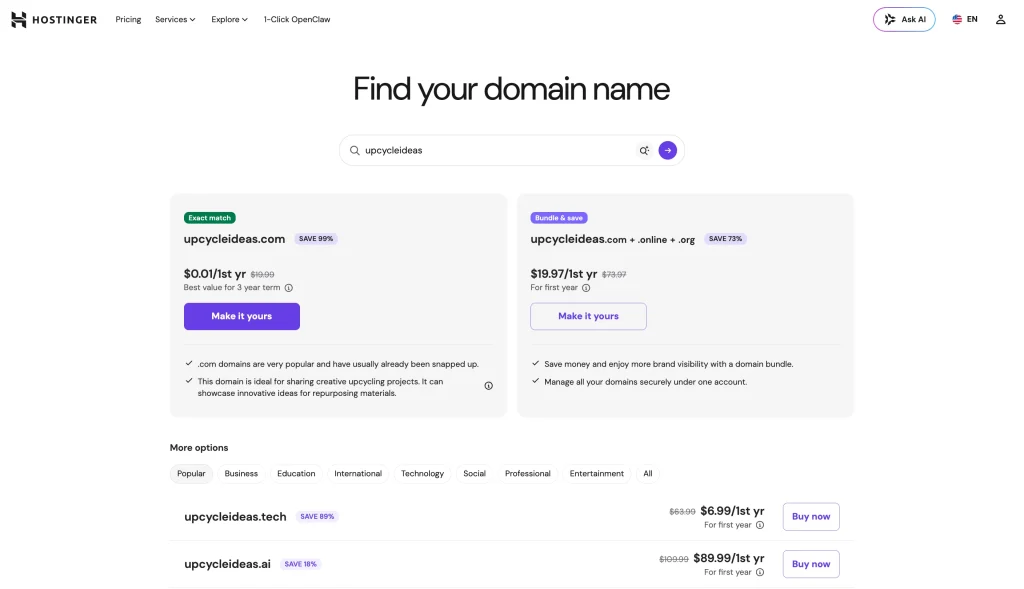
A domain name typically costs between $10 and $15 per year. You can register one through Namecheap, Squarespace Domains, or your hosting provider.
Step 3: Choose a hosting provider
Hosting is where your blog’s files live. It affects how fast your site loads, how reliably it stays up, and how secure it is.
For beginners, shared hosting is enough. As your blog grows, you can upgrade to managed or cloud hosting.
Things to look for in a host:
- One-click WordPress installation
- Free SSL certificate
- Good uptime (99.9% or higher)
- Responsive support
- Server location close to your audience
Popular WordPress hosting options include Bluehost, SiteGround, Cloudways, and Hostinger. Shared hosting plans usually start at $3 to $10 per month.
Step 4: Install WordPress
Most hosting providers offer one-click WordPress installation. After signing up for hosting:
- Log in to your hosting dashboard
- Find the WordPress installer
- Choose your domain
- Set your site title, username, and password
- Click install
Within a few minutes, your WordPress site will be live. You can access your WordPress dashboard by visiting yourdomain.com/wp-admin.
Once installed, update your permalink settings to “Post name” under Settings → Permalinks. This creates cleaner, SEO-friendly URLs.
Step 5: Choose a theme
Your theme controls how your blog looks. Choose a theme that is clean, fast, mobile-responsive, and easy to customize.
Good free themes for bloggers:
- Astra (lightweight, flexible, works well with page builders)
- GeneratePress (fast, minimal, excellent for performance)
- OceanWP (feature-rich, flexible, works with any page builder)
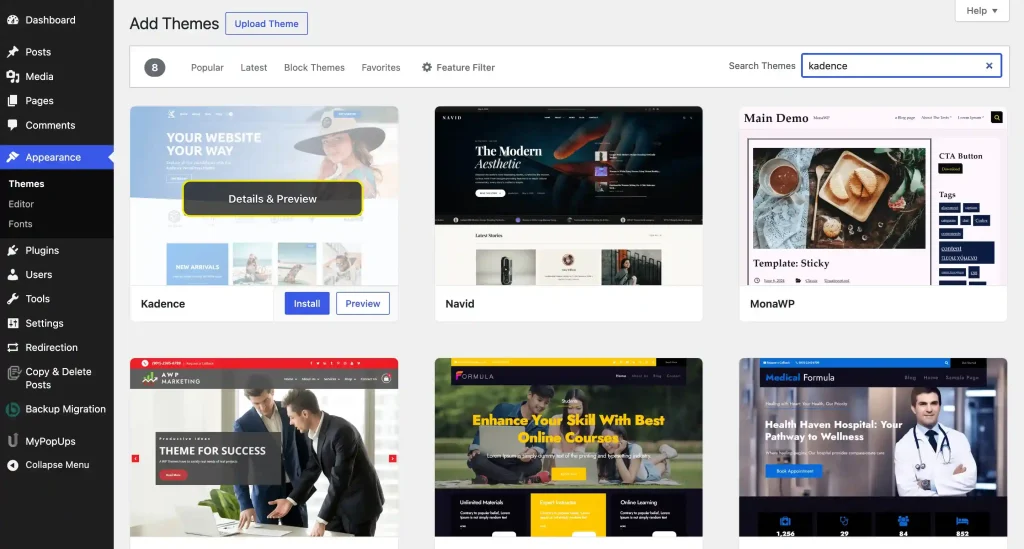
- Kadence (modern, fast, blog-friendly with starter templates)
Install your theme from Appearance → Themes → Add New in your WordPress dashboard. Preview before activating.
Do not spend weeks customizing your theme. Get it clean enough to look professional, then focus on writing content.
Step 6: Create essential pages
Before you publish your first blog post, create these pages:
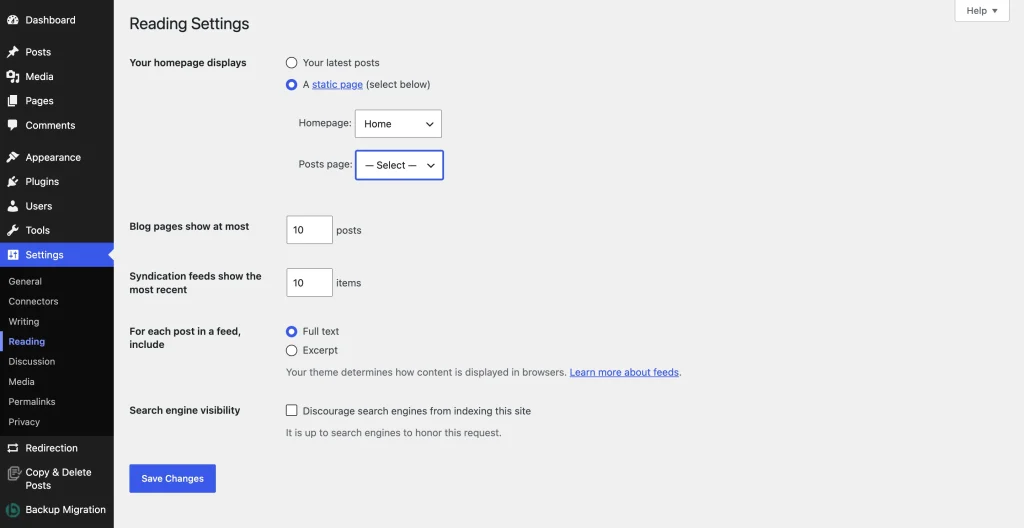
- Homepage: A clear introduction to your blog, who it is for, what readers will find, and a call to action (like an email signup). You can set a static homepage under Settings → Reading in WordPress.
- About page: Who you are, what you do, what the blog covers, why readers should trust you.
- Contact page: A simple form so people can reach you. If you are on WordPress, you can use Fluent Forms to create a clean contact form in minutes.
- Privacy Policy page: Required if you collect any data, use analytics, or run ads
- Blog page: Where all your posts will appear
These pages make your blog look professional and trustworthy from the start.
Step 7: Install necessary plugins
Plugins add features to your WordPress site. But don’t install all the plugins on day one. Go to Plugins → Add Plugins and search for plugins from your WordPress dashboard. Start with the essentials:
- SEO plugin: Rank Math or Yoast SEO (helps you optimize content for search engines)
- Form plugin: Fluent Forms (for contact forms, lead capture forms, and subscriber forms)
- SMTP plugin: FluentSMTP (ensures WordPress emails actually reach the inbox)
- Security & spam protection: FluentAuth and FluentComments (login limits, 2FA, brute-force protection, audit logs, and cryptographic comment spam protection)
- Backup plugin: UpdraftPlus
- Performance plugin: WP Rocket or LiteSpeed Cache
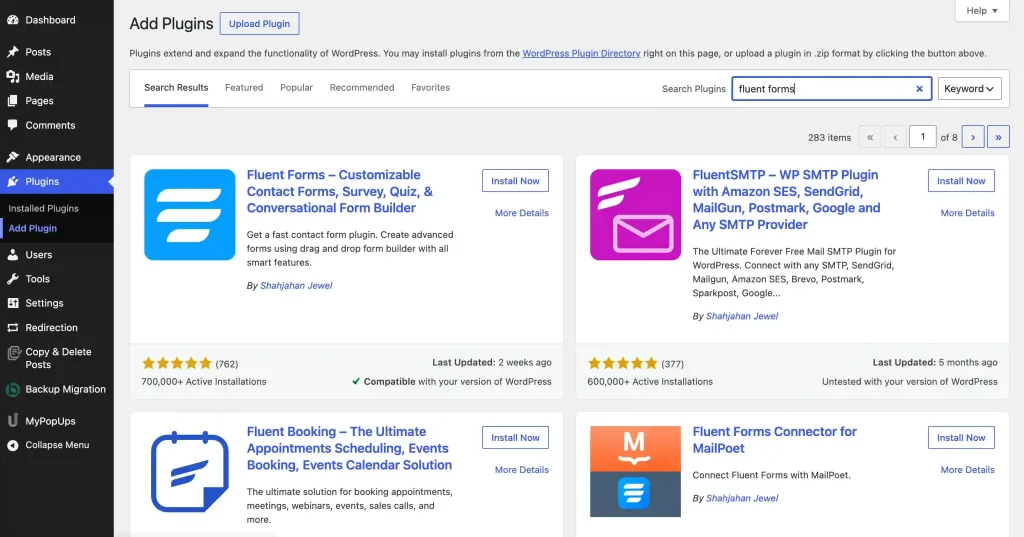
Every form submission notification, password reset email, and comment notification depends on your email delivery working properly.
By default, WordPress uses PHP mail to send emails, and those emails often land in spam or never arrive at all. FluentSMTP routes your emails through a proper SMTP service like Amazon SES, SendGrid, or Gmail. It’s free, supports 10+ SMTP services, and takes about five minutes to set up.
Step 8: Write and publish your first post
Your first blog post does not have to be perfect. It needs to be useful.
Choose a topic that your target audience is actively searching for. Write a post that answers their question clearly and practically.
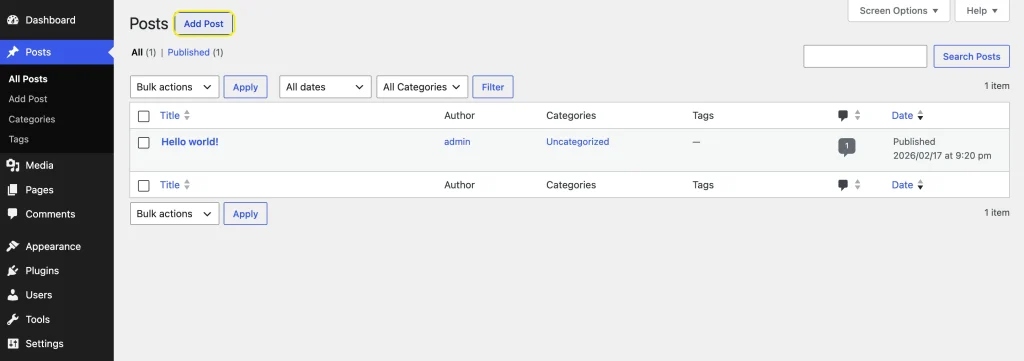
Tips for your first post:
- Use a clear, benefit-driven headline
- Open with the problem or question your reader has
- Break the content into scannable sections with H2 and H3 headings
- Use short paragraphs, bullet points, and bold text for key ideas
- Include relevant images or visuals
- End with a clear takeaway or next step
Aim for 1,500 to 2,500 words for your first few posts. Longer is not always better, but depth and completeness are important for SEO.
Step 9: Set up SEO basics
SEO helps your blog posts appear in search results. You do not need to become an SEO expert, but you should get the fundamentals right from the start.
- Install an SEO plugin and set your focus keyword for each post
- Write unique meta titles and meta descriptions
- Use your primary keyword in the title, URL, first paragraph, and at least one H2
- Add alt text to all images
- Use internal links between your posts
- Submit your sitemap to Google Search Console
- Make sure your site loads fast (under 3 seconds)
SEO is a long game. Posts typically take 3 to 6 months to start ranking. But the traffic compounds over time, which makes it worth the effort from the beginning.
Step 10: Build your email list from day one
Your email list is the most valuable asset your blog can build. Social media followers can disappear. Email subscribers stay.
Start collecting emails immediately, even if you only have five readers.
Here’s how:
- Use a form builder that integrates with your email marketing tool
- Add a subscription form to your sidebar, footer, and within blog posts
- Create a simple lead magnet (a checklist, template, or short guide)
Offer this lead magnet in exchange for users subscribing to your newsletter. Once they sign up, nurture them through your automated email sequence. Track the open, click and drop rates and use that data to improve your next email sequences.
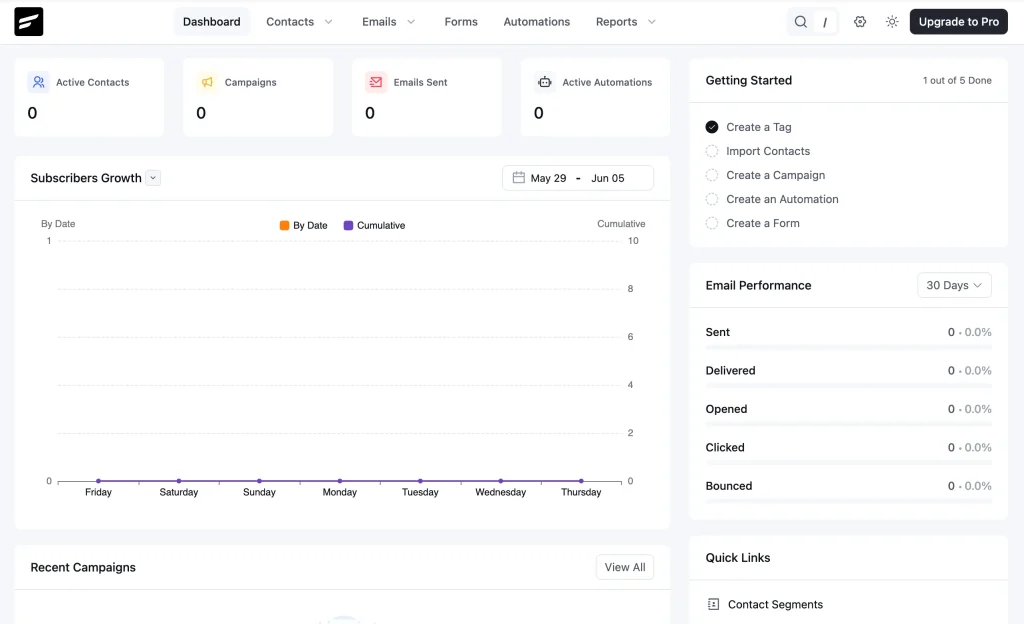
Use Fluent Forms + FluentCRM to grow your email list
Fluent Forms lets you create subscription forms, lead capture forms, and opt-in forms without coding. You can embed them anywhere on your blog and connect them directly to FluentCRM.FluentCRM is a self-hosted email marketing plugin for WordPress. It lets you segment and manage your subscriber list, create email sequences, send newsletters, and set up marketing automation, all from inside your WordPress dashboard. No monthly SaaS fees based on subscriber count.
This combination removes three separate tools from your budget and keeps everything inside WordPress. You can capture a subscriber with Fluent Forms, deliver the confirmation email through FluentSMTP, and nurture that subscriber with automated email sequences in FluentCRM. The entire system works inside WordPress.
Step 11: Plan your content
Without a content plan, your blog will grow slowly. Create a simple content calendar. Start with one post per week. Consistency brings better results than volume.
Your content plan should include:
- 5 to 10 topic ideas based on keyword research
- A mix of content types: how-to guides, listicles, opinion pieces, tutorials
- Target keyword for each post
- Publishing schedule (weekly is a good starting point)
- Internal linking plan (which posts should link to each other)
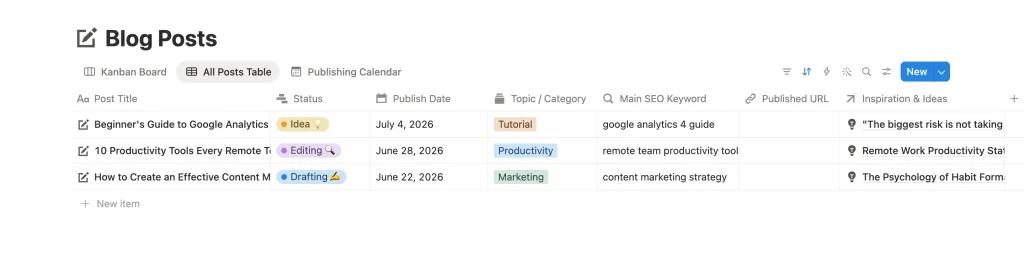
If you want to present comparison data, resource lists, pricing tables, or feature breakdowns in your posts, Ninja Tables is a great tool. It’s a WordPress table plugin that lets you create responsive, customizable tables without coding. You can import data from CSV or Google Sheets, add filters, and style the table to match your theme.
Tables make content more scannable and more useful, especially for comparison posts, “best of” lists, and resource roundups.
Step 12: Promote your blog
Publishing is half the work. Promotion is the other half.
Do not wait for Google to send traffic. Actively promote every post through multiple channels:
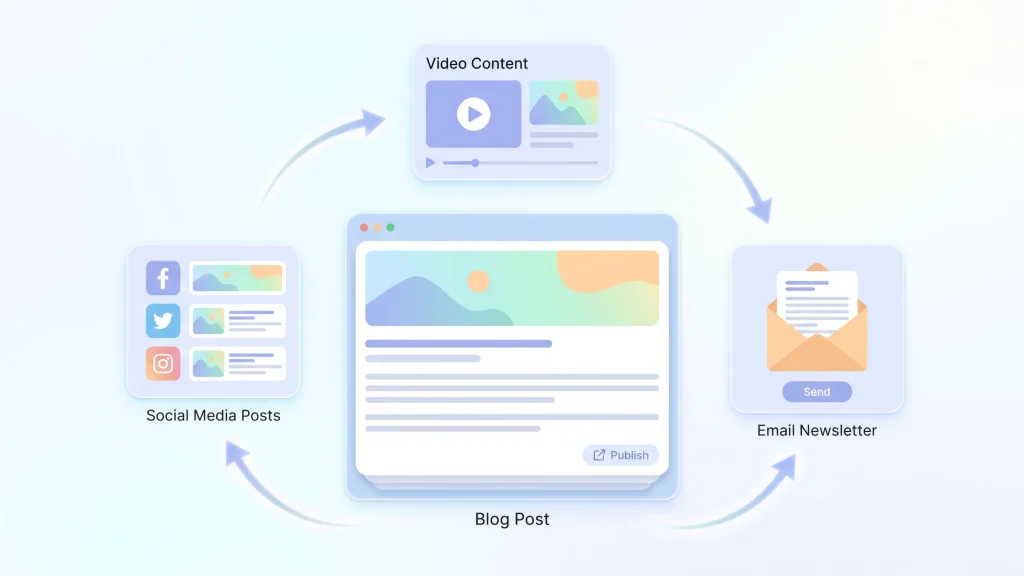
- Email newsletter: Send new posts to your subscriber list using FluentCRM
- Social media: Share on the platforms where your audience spends time
- Online communities: Participate in Reddit, Facebook/LinkedIn groups, forums, and niche communities
- Guest posting: Write for other blogs in your niche and link back to your site
- Content repurposing: Turn blog posts into social media threads, short videos, or email series
Create a dedicated community with users who regularly read your blogs
As your blog grows, you may want to build a community around your content. FluentCommunity is a WordPress community plugin that lets you create discussion spaces, member profiles, and even courses, all inside your WordPress site.
A community turns passive readers into active participants. It creates a feedback loop: your community tells you what to write, and your content brings more people into the community.
Step 13: Explore monetization
Most blogs should not try to monetize immediately. Build traffic, trust, and an audience first. Once you have consistent visitors, there are several ways to earn from your blog:
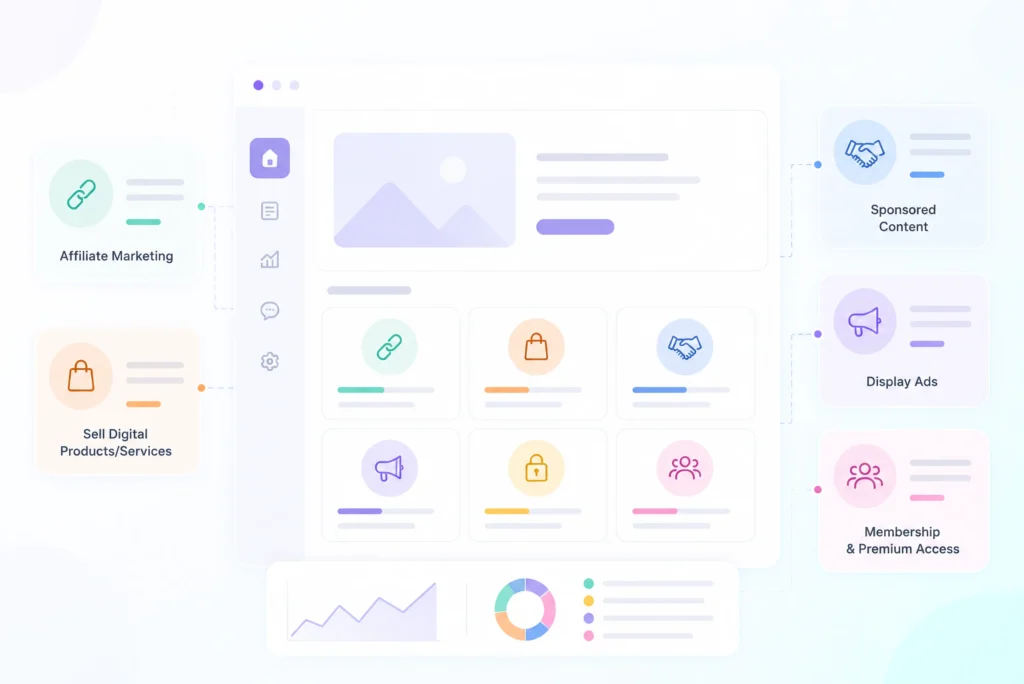
- Affiliate marketing: Recommend products you use and earn a commission on sales
- Digital products: Sell eBooks, templates, courses, or printables
- Services: Offer freelance services, consulting, or coaching
- Sponsored content: Partner with brands for paid articles or reviews
- Display ads: Use ad networks like Google AdSense or Mediavine (for higher traffic blogs)
- Memberships: Create premium content behind a membership wall
- Online courses: Use FluentCommunity’s built-in course builder to sell courses directly on your WordPress site
The monetization method that works best depends on your niche, your audience, and your goals. Start with one and add more as you grow.
Essential WordPress Plugins Every Blogger Needs
You do not need dozens of plugins. You need the right ones. Here are the most beneficial categories for bloggers, along with the plugins that fill each role.
| Category | Plugin | Why You Need It |
|---|---|---|
| Forms & Lead Capture | Fluent Forms | Contact forms, subscription forms, lead magnets, and surveys. Comes with 65+ input fields, conditional logic, and payment support. |
| Email Delivery | FluentSMTP | Routes WordPress emails through SMTP. Supports 10+ services, stays free forever, and fixes the default PHP mail problem. |
| Email Marketing | FluentCRM | A self-hosted CRM and email automation plugin for newsletters, sequences, segmentation, and 45+ integrations without per-subscriber fees. |
| Data Tables | Ninja Tables | Create comparison tables, resource lists, and pricing tables with drag-and-drop controls, Google Sheets sync, and responsive design. |
| Community | FluentCommunity | Build discussion forums, member profiles, courses, and leaderboards to grow an engaged audience around your blog. |
| Security & Spam Protection | FluentAuth & FluentComments | Adds two-factor login, brute-force protection, login limits, social login, audit logs, XML-RPC protection, and cryptographic comment spam filtering. Both are free. |
| SEO | Rank Math / Yoast SEO | Helps with on-page SEO optimization, sitemaps, schema markup, and keyword tracking. |
| Backup | UpdraftPlus | Automates WordPress backups to cloud storage and allows one-click restore when something goes wrong. |
| Performance | WP Rocket / LiteSpeed Cache | Improves loading speed with caching, file compression, lazy loading, and other performance optimizations. |
Start with these. You can always add more plugins later as your needs grow. But don’t add any unnecessary plugins, as each of them adds weight to your site.
How Much Does It Cost to Start a Blog?
This is one of the most common questions beginners ask. The honest answer: it depends on your choices, but it can be very affordable. Here’s a cost breakdown for starting a WordPress blog in 2026:
| Item | Cost (Year 1) | Notes |
|---|---|---|
| Domain name | $10–$15 | Annual renewal. Some hosts include a free domain for the first year. |
| Hosting | $36–$120 | Shared hosting. Starts around $3–$10/month. |
| WordPress | Free | Open-source. Always free to use. |
| Theme | $0–$60 | Many excellent free themes are available. Premium themes are optional. |
| Essential plugins | $0–$250 | Many free options. FluentSMTP and FluentAuth are free. Fluent Forms and FluentCRM both have free versions. SEO plugins have free tiers. |
| Total (budget) | $46–$100 | Using free plugins and affordable shared hosting. |
| Total (recommended) | $150–$400 | With a premium theme and necessary pro plugins. |
Compare that to the cost of SaaS-based alternatives. A hosted email marketing platform alone can cost $30 to $100 per month as your list grows. Running your email marketing inside WordPress with FluentCRM eliminates that ongoing cost.
The WordPress approach is not just cheaper. It gives you ownership of your data, your subscriber list, and your entire marketing system.
Common Blogging Mistakes to Avoid
Most blogging mistakes happen in the initial few months. Avoid these, and you will be ahead of most beginners.
Choosing a niche that is too broad
“Lifestyle” is not a niche. “Minimalist living for remote workers” is. Specificity helps search engines understand your blog and helps readers decide whether to follow you.
Ignoring email collection
Many bloggers wait until they have “enough traffic” to start building an email list. That is backwards. Start collecting emails from day one. Even ten subscribers are ten people you can reach directly.
Not fixing email delivery
WordPress emails fail silently. If your contact form submissions, subscriber confirmations, and password resets are not arriving, your readers will think your site is broken. Install FluentSMTP and configure a proper SMTP connection before you launch.
Leaving your login page vulnerable
Password alone isn’t enough to protect your blog. You need to configure login attempt limits and two-factor authentication to strengthen your site’s security. FluentAuth handles both in a single free plugin.
Publishing without SEO
Writing a great post without optimizing it for search is like opening a shop without a sign. Use an SEO plugin. Target a keyword. Write a proper meta title and description. It takes five extra minutes per post and makes a massive difference over time.
Spending weeks on design before writing a single post
Your theme doesn’t need to be perfect. But your content needs to exist. Get your design to “good enough” and spend the rest of your time writing. You can polish the design slowly over time alongside publishing content.
Installing too many plugins
Every plugin adds code to your site. Some plugins may conflict with each other. Choose plugins that solve specific problems and have good reviews, active development, and compatibility with your WordPress version.
Not having a content plan
Random publishing leads to random results. Plan at least four posts in advance. Know your keywords, your angle, and your publishing schedule before you start writing.
Giving up too early
Most blogs take 6 to 12 months to gain meaningful traction. The first three months can feel slow. That’s normal. Keep publishing, improving and promoting, and you’ll see results.
Blog Launch Checklist
Use this checklist before launching your WordPress blog:
- Niche selected and validated
- Domain name registered
- Hosting account active
- WordPress installed
- SSL certificate enabled
- Permalink structure set to “Post name”
- Theme installed and customized
- Home and about page created
- Contact page created with accessible form
- Privacy Policy page published
- Blog page configured
- SEO plugin installed and configured
- FluentSMTP configured with an SMTP service
- FluentAuth configured (login limits, 2FA, XML-RPC disabled)
- FluentComments activated for spam-free commenting
- Backup plugin installed and first backup created
- Performance plugin installed
- Google Search Console connected
- Google Analytics installed
- Email subscription form added (Fluent Forms + FluentCRM)
- At least 3 blog posts published
- Mobile view tested
- Site speed tested (under 3 seconds)
- Test email sent and received successfully
- Social media profiles created
- Content calendar for the next 4 weeks ready
Do not wait for every detail to feel perfect. Launch when the foundation is solid, then improve as you go.
Start Simple, Improve as You Go
Starting a blog is one of the most rewarding things you can do online. It builds authority, attracts opportunities, and creates a long-term asset that grows with you.
WordPress gives you the foundation. The right plugins give you the systems. And your experience and perspective give your blog the voice that no one else can create.
If you are building your blog on WordPress and want to set up your lead capture, email delivery, newsletter marketing, data presentation, and community management from the start, WPManageNinja’s tools can help you get there.

Sarika creates helpful content for Fluent Forms & FluentPlayer. Endlessly curious, she loves connecting over diverse interests & unique perspectives. Off the clock, she’s exploring art or relaxing with a binge-worthy show.
-
The Best AI Plugins for WordPress (2026 Picks by Use Case)
Most lists of AI plugins for WordPress offer too many… -
Single-Step Form vs. Multi-Step Form: Which One Is the Best and Why
Single-step vs multi-step form, which format converts better? Learn how -
Step by Step Guide to Migrate WooCommerce to FluentCart
Migrate WooCommerce products, customers, orders, subscriptions, coupons and taxes to



Leave a Reply
You must be logged in to post a comment.