

7 Best Conversion Rate Optimization Tools you Should Try
A shopper adds your product to their cart, opens the shipping page, and leaves. Did delivery cost too much? Was the estimate hard to find? Those explanations sound similar until you have to choose between lowering your shipping fee and moving one line of text.
Across 50 studies compiled by Baymard Institute, an average of 70.22% of online shopping carts were abandoned. That number tells you the scale of the problem. Choosing a conversion rate optimization (CRO) tool starts with a smaller question: what happened on your site?
For an existing site, start with GA4 to find the drop-off and Microsoft Clarity to see what happened there. For a design that hasn’t launched, start with Lyssna to see whether people can find the next step.
The other picks below cover visitor feedback, live A/B testing, unfinished forms, and the pages customers visit before buying.
The 7 best CRO tools at a glance
| Tool | Best For | The Question It Answers |
|---|---|---|
| Microsoft Clarity | Free heatmaps and session recordings | What happened on the page? |
| Google Analytics 4 | Measuring conversion funnels | Which step costs us the most potential customers? |
| Hotjar (Contentsquare) | On-page surveys | What information is missing? |
| Nelio A/B Testing | Comparing live WordPress pages | Which version produces more completed requests? |
| Fluent Forms Pro | Investigating incomplete multi-step forms | How far did someone get with an inquiry? |
| FluentCart | Tracing the pages buyers visited | Which information did customers seek before ordering? |
| Lyssna | Testing whether visitors can find your call to action | Where would someone click first? |
WPManageNinja develops Fluent Forms and FluentCart. We selected each tool for a distinct CRO task and checked its capabilities against product documentation. The walkthroughs below use illustrative scenarios.Why shoppers say they abandoned a cart
Why shoppers say they abandoned a cart
Select a reason to explore a practical way to improve your checkout experience.
What you can test
Make the total cost clear early
Show delivery charges, taxes, and additional fees before the final checkout step. Make the total cost and free-shipping threshold visible.
Source: Baymard Institute’s US shopper research. Selected reasons exclude the “just browsing” group. These are separately reported reasons, so the percentages do not add up to a funnel.
Selected reasons from Baymard’s US shopper research, excluding the “just browsing” group. These are separately reported reasons. The percentages do not add up to a funnel.
1. Microsoft Clarity for finding the moment a visitor gets stuck
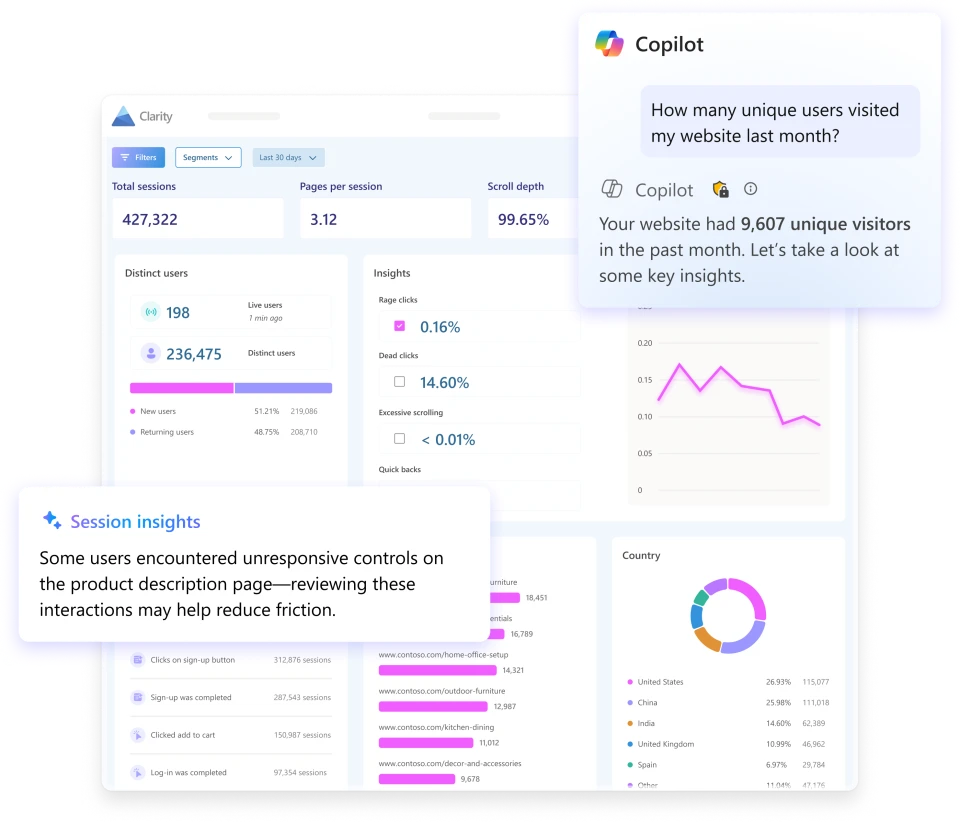
Your demo page gets traffic, but few mobile visitors finish the form. Open a few recordings from that page and watch what happens immediately after someone taps Submit.
If the page scrolls to the top while the error sits below the fold, you have a problem you can try to reproduce on your own phone.
Start with a heatmap to choose an area to investigate, then watch individual sessions for context. A cluster of clicks on a product photo could mean shoppers expect to zoom.
Try tapping the photo yourself before asking a developer to change it. Clarity masks text entered in input boxes, so focus on what the interface does in response.
2. Google Analytics 4 for finding the drop-off worth investigating
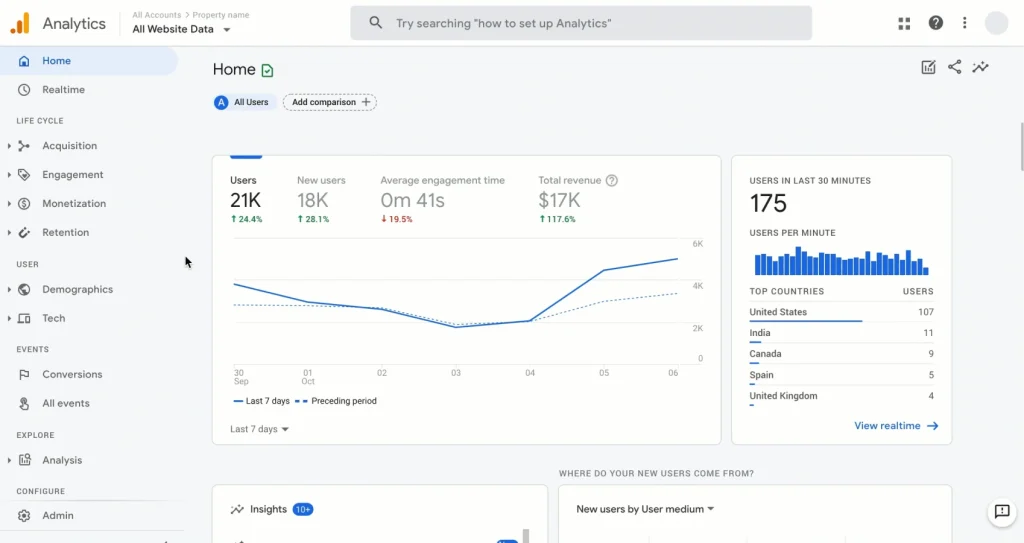
For an invoicing app, a free trial starts with a signup, but the moment a customer gets value might be sending their first invoice. Build a GA4 funnel with three steps: account created, invoice drafted, invoice sent.
If most users finish the draft but few send it, investigate the preview and send screens before rewriting the signup page.
For a lead-generation site, count successful inquiries with a generate_lead event. Submit a form once with a missing required field, then again with valid details. Check that only the second attempt creates a lead event.
A tracking error here can make your weakest campaign look like your best source of customers.
3. Hotjar (part of Contentsquare) for hearing the objection a replay can’t explain
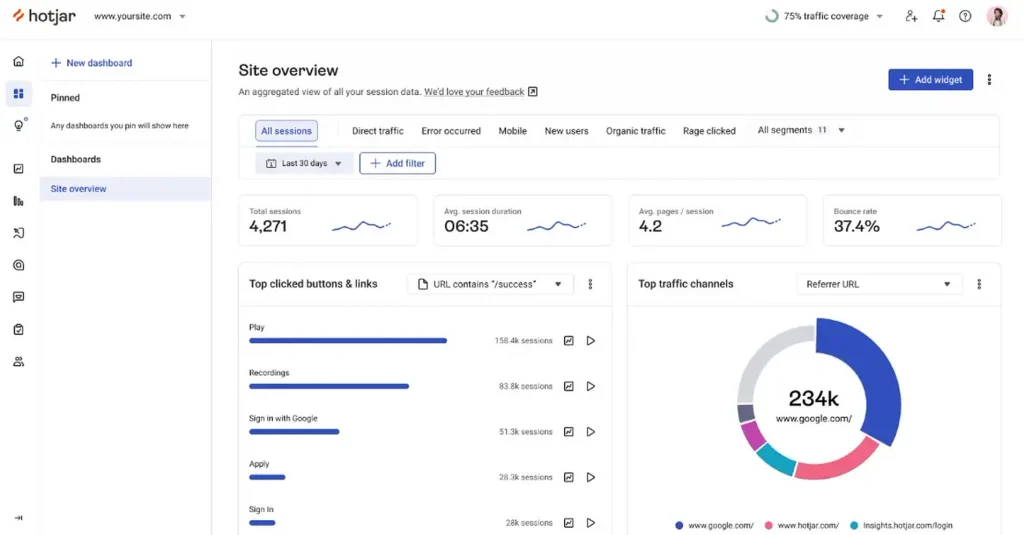
A recording shows a visitor going back and forth between two plans. You might suspect the price. The visitor might simply need to know whether a second team member can use the account.
This is where Hotjar’s survey tools, now part of Contentsquare, earn their place beside a behavior analytics tool.
Use an on-page survey to ask one question on the pricing page: “What else do you need to know to choose a plan?” If several people ask about team seats, try placing the seat allowance beside each price.
Survey responses give you language for the change. Completed purchases or qualified inquiries tell you how it worked.
4. Nelio A/B Testing for testing a change on a live WordPress site
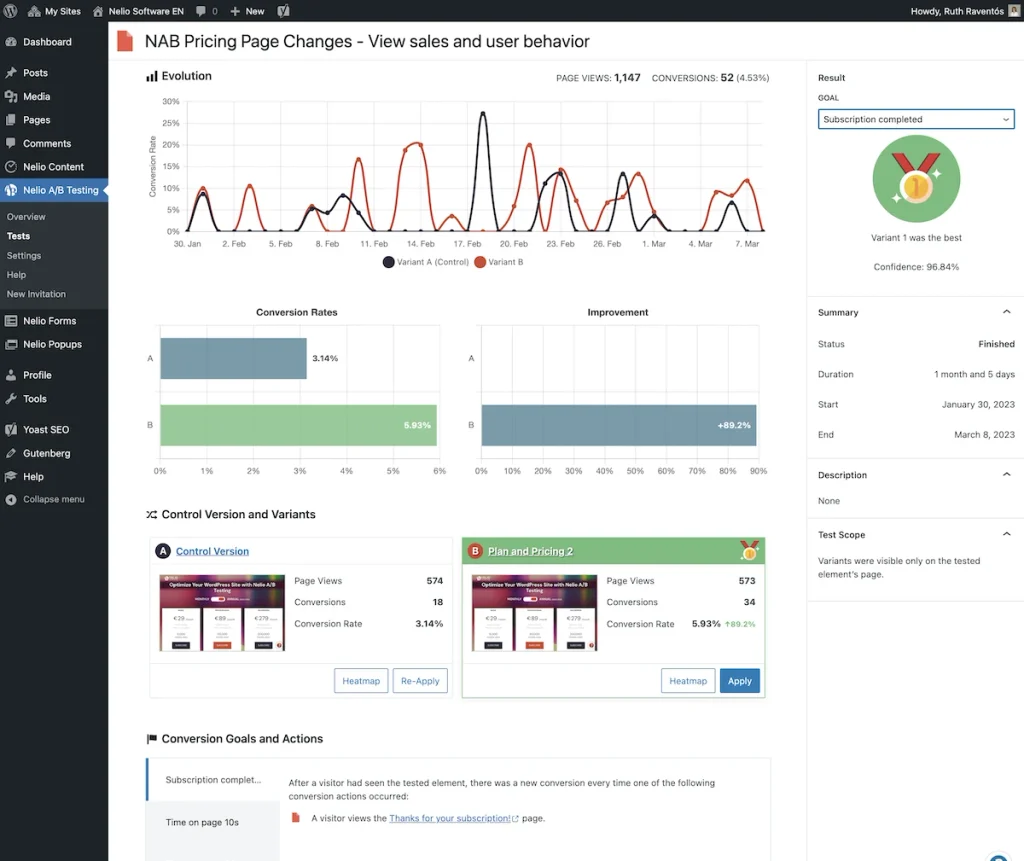
Suppose people hesitate to book a consultation because they don’t know how long it takes. Keep the existing booking page as your control. In the variation, add the duration beside the booking button.
Use completed bookings as the goal and split eligible traffic between the versions with Nelio A/B Testing.
Check the mechanics before you trust the result. Nelio allows a participant to trigger a conversion more than once. If your goal is a thank-you page view, reload that page during setup and see what gets counted.
Decide ahead of time how much evidence you need. A lead on the first afternoon can disappear as more visitors arrive.
5. Fluent Forms Pro for finding friction in a multi-step WordPress form
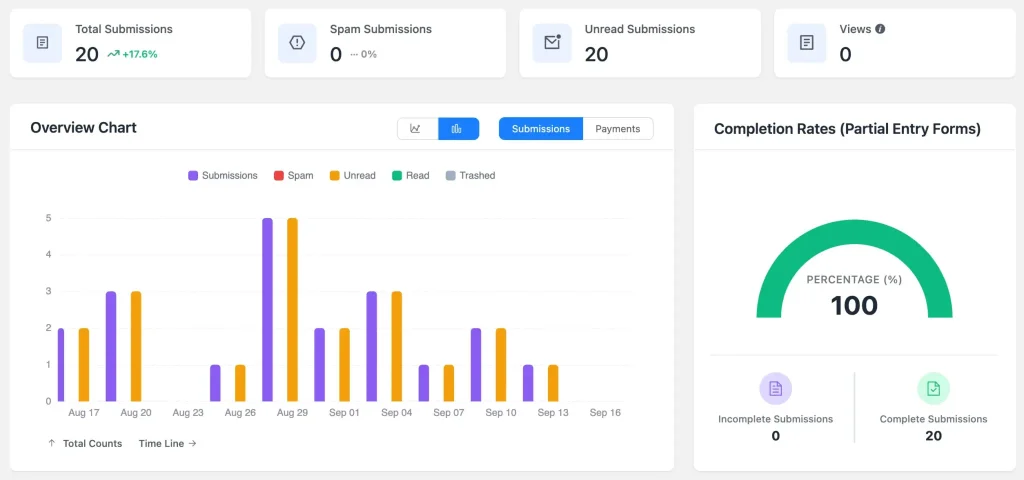
Imagine a quote form that asks about the project on step one and requests a phone number on step two. With partial entries enabled for a multi-step form, Fluent Forms saves progress when someone clicks Next.
That gives you a record of people who completed the project step and left before submitting. Someone who leaves before the first Next click can be absent from those records.
If step two is where inquiries stall, try the form on mobile and ask the sales team which fields it really needs. If a reply by email is sufficient, test making the phone number optional.
Track the share of form starters who become qualified leads. That way, an easier form gets credit for bringing sales genuine prospects.
6. FluentCart for following a buyer’s path to purchase
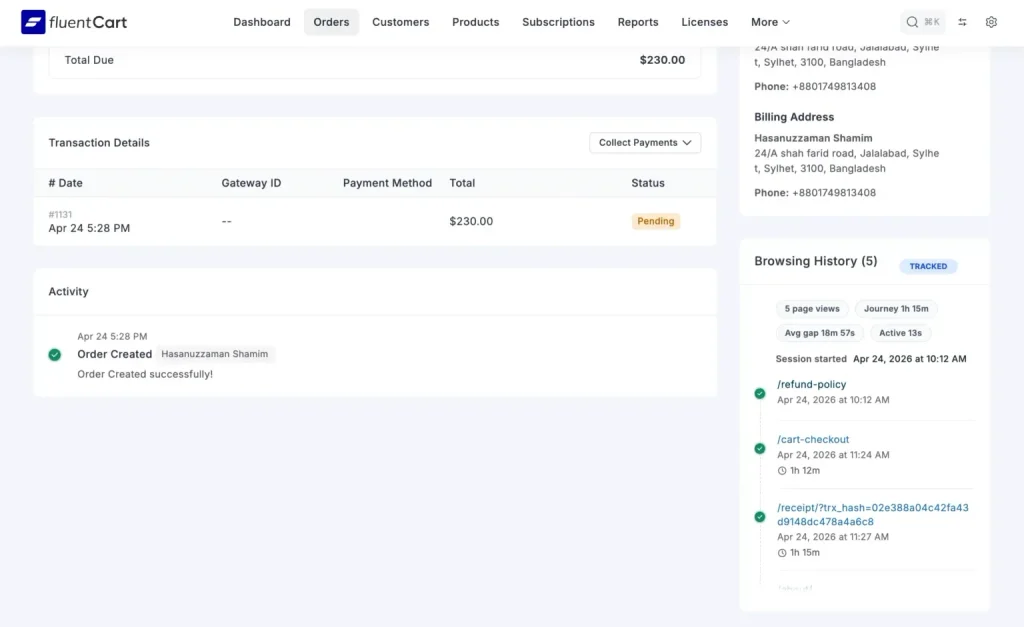
Open an order in a FluentCart store with the Browsing History add-on enabled. For new orders after activation, the order record shows the store pages the buyer visited during that session and when they viewed them.
You can see whether someone went straight from the product page to checkout or took a detour through shipping, returns, or a comparison page.
Say several buyers visit the returns policy just before purchasing a pair of shoes. Try adding a short exchange-policy summary beside the size selector. Those order histories give you a reason to test the idea.
To see whether it helps, measure purchases across everyone eligible to see each version, including shoppers who leave empty-handed.
7. Lyssna for testing whether visitors can find your call to action
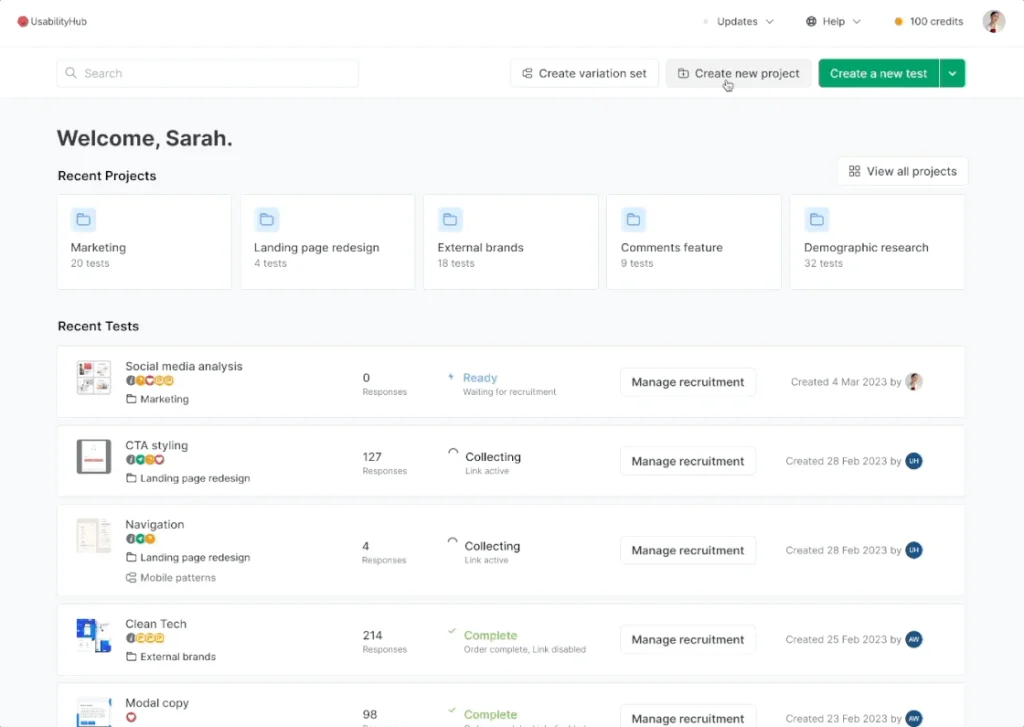
Before shipping a redesign, run a first-click test in Lyssna. Give people who resemble your audience a screenshot and a realistic task.
On a SaaS pricing page, try “You want someone to show your team how the product works. Where would you go first?” Avoid naming the “Book a demo” button in the prompt. Finding that button is what you’re testing.
Mark the intended click area and inspect where participants click first and how long they take. If several choose “Contact sales,” they may have found a reasonable second route. Check what that link actually delivers.
If it leads to a generic inbox, test clearer labels or offer scheduling there too. A first-click discoverability test measures whether people can find a path in a study. Completed demo bookings are the separate metric to watch after launch.
Which tool should you use first?
If the page is still a mockup, give it to Lyssna participants with a task that mirrors the visitor’s goal. First clicks can reveal that people interpret your navigation differently from the team that designed it.
If the page is live, use GA4 to find the device, channel, or funnel step where completion falls. Watch a few relevant Clarity recordings. If the obstacle is visible, reproduce it. When the visitor’s intention is still unclear, use a Hotjar survey to ask about it.
If you already know what you want to change, write down the outcome that would justify keeping it. On WordPress, Nelio can compare two page versions. A Fluent Forms partial entry or a FluentCart order history can help you choose the change to test.
How do you measure whether conversion rate improved?
Define one audience and one completed action. Divide the number of eligible visitors who complete that action by the total number of eligible visitors, then multiply by 100. Keep the denominator consistent when comparing versions.
Take a demo form with 100 distinct starters. If 30 submit it and 12 qualify for a sales call, the completion rate is 30% and the qualified-lead rate among starters is 12%. Both figures are correct.
If you shorten the form and submissions rise to 40 while qualified leads stay at 12 out of 100 starters, you’ve made the form easier to finish. To track that distinction in GA4, use separate events for new and qualified leads.
Frequently asked questions
What is the best free CRO tool?
Microsoft Clarity is a useful free starting point for investigating behavior with heatmaps and recordings. Standard GA4 is the better first choice when you still need to measure completed actions and compare funnel steps.
What’s the difference between a first-click test and a heatmap?
A Lyssna first-click test gives participants a specific task and shows where they try to begin. A live-site click heatmap combines clicks from visitors who may have arrived with very different goals.
Use the first to check whether a design communicates its intended action and the second to explore how a published page gets used.
Can you do CRO on a low-traffic website?
Yes. Start with a test that can answer a question at your current traffic level. Recruit participants for a first-click task, ask recent prospects what was missing, or reproduce a form error on your phone.
Save a live split test for a change and audience large enough to support a meaningful comparison.
If you’re unsure where to begin, choose the page closest to a meaningful outcome: a demo booked, a trial activated, or a purchase completed.
Write down the one question you can’t answer about that page. Use that question to choose a tool and plan your next conversion funnel improvement.

WordPress, automation, eCommerce and growth marketing specialist, a WordPress Core Contributor and Media Corps member blending storytelling with technology to craft strategies in SEO, email marketing, and beyond.
-
How to Master Customer Onboarding and Keep Customers Coming Back
Master customer onboarding with 5 simple stages, 9 proven best -
How to Create a Conversational Survey in WordPress
Build a conversational survey in WordPress with Fluent Forms step-by-step, -
How to Create a Beautiful Online Course Website with WordPress
Creating online course has become easier with WordPress. Are you

Leave a Reply
You must be logged in to post a comment.