

Add Product Variations to Your eCommerce Store Free With FluentCart
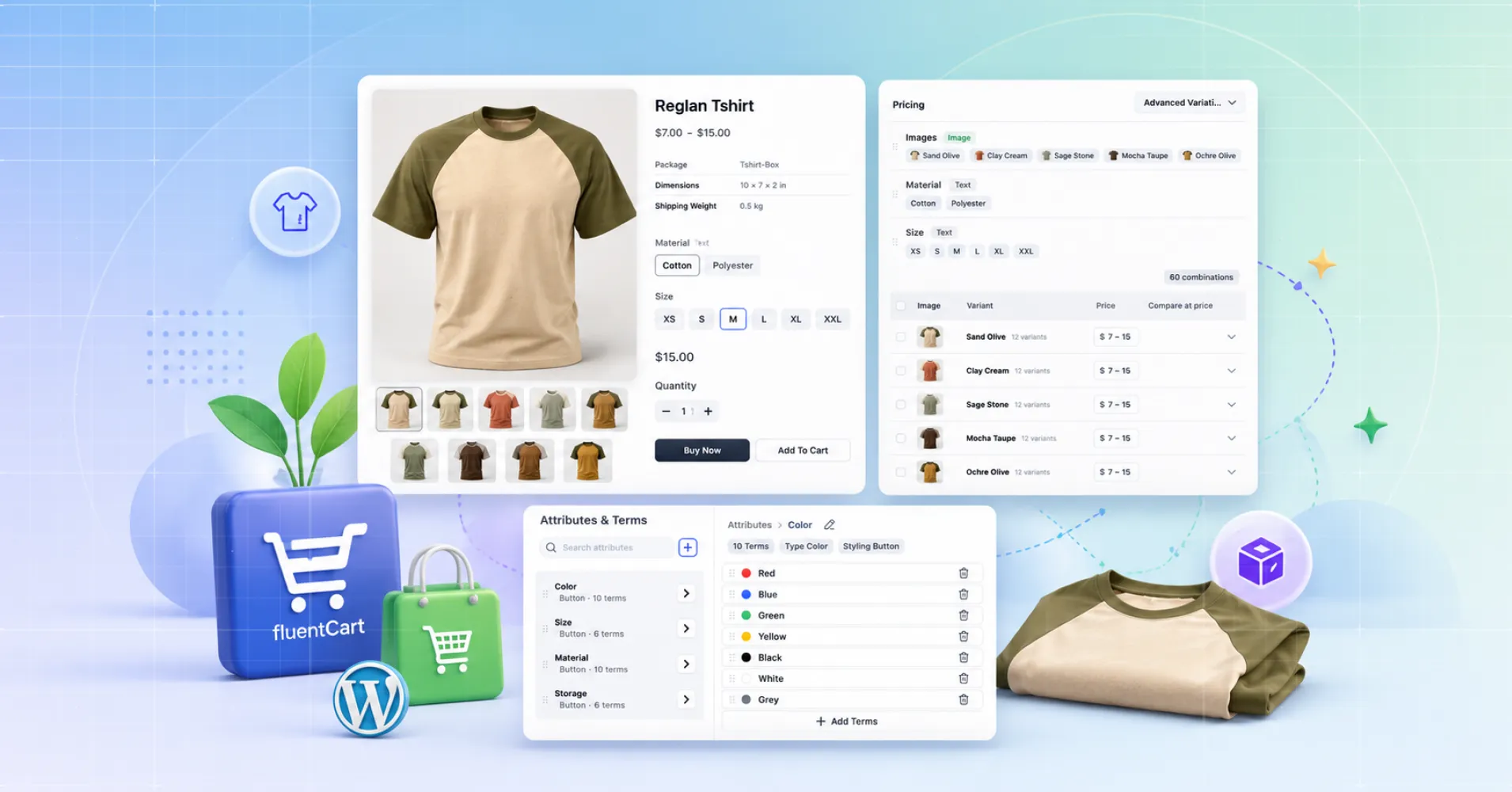
When FluentCart launched, one complaint came up more than any other. It was fast and light, but it could not handle products with real variations. That has changed. You can now add product variations to your eCommerce store for free, built into FluentCart core with no add-on and no Pro gate. This post covers what it does, what it saves you, and how to set it up.
Key Takeaways
- You can add product variations to your eCommerce store for free with FluentCart core
- FluentCart generates every size, color, and material combination in one pass
- The Attribute Manager lets you define options once and reuse them across products
- The storefront only shows combinations that exist and are in stock
- Similar features on other platforms usually cost yearly or monthly fees
What Variations Mean for Your eCommerce Store
Some products are never just one thing. A shirt is a size, a color, and a fabric. A laptop is a storage tier and a memory tier. A candle is a scent and a jar size.
Each combination can carry its own price, stock count, and photo. If you sell apparel, food packs, or cosmetics, variations are not a nice-to-have. They decide whether your catalog works or frustrates shoppers at checkout.
What Advanced Variations Do in FluentCart
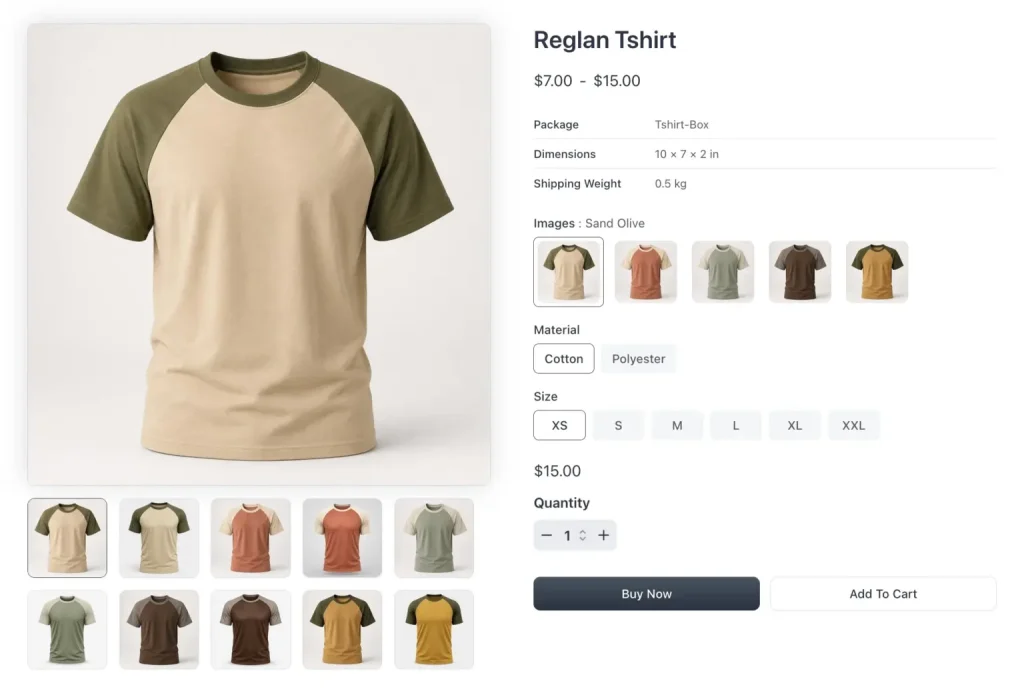
Picture a t-shirt in 6 sizes, 4 colors, and 3 fabrics. That is 72 combinations, each with its own price, stock, and image. Entered by hand, that is an afternoon of work and a long list to track.
Advanced Variations does the multiplication for you. You choose the option sets a product uses, and FluentCart generates every combination in one pass. Simple variations handle a single line of choices. Advanced Variations handle several at once and keep them in step.
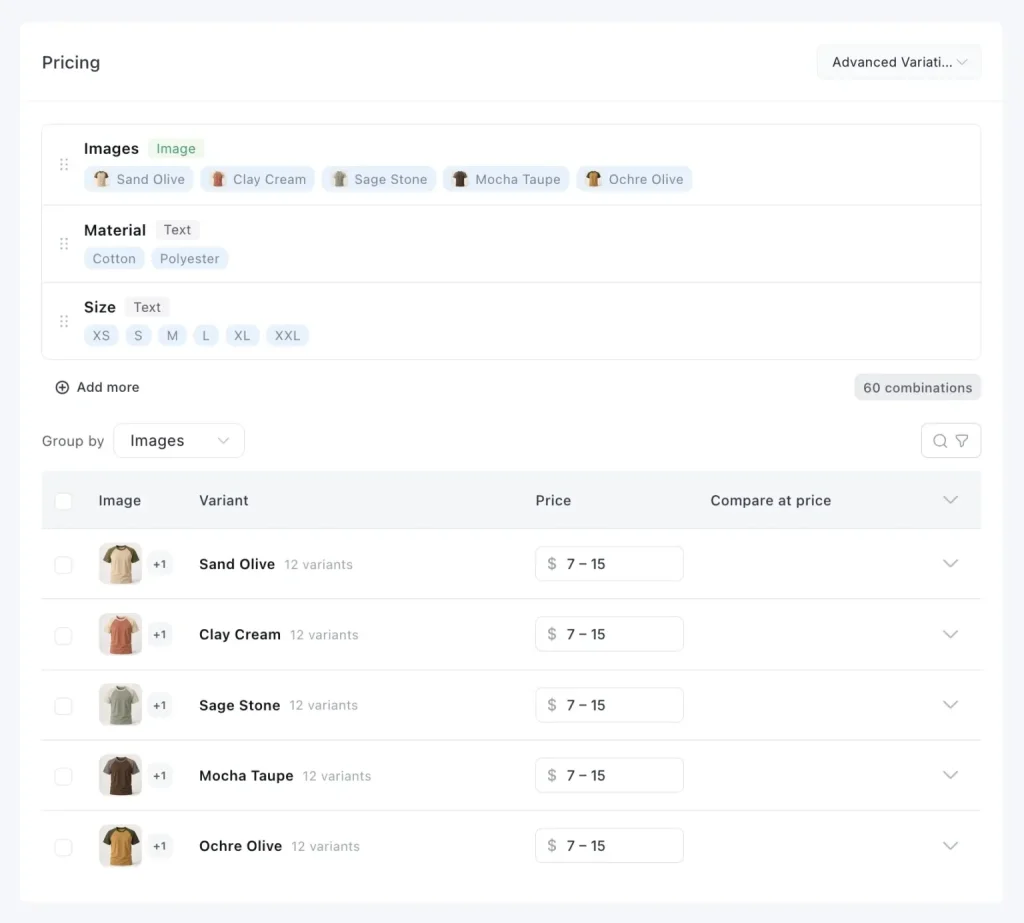
Setup stays quick. When you create a product, you pick the variation type right away, Simple or Advanced. Choose Advanced, add options like color and size, then fill in the values. If a value is missing, you add it inline without leaving the editor.
Press Save once, and the full variant matrix appears. From there you set a price per combination, add a compare price for sales, and attach an image to each one. The red shirt shows the red photo, and the blue shows the blue.
Build your options once and reuse them
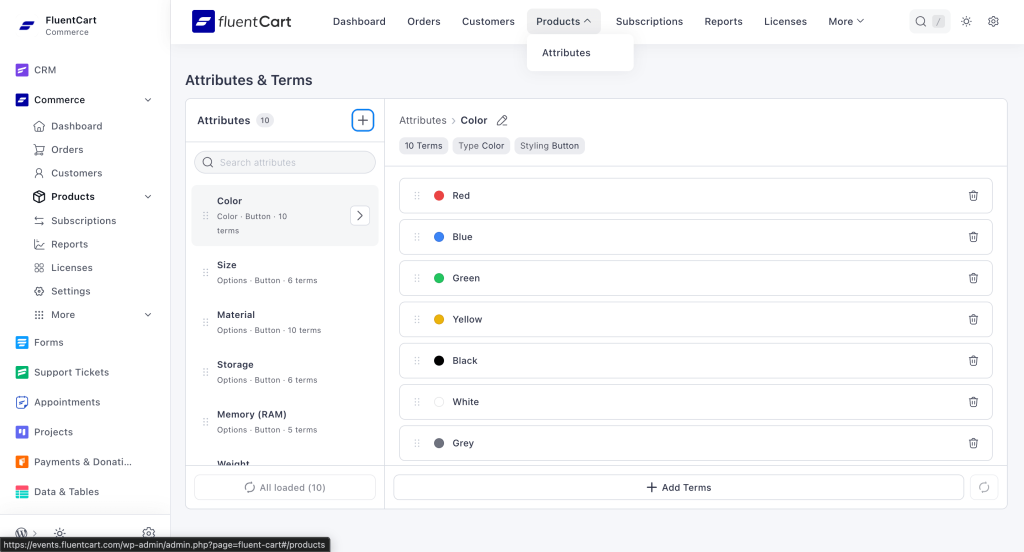
Most stores use the same options again and again. Every shirt has the same sizes. Every phone case has the same colors. The Attribute Manager lets you define each option set once, then reuse it across every product.
The library is searchable, so finding a set stays quick as it grows. You can drag values into the order shoppers should see them. FluentCart also ships 8 ready-made sets: Color, Size, Material, Storage, Memory, Weight, Style, and Pattern. Color arrives with real swatches, so a new store builds a variable product within minutes.
A storefront that only shows real combinations
The hardest moment in selling variable products is the moment of choosing. A shopper should never pick a size and color you do not make, then hit an error at checkout.
FluentCart handles this quietly. As a shopper makes one choice, any dead-end option stops being selectable. They are always steered toward a combination that exists and is in stock. Color and image attributes show as real swatches, and choosing a color swaps the product image to match. The whole selector works by keyboard too.
Free in FluentCart, a Recurring Bill Elsewhere
This kind of capability usually sits behind a paywall or a separate plugin. FluentCart puts it in the core for free.
On WooCommerce, basic variations are part of the core, but real swatches are not. Visual swatches, per-variant images, and out-of-stock handling live in premium add-ons. Variation Swatches for WooCommerce by GetWooPlugins runs about $49 per year per site. The RadiusTheme version starts at $39 per year and climbs to $199 per year for unlimited sites. WooCommerce’s own Variation Swatches and Photos extension is around $99 per year. Each one renews annually, and a second plugin stacks on top.
Shopify follows a similar pattern. Swatches are not native, so you reach for an app. Easy Variant Swatches starts at $7.50 per month, and Swatches Dotify starts at $7.99 per month. That app fee sits on top of a platform subscription you pay whether you sell or not. Shopify’s Basic plan is $39 per month, Grow is $105, and Advanced is $399. The app is the small number. The monthly platform rent is the real cost.
Here is how the three compare:
| Platform | Variation Swatches | Cost for Swatches | Ongoing Platform Cost | Hosting |
|---|---|---|---|---|
| FluentCart | Built into core | Free | Free plugin | Self-hosted, fully yours |
| WooCommerce | Paid extension | ~$39–$99/year | Free plugin | Self-hosted, fully yours |
| Shopify | Requires a paid app | ~$7.50–$8/month | $39–$399/month | Hosted by Shopify (subscription-based) |
FluentCart takes the opposite path. Advanced Variations are built into the core plugin, free and self-hosted. You are not renting the feature, and you are not adding a line item to your plugin bill. It is native, and it does not expire.
Bulk Editing and Inventory That Scale
Generating combinations is only half the job. Keeping prices and stock current is the other half. Many variation systems fall apart here by forcing you to open every row one by one.
Group Bulk Edit works differently. Select a variant group and update price, stock, or status across every combination in one action. Want to raise the price of every Cotton variant by $2? Select the group, type the number, done. Changes stack in a save bar, so you review everything before committing.
The rest of the editor follows the same idea. Variant groups open and close like an accordion, so hundreds of combinations never bury you in an endless table. Child rows load as you expand them, keeping the page fast at scale.
For inventory, FluentCart tracks stock per combination. You can auto-generate a SKU for each variant or set your own. When one color sells out, you switch that single combination to inactive and flip it back on later. Its price and history stay intact while it is hidden from shoppers.
How to Add Variations to Your Store Step by Step
Follow these steps to build your first variable product:
- Open your FluentCart dashboard, go to Products, then Add Product
- Name the product, and under variation type, select Advanced Variations
- Choose your product type, physical or digital, then save to open the editor
- Add a short description and a long description
- In the pricing area, confirm Advanced is selected, then click Add to choose your first option
- Pick your color values, add any missing value inline, then repeat for Size
- Click Save, and FluentCart generates every combination
- Set a price per combination, and add a compare price if you run a sale
- Attach an image to each variant so the storefront shows the right photo
- Enable stock, set a SKU per variant, then enter stock counts to track inventory
Who FluentCart Variations Are For
Advanced Variations fit any store selling more than a single fixed product. The most common cases include:
- Apparel shops with sizes and colors
- Food and grocery sellers offering pack sizes
- Electronics stores with storage and memory tiers
- Digital sellers offering license tiers
If your product comes in more than one form, this feature is built for you. To see where it fits alongside the rest of the platform, read our guide to selling physical and digital products with FluentCart.
Start Selling Variable Products Today
FluentCart’s team spent months rebuilding this feature until every screen felt obvious and every bulk action felt instant. Advanced Variations generate the combinations, the Attribute Manager saves your options for reuse, and Group Bulk Edit keeps prices current without the grind.
Best of all, it lives in the core, so every store gets it free. Install the FluentCart plugin for WordPress and build your first variable product today. New to the platform? Start with our FluentCart setup guide.

WordPress, automation, eCommerce and growth marketing specialist, a WordPress Core Contributor and Media Corps member blending storytelling with technology to craft strategies in SEO, email marketing, and beyond.
-

Ecommerce SMS Marketing: Strategies, Examples & Best Practices
Learn ecommerce SMS marketing strategies, campaigns, and best practices to -

Omnichannel Marketing: 7 Steps to a Connected Shopping Experience
It’s never too late to upgrade your marketing plan. Whether -

7 Best Ecommerce Plugins for WordPress in 2026 (Tested And Compared)
Compare the 7 best ecommerce plugins for WordPress in 2026


Leave a Reply
You must be logged in to post a comment.