

Customer Feedback Surveys: Questions, Templates, and Tips

Customer feedback surveys help you understand what customers think, where they struggle, and what they expect next. This guide will show you how to create better surveys, ask smarter questions, use templates, and collect feedback inside WordPress using Fluent Forms.
Key Takeaways
- Customer feedback surveys help you understand real customer needs, not guesses.
- A good survey should be short, clear, and connected to one customer interaction.
- CSAT, NPS, and CES measure different parts of customer satisfaction.
- A ready survey template helps you launch faster and stay consistent.
- WordPress users can create customer feedback surveys with Fluent Forms without coding.
- Plug-and-play JSON files make it easier to import, edit, and publish surveys quickly.
- The real value of a survey comes after submission, when you turn customer feedback into action.
What Are Customer Feedback Surveys?
Customer feedback surveys are structured forms that collect opinions, ratings, and suggestions from people who interact with your business. A survey can ask about a product or service, a support conversation, an onboarding process, a checkout experience, or the overall customer experience.
The goal is simple. You want to understand what the customer feels, where the customer gets stuck, and whether your product or service meets customer needs. Without a survey, most businesses depend on assumptions, scattered support tickets, or a few loud opinions.
A customer feedback survey gives you direct customer feedback in a format you can review, compare, and act on. It can include rating fields, open-ended questions, multiple-choice options, CSAT fields, and follow-up questions. This makes the survey useful for both quick measurement and deeper insight.
In simple words, customer feedback surveys help you hear the customer before the customer silently leaves.
Why Are Customer Feedback Surveys Important for Customer Experience?
Customer experience is not only about how good your product looks or how fast your website loads. It is about every customer interaction, from discovery to purchase, support, renewal, and long-term use. Customer feedback surveys help you see those moments through the customer’s eyes.
A feedback survey can reveal issues your team may never notice internally. Maybe the checkout process feels confusing. Maybe the onboarding email is unclear. Or, maybe a customer service representative solved the ticket, but the customer still felt ignored. A survey gives you that missing context.
This matters because happy customers are easier to retain, more likely to recommend your brand, and more willing to buy again. Customer loyalty does not happen by accident. It grows when customers feel heard, understood, and supported.
Customer feedback surveys also help teams make better decisions. Instead of saying, “We think customers dislike this feature,” you can say, “Survey responses show that 42% of customers find this step difficult.” That changes the conversation from opinion to customer data.
What Are the Main Types of Customer Feedback Surveys?
Not every survey should ask the same thing. The best type of survey depends on what you want to measure. Some surveys track immediate satisfaction. Some measure long-term loyalty. And finally, some help you identify friction in the customer journey.
Here are the most common types of customer feedback surveys:
- CSAT survey
- NPS survey
- Customer effort score survey
- Product feedback survey
- Customer support feedback survey
- Post-purchase survey
- Onboarding feedback survey
- Relationship survey
- Anonymous feedback survey
A CSAT survey measures how satisfied a customer is after a specific experience. For example, after a purchase, support ticket, or product setup. This is useful when you want a quick satisfaction score tied to one moment.
A net promoter score survey measures how likely customers are to recommend your product or service. This is better for understanding customer loyalty and overall brand sentiment.
A customer effort score survey measures customer effort. It tells you how easy or difficult it was for someone to complete a task, such as finishing checkout, finding documentation, or getting help from support. CES surveys are great for spotting friction before it damages customer relationships.
A product feedback survey focuses on a specific feature, update, or service. A customer support survey measures the quality of support interactions. A relationship survey looks at the bigger customer experience over time.
So, instead of asking which type of survey is best, ask this first: what decision will this survey help us make?
What Customer Satisfaction Survey Questions Should You Ask?
The best customer satisfaction survey questions are simple, specific, and easy to answer. A survey question should not make the customer think too hard. It should guide them toward sharing useful feedback quickly.
Here are some practical customer feedback survey questions you can use:
- How satisfied are you with your recent experience?
- How well did our product or service meet your needs?
- How easy was it to complete your task today?
- How would you rate the quality of our customer support?
- What was the main reason for your score?
- What could we improve in this experience?
- Which feature or part of the service helped you the most?
- Did anything feel confusing, slow, or difficult?
- How likely are you to recommend us to a friend or colleague?
- What should we do next to create a better customer experience?
A strong customer satisfaction survey usually combines rating questions with open-ended questions. Rating fields help you measure customer satisfaction quickly. Open-ended questions explain why the customer feels that way.
For example, a CSAT question can ask, “How satisfied are you with your recent support experience?” Then a follow-up question can ask, “What is the main reason for your rating?” The first question gives you the customer satisfaction score. The second one gives you the story behind the score.
You can also check Fluent Forms’ guide on customer satisfaction survey questions for more examples and inspiration.
How Do Customer Feedback Surveys Help Measure Customer Satisfaction?
Customer feedback surveys turn feelings into measurable data. Instead of trying to guess satisfaction levels, you can use a survey to collect ratings, comments, and scores from actual customers.
The most common metric is CSAT. It usually asks the customer to rate their satisfaction after a specific interaction. For example, “How satisfied are you with your recent purchase?” or “How satisfied are you with our support response?”
You can calculate the CSAT score by looking at the percentage of satisfied customers. This makes it easier to compare performance across time, teams, products, or support channels.
But CSAT is not the only way to measure customer satisfaction. You can also use NPS to measure customer loyalty, CES to measure customer effort, and CSI to understand satisfaction across multiple areas. WPManageNinja has a helpful guide on Customer Satisfaction Index if you want to go deeper into CSI meaning and metrics.
The key is not to measure everything in one survey. That is how forms become messy. Pick one goal, one metric, and one moment. Then build the customer feedback survey around that.
How Can You Create an Effective Customer Feedback Survey?
Creating a customer feedback survey starts before you write the first question. First, decide what you want to learn. Are you trying to measure customer satisfaction after purchase? Improve customer support? Understand product feedback? Reduce customer effort?
Once the goal is clear, choose the right type of survey. A CSAT survey works well after a specific interaction. NPS works better for long-term customer sentiment. CES is useful when you want to find friction in a process.
Next, write the survey questions. Keep them short. Avoid vague wording. Do not ask three things inside one question. A bad survey question sounds like this: “How satisfied are you with our support, pricing, product quality, and communication?” That is four questions hiding inside one.
A better survey question would be: “How satisfied are you with our support response?” Then you can ask a follow-up question: “What could we improve?”
Use open-ended questions carefully. They are powerful, but too many can make the survey feel like homework. One or two open-ended questions are usually enough for most customer feedback surveys.
Finally, test the survey before sending it. Complete it yourself on desktop and mobile. Check whether the form is easy to answer, whether the options make sense, and whether the survey feels too long.
How to Create Customer Feedback Surveys Using WordPress
If your business runs on WordPress, you do not need a separate survey platform for every feedback campaign. You can create customer feedback surveys directly inside your website using a WordPress form plugin.
Fluent Forms is a strong option for this because it includes survey fields, rating fields, NPS fields, templates, conditional logic, email notifications, and reporting features. You can create a customer feedback survey, CSAT survey, feedback survey, or customer satisfaction survey without writing code.
To create a survey in WordPress, install Fluent Forms and go to your WordPress dashboard. Then create a new form from scratch or choose a pre-built template. Fluent Forms also has a full guide on how to create a survey in WordPress if you want a step-by-step walkthrough.
For a simple customer feedback survey, start with these fields:
- Name or email field, optional
- Rating field
- Multiple choice field
- NPS field, if you want to measure recommendation
- Textarea field for open-ended feedback
- Consent checkbox, if needed
- Submit button with a clear message
You can also use conditional logic to make the survey smarter. For example, if a customer gives a low score, show a follow-up survey question asking what went wrong. If the customer gives a high score, ask what they loved most.
Fluent Forms also supports surveys and polls inside WordPress. You can explore the Surveys and Polls documentation to learn how to configure survey settings and display survey results.
What Should a Customer Feedback Survey Template Include?
A customer feedback survey template should make the survey easy to launch, easy to complete, and easy to analyze. The structure matters because customers will not complete a form that feels confusing or endless.
A practical customer feedback survey template should include:
- A clear survey title
- A short explanation of why you are asking for feedback
- One main rating question
- One follow-up question
- One optional open comment field
- Contact information field, if follow-up is needed
- A thank-you message
- Internal tags or hidden fields for customer data
For example, a post-purchase survey template can start with: “How satisfied are you with your purchase experience?” Then it can ask, “What made you choose this rating?” This keeps the survey focused and useful.
A customer support feedback survey can ask, “How satisfied are you with the support you received?” Then it can ask whether the issue was resolved. If not, you can trigger a follow-up message for the support team.
Fluent Forms already has a Customer Satisfaction Survey Form Template that can help you start faster. You can also browse the Fluent Forms template library for more ready-made forms.
Customer Feedback Surveys Template: Get Plug-and-Play JSON Files for Fluent Forms
Starting from a blank form is fine, but not everyone wants to build every survey question manually. That is why plug-and-play customer feedback surveys templates can be a big time-saver.
For this guide, we will include ready-to-import customer feedback surveys JSON files for Fluent Forms. You will be able to download the JSON file, import it into Fluent Forms, customize the questions, and publish the survey on your WordPress website.
These JSON templates can be used for different types of customer feedback surveys, such as:
- CSAT survey
- Product feedback survey
- Customer support feedback survey
- Post-purchase feedback survey
- Website experience survey
- Onboarding feedback survey
- NPS survey
- Customer effort score survey
Once imported, you can edit the survey template based on your product or service. You can change the wording, add your brand tone, remove unnecessary fields, or add conditional logic based on the customer’s answer.
For example, if a customer selects “Very dissatisfied,” the survey can show an extra feedback survey question: “What was the biggest issue you faced?” If the customer selects “Very satisfied,” you can ask: “What did you like most about the experience?”
This makes the survey more personal and useful. You are not just collecting feedback. You are creating a better customer feedback system that responds to how the customer feels.
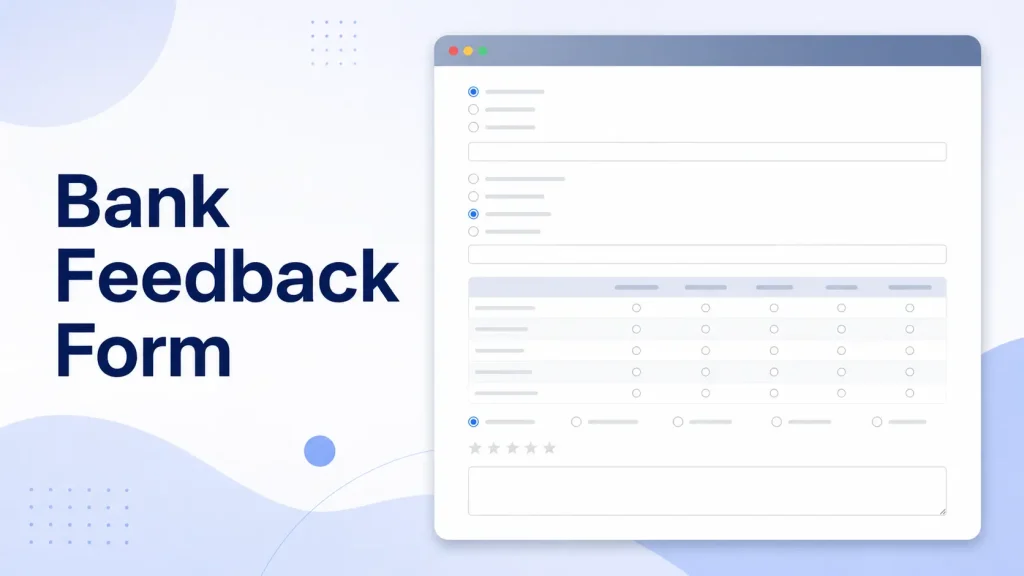
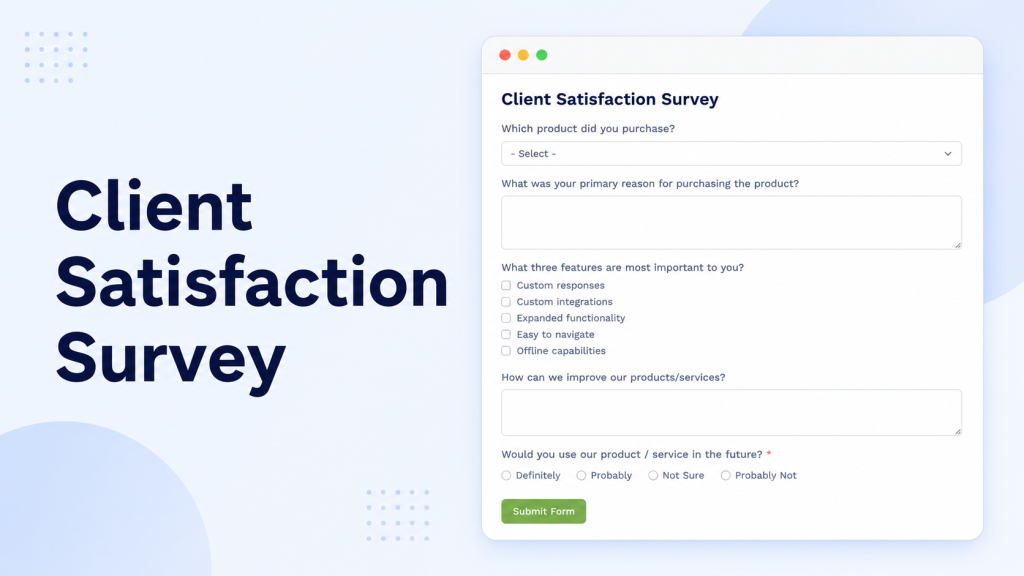
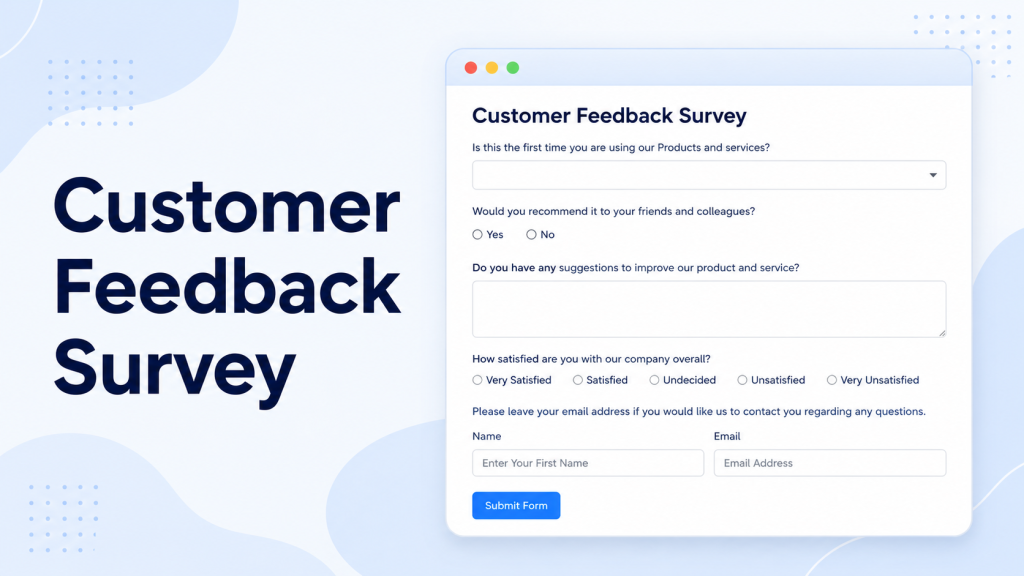
Download the free Fluent Forms customer feedback survey JSON templates and import them into your FluentForms inside WordPress dashboard in minutes.
When Is the Best Time to Send Customer Feedback Surveys?
The best time to send customer feedback surveys depends on what you want to measure. Timing can change the quality of your survey responses.
If you want to measure a purchase experience, send the survey shortly after the order is completed. When you want to measure customer support, send it after the ticket is resolved. If you want to measure onboarding, send it after the customer finishes the first important step.
Here are some good moments to send a survey:
- After a customer buys a product or service
- After a support ticket is closed
- After onboarding is completed
- After a subscription renewal
- After a failed cancellation attempt
- After a refund request
- After a major product update
- After a webinar, event, or training session
- After a customer uses a new feature
The best time to send an email survey is usually when the experience is still fresh. Waiting too long can make the feedback less accurate. The customer may forget details or lose interest.
However, avoid sending too many surveys. If you ask for feedback after every tiny action, customers may stop responding. A good rule is to send a survey when the feedback can help you make a real decision.
If you are working on customer onboarding, you can also read WPManageNinja’s guide on customer onboarding best practices and use surveys to find where new users struggle.
How Do CSAT, Net Promoter Score, and Customer Effort Score Compare?
CSAT, NPS, and CES are often mentioned together, but they do not measure the same thing.
CSAT measures satisfaction. It answers the question: “How happy was the customer with this experience?” Use it after a specific interaction, such as a purchase, support chat, or onboarding step.
NPS measures recommendation and loyalty. It answers the question: “How likely is the customer to recommend us?” Use it when you want to understand long-term customer sentiment.
CES measures effort. It answers the question: “How easy was it for the customer to complete something?” Use it when you want to identify friction in checkout, support, setup, or product usage.
Here is a simple comparison:
| Metric | Measures | Best Used For | Example Question |
|---|---|---|---|
| CSAT | Satisfaction | Recent experience | How satisfied are you with your recent experience? |
| NPS | Loyalty | Overall brand relationship | How likely are you to recommend us? |
| CES | Effort | Process friction | How easy was it to complete your task? |
You do not need to use all three in one survey. In fact, most effective surveys focus on one main metric. If you want to measure customer satisfaction after support, use CSAT. When you need to find friction, use customer effort score. If you want to understand loyalty, use net promoter score.
The best customer feedback surveys are not the ones with the most metrics. They are the ones that help you make better decisions.
What Are the Best Practices for Customer Feedback Surveys?
Customer feedback surveys work best when they respect the customer’s time. A long, confusing questionnaire may collect more fields, but it usually collects worse answers.
Here are some best practices to follow:
- Keep the survey short
- Ask one question at a time
- Use simple language
- Avoid leading questions
- Mix rating questions with open-ended questions
- Make the survey mobile-friendly
- Send it at the right moment
- Use conditional logic when needed
- Explain why the feedback matters
- Act on the feedback after collecting it
A bad survey question says: “How amazing was our support team?” That pushes the customer toward a positive answer. A better survey question says: “How satisfied are you with the support you received?”
Also, do not ask for data you will never use. If you do not need the customer’s phone number, do not ask for it. If you do not need five open-ended questions, do not add them.
For WordPress users, Fluent Forms makes it easier to follow these best practices because you can build focused surveys with fields like ratings, radio buttons, checkboxes, textareas, NPS, and conditional logic. You can also check the guide on creating feedback forms in WordPress for more practical ideas.
How Can You Use Customer Feedback After Collecting Survey Responses?
Collecting customer feedback is only the first half. The real work starts after the survey responses come in.
Start by grouping responses into themes. For example:
- Pricing issues
- Support quality
- Product confusion
- Missing features
- Checkout problems
- Documentation gaps
- Onboarding friction
- Performance issues
Then look for patterns. One negative response may be an isolated case. Ten similar responses usually mean there is a real problem.
You can also segment customer data by customer type, plan, product, region, or lifecycle stage. This helps you understand whether the issue affects all customers or only specific customer segments.
For example, new users may struggle with setup, while long-term customers may ask for advanced features. Both are useful, but they need different solutions.
Once you find the pattern, assign ownership. Product feedback should go to the product team. Support feedback should go to the support team. Website feedback should go to marketing or design. Feedback without ownership becomes noise.
Finally, close the loop. If customers’ feedback leads to a change, tell them. A simple message like “You asked, we improved this” can increase customer engagement and strengthen customer relationships.
Customer Feedback Surveys Examples You Can Use
Here are a few ready-to-use customer feedback surveys examples you can adapt for your business.
Product feedback survey
Use this when you want feedback on a product or service.
- How often do you use this product?
- How well does this product meet your needs?
- Which feature do you use most?
- What feels confusing or difficult?
- What should we improve next?
Customer support feedback survey
Use this after a customer support interaction.
- How satisfied are you with the support you received?
- Did the support team solve your issue?
- How easy was it to get help?
- How would you rate the response time?
- What could our support team do better?
Post-purchase feedback survey
Use this after someone completes a purchase.
- How satisfied are you with your purchase experience?
- Was the checkout process easy?
- Did you find the information you needed before buying?
- What almost stopped you from purchasing?
- What can we improve before your next order?
Website experience survey
Use this when you want to understand website usability.
- Did you find what you were looking for?
- How easy was it to navigate this page?
- What information was missing?
- What made this page helpful or unhelpful?
- What should we improve on this page?
Onboarding feedback survey
Use this after a customer completes setup or training.
- How easy was it to get started?
- Which step felt most confusing?
- Did the onboarding process answer your main questions?
- What would have made setup easier?
- How confident do you feel using the product now?
You can create these surveys inside Fluent Forms, or import them as plug-and-play JSON templates once available.
Final Thoughts on Customer Feedback Surveys
Customer feedback surveys are not just forms. They are listening tools. They help you understand what customers need, what they love, what frustrates them, and what they expect from your business next.
The best survey is not the longest one. It is the one customers can answer quickly and your team can act on confidently.
If you use WordPress, Fluent Forms gives you a practical way to create customer feedback surveys, CSAT surveys, NPS surveys, and feedback forms without depending on a separate platform. You can start with a template, build from scratch, or import plug-and-play JSON files to move faster.
Summary: Things to Remember
- Customer feedback surveys help you collect feedback directly from customers.
- A survey should focus on one goal, one moment, and one main metric.
- CSAT measures satisfaction after a specific interaction.
- NPS measures customer loyalty and recommendation.
- CES measures customer effort and friction.
- A customer feedback survey template helps you launch faster.
- Fluent Forms can help you create surveys inside WordPress without coding.
- Plug-and-play JSON files make survey creation faster for Fluent Forms users.
- Keep survey questions simple, short, and easy to answer.
- Review survey responses regularly and turn feedback into action.
- The more you act on customer feedback, the stronger your customer experience becomes.

WordPress, automation, eCommerce and growth marketing specialist, a WordPress Core Contributor and Media Corps member blending storytelling with technology to craft strategies in SEO, email marketing, and beyond.
-

Complete Guide on How to Build A Church Website with WordPress
Learn how to build a church website with WordPress, from -

14 Best Wireframing Tools in 2026: Free, AI & Paid Options
Compare 13 of the best wireframing tools for websites and -
Advanced Product Variations, Built In and Free with FluentCart
Most WordPress eCommerce plugins charge extra for advanced product variations



Leave a Reply
You must be logged in to post a comment.