

First Look on FluentPlayer: The Next-Generation Video Player for WordPress
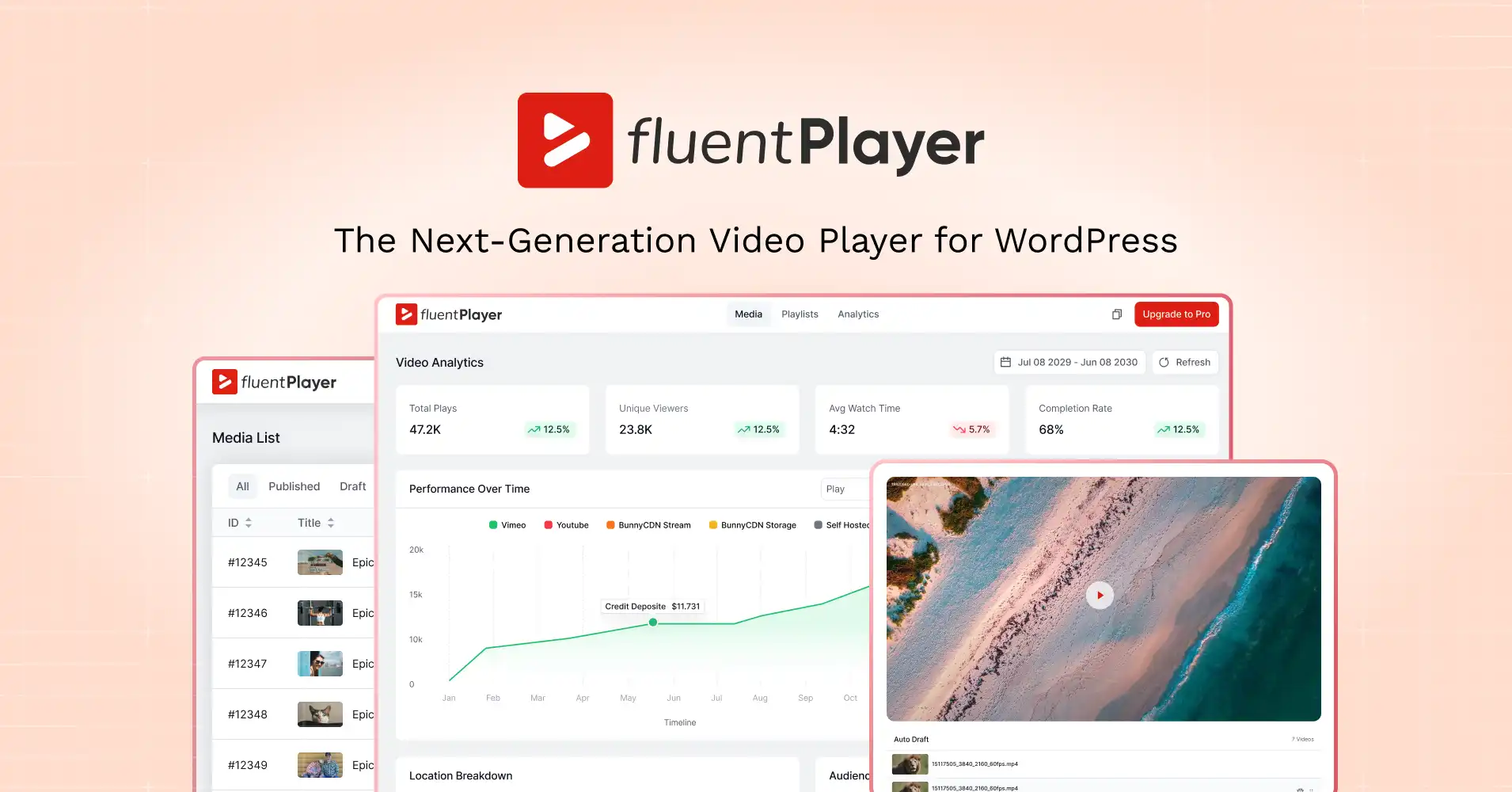
Team ManageNinja’s new WordPress video player plugin is hitting the market: FluentPlayer. We’ve dubbed it “The Next-Generation Video Player for WordPress.”
You can sign up for the waitlist and be the first one to get notified as soon as we release it!
Let’s take a look at what makes it worthy of that title. We will explore its features, the innovations it brings to the WordPress video player ecosystem, its future roadmap, and, of course, a sneak peek at the preview.
Let’s dive in, starting with the philosophy behind FluentPlayer.
Key Takeaways
- Fixes the video “visibility gap” on WordPress
- One player for self-hosted, YouTube, Vimeo, audio, external URLs, and HLS
- Reusable presets for consistent player style + behavior
- Playback tools that boost completion (resume, speed, PiP, mobile inline)
- Chapters + playlists for easier navigation and progress
- In-video layers (forms, email capture, CTAs, hotspots, ads, shortcodes)
- Built-in analytics for watch time, retention, and performance trends
The Philosophy: Why We Are Building FluentPlayer
Video isn’t broken on WordPress because it won’t play. Video is broken because everything around playback is missing: engagement insight, conversion context, and the ability to turn watching into measurable outcomes.
You can track form drop-offs, Track email clicks, track page behavior. But video? You’re usually left with a vague “view” number and a pile of assumptions.
That’s the visibility gap and FluentPlayer is built to close it.
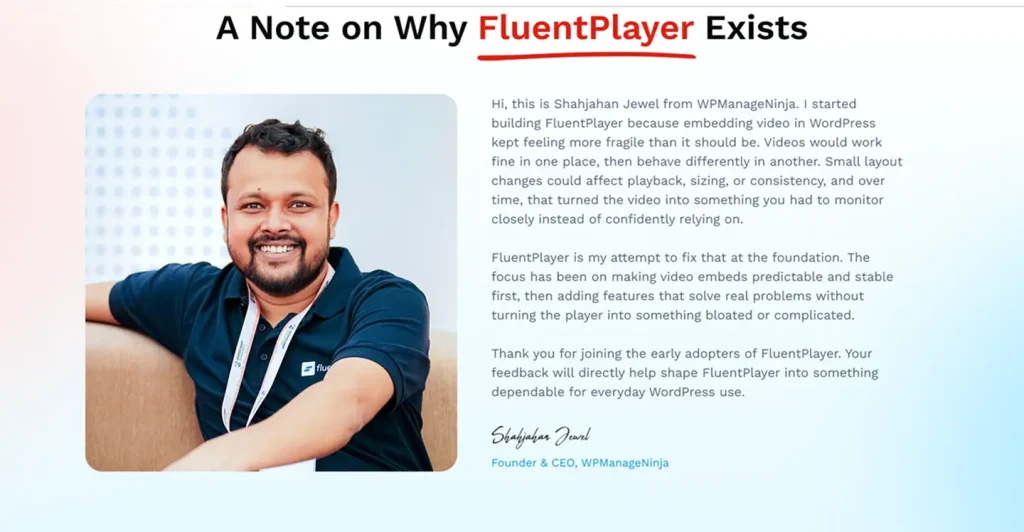
At WPManageNinja, we’ve spent years building interconnected tools that help small businesses run smarter on WordPress.
Across forms, email, community, and commerce, we’ve learned one simple truth:
People don’t just want tools that work. They want tools that show them if they’re working.
That’s why FluentPlayer exists.
Not to add “another video player” to the WordPress ecosystem — but to build a video layer that treats video like a first-class business asset:
- Measurable
- Interactive
- Performance-friendly
- Deeply integratable with the workflows WordPress site owners already depend on
Because video is how the web communicates now. WordPress deserves video infrastructure that has caught up.
The Problem We Are Solving with FluentPlayer
Here’s what most WordPress video setups don’t tell you:
- Are viewers watching past the hook?
- Where do they drop off?
- Which videos drive action?
- Who watched what, how much, and how often?
- Does video engagement correlate with leads, signups, or sales?
For course creators, this becomes painful fast:
- lesson completion feels low, but you don’t know where students quit
- you can’t identify the confusing segment that needs rewriting
- you can’t improve what you can’t see
For product demos and service explainers, it’s the same story:
- videos play, but outcomes stay invisible
- you’re guessing what works
- optimization becomes “vibes-based marketing”
FluentPlayer is built to turn video into something you can actually understand, improve, and connect to results.

Get early access to
FluentPlayer: Get Better Control Over Videos
The User Generated Feature List
This is the part we love most: FluentPlayer isn’t a “build what’s trendy” project. Before writing a single feature spec, our R&D team spoke with nearly a thousand WordPress users who rely on video players every day.
So this “user-generated feature list” is exactly that, built from real workflows, real frustrations, and real needs. It isn’t a “build what’s trendy” project. It’s shaped by how real WordPress users publish, teach, market, and sell with video.
Below is a full product view, organized by how people actually use video.
Playback & Viewing Control
Control How Videos Play for Viewers
Define how videos behave on the page, across devices, and during playback. No guesswork, no surprises.
Multiple Media Sources
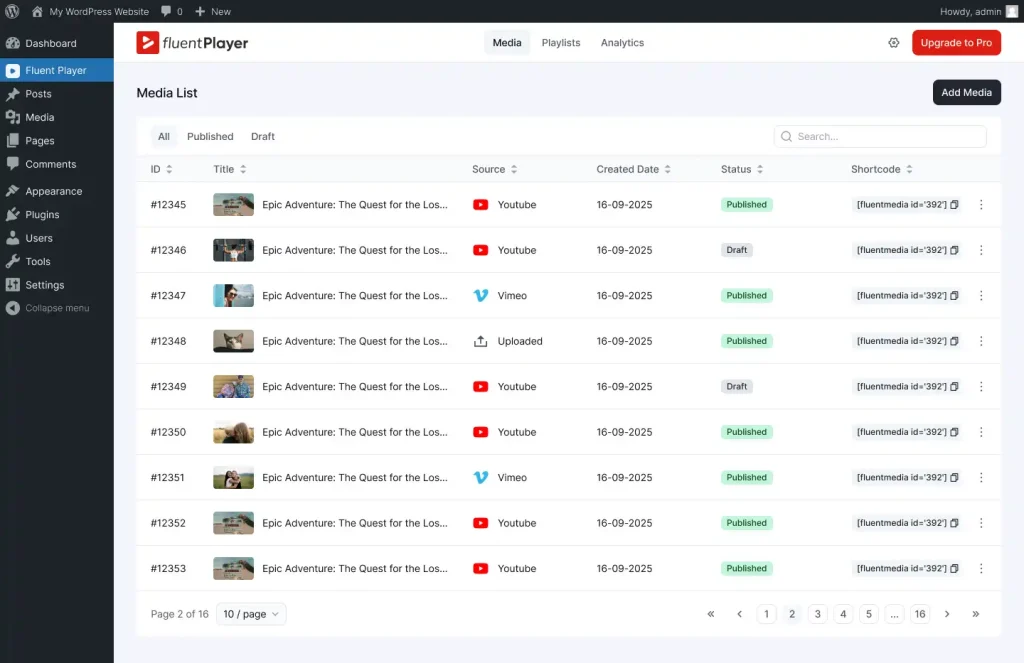
Use FluentPlayer with self-hosted videos, YouTube, Vimeo, audio files, external URLs, and HLS adaptive streaming. Switch sources without changing player behavior. One player, all your formats.
Why it matters: Stop juggling different players for different sources. Embed everything the same way, manage everything from one place.
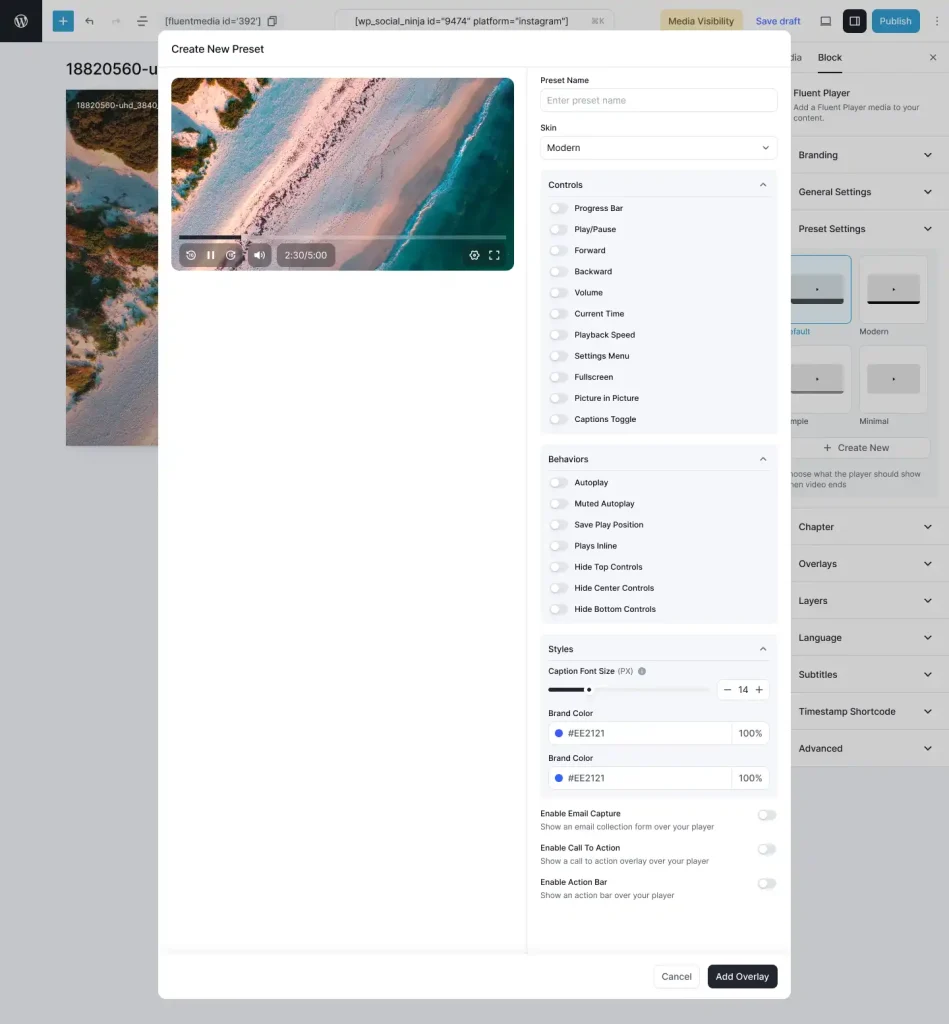
Customizable Player Presets
Create player styles and settings once, then reuse them across pages and videos. Set up your default controls, branding, and behavior then apply it in one click.
Why it matters: Stop rebuilding settings for every video. Save hours of repetitive work while keeping your player experience consistent.
Remember Playback Position
Videos remember where viewers stopped and let them continue from the same point when they return. Perfect for tutorials, long lessons, and multi-session content.
Why it matters: Viewers don’t restart from the beginning. They pick up where they left off, which naturally increases completion.
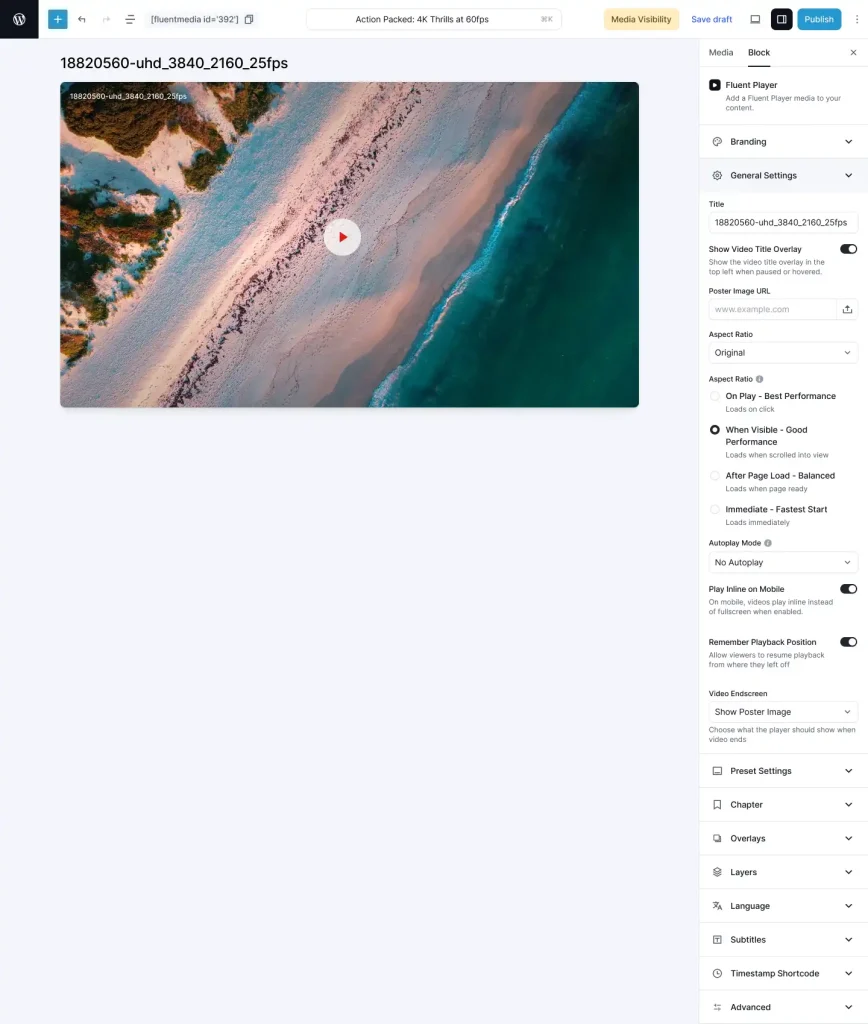
Additional playback features
- Autoplay (muted or with sound)
- Play inline on mobile (avoid forced full-screen)
- Picture-in-picture
- Speed control (0.5x to 2x)
- Progress bar
- Poster image + aspect ratio controls
- Title overlay + logo overlay
- Shortcodes + flexible load strategy
Structure & Navigation
Help Viewers Navigate Video Content
Make long videos and multi-video series easier to follow, easier to complete, and less frustrating to navigate.
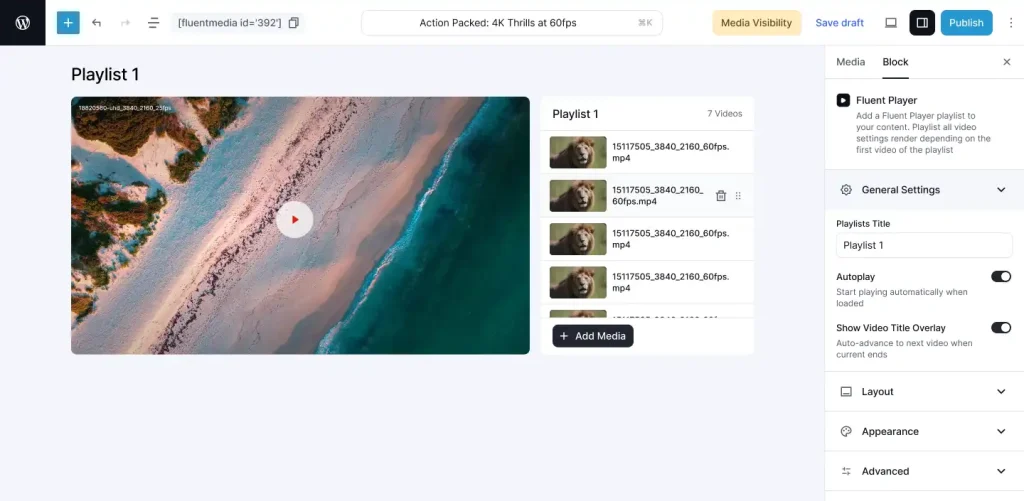
Video Playlists
Organize multiple videos into structured playlists without re-uploading media. FluentPlayer pulls from your media library, so you build once and play anywhere. Track viewing progress across videos; ideal for courses, onboarding sequences, tutorial series, and content libraries.
Layouts: Standard list and Grid view
Why it matters: Turn scattered video files into organized series. Keep viewers moving through your content instead of dropping off after one video.
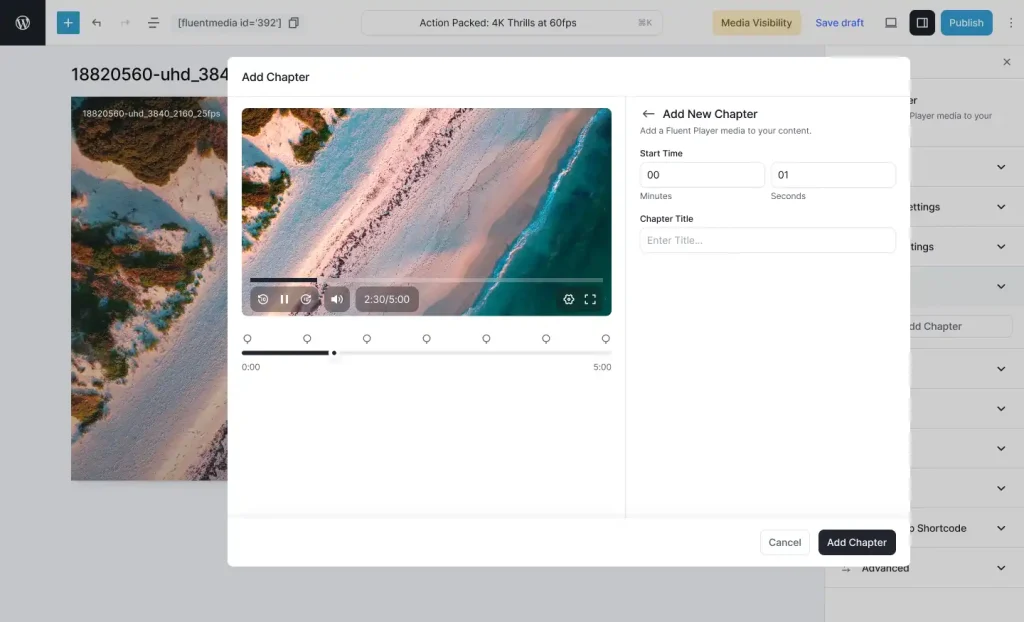
Video Chapters
Split long videos into chapters so viewers can jump directly to the section they care about. Chapters appear in the player UI—click to jump. Simple.
Why it matters: Long videos feel shorter when they’re structured. Viewers find what they need faster, watch more, and leave happier.
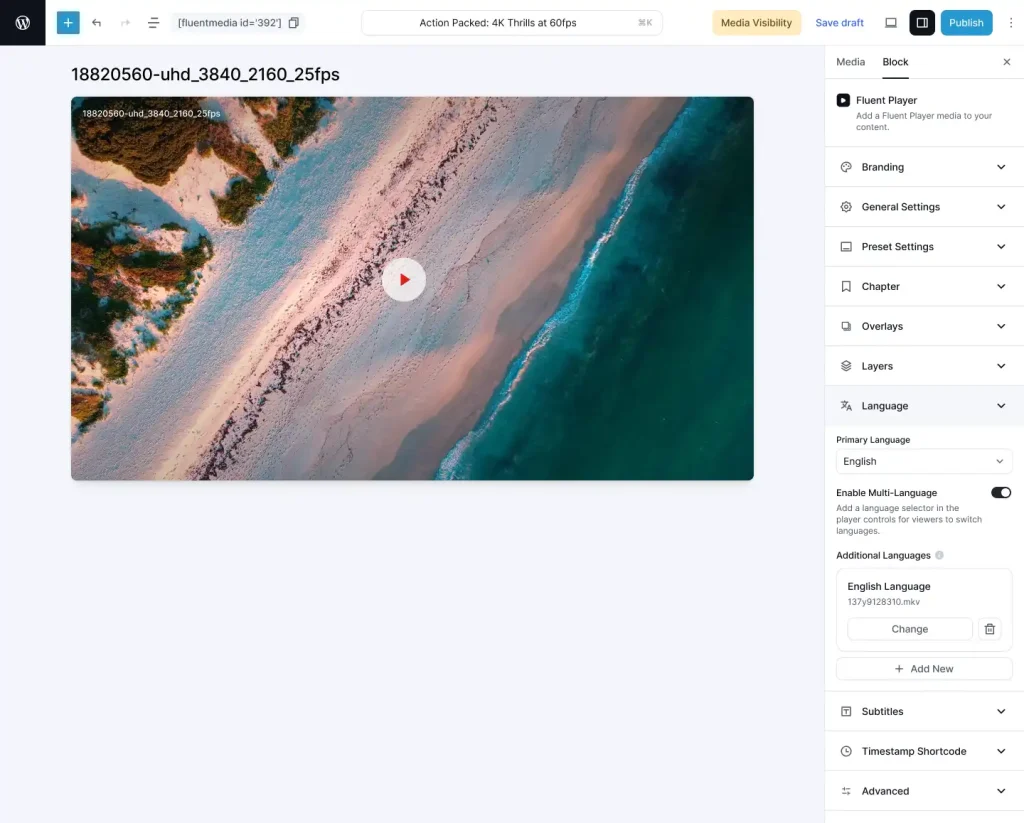
Subtitles & Language Switching
Add subtitle files and let viewers switch languages directly inside the player—better accessibility, broader reach, no duplicate uploads.
Why it matters: One video can serve multilingual audiences without doubling production work.
Interaction & Engagement
Add Interactive Elements Inside Videos
Turn video from passive playback into an active experience that captures leads, drives action, and measures results.
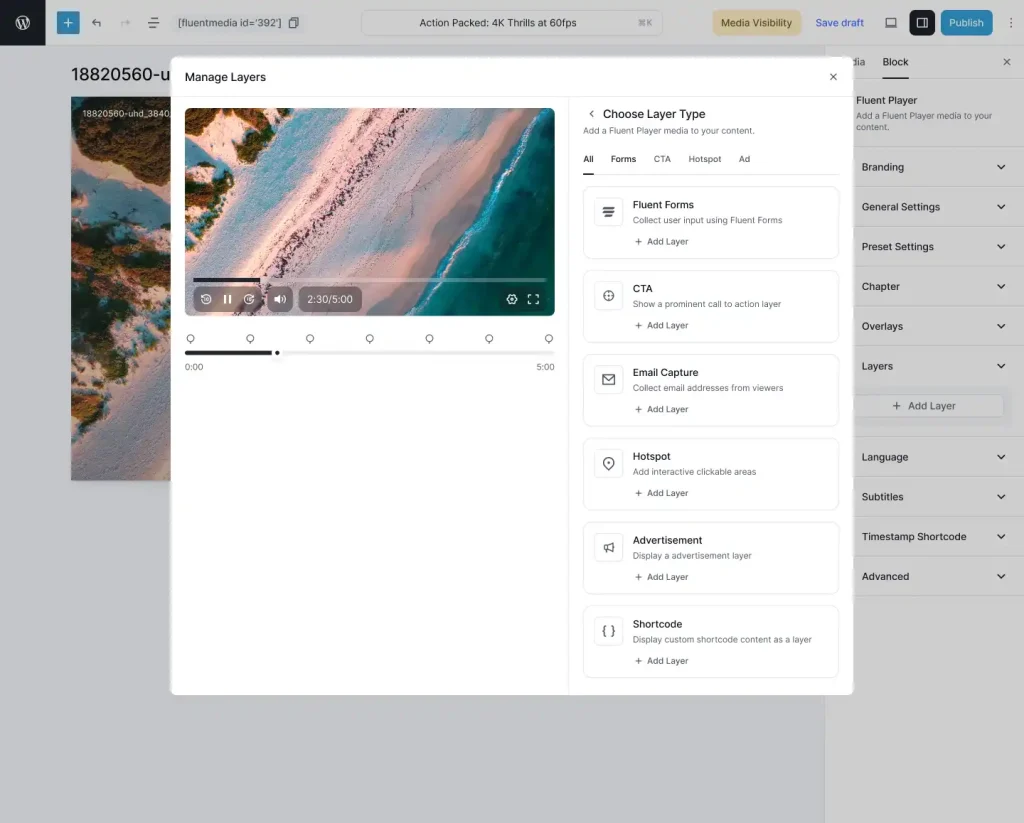
In-Video Layers
Add interactive layers directly inside videos and control exactly when they appear. Layers are time-based—showing up at the right moment during playback (not just after the video ends).
Layer types include:
- Forms (Fluent Forms or custom)
- Email capture (connect to tools via integrations/webhooks)
- CTA banners
- Hotspots
- Ads
- Shortcodes
Why it matters: Don’t lose leads because people forget what to do after watching. Capture action while attention is highest.
Example use cases:
- show an email capture form at 2:30 (right after the hook)
- drop a “Buy Now” CTA during the value moment
- embed a contact form when viewers hit a decision point
- gate a section of content to collect leads before continuing
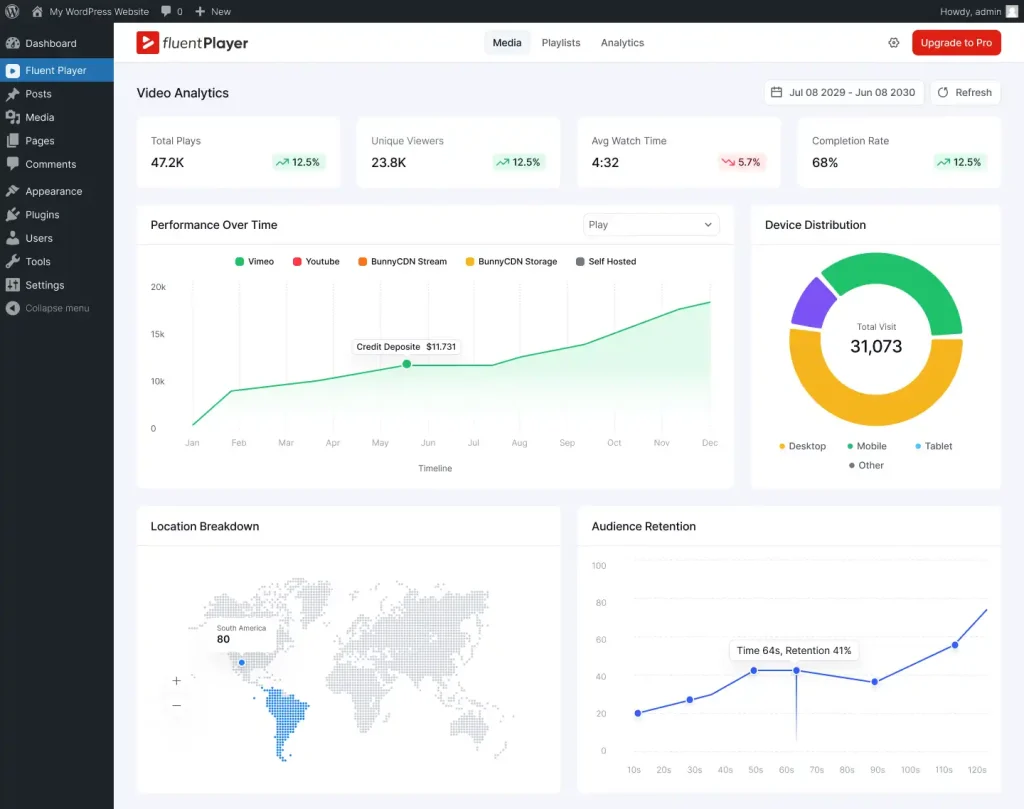
Video Analytics
Track how viewers interact with your videos and playlists—inside WordPress.
You can track:
- views and unique viewers
- watch time and trends
- completion rates
- top-performing videos
- top viewers
- audience retention signals
- device distribution + performance over time
- export options and GA4 connectivity for deeper analysis
Why it matters: Stop guessing. See what people actually watch, where they drop off, and what content is doing the real work.
The Technicalities of FluentPlayer (For Developers)
FluentPlayer is engineered like a modern product, not a “classic WordPress blob plugin.”
Architecture: Built for Performance from the Ground Up
FluentPlayer uses Vidstack (a modern Web Components-based media player framework) paired with a custom WPFluent PHP backend inspired by Laravel’s elegance.
The philosophy is simple:
Load only what’s needed, when it’s needed.
The plugin is split into isolated, independent modules:
- Admin dashboard (Vue 3): loads only in wp-admin
- Block editor (React): loads only while editing
- Frontend player (Vanilla JS): loads only on pages that contain video
- Playlist system: separate optional bundle for users who need it
No bloat. No shared dependency soup. Each context gets exactly what it needs.
Frontend Asset Loading Strategy
We’re obsessive about what hits your visitors’ browsers.
Critical path (what loads first):
- Aspect-ratio CSS container (inline per player) to prevent layout shift instantly
- Poster image with loading=”eager” so something appears immediately
- Media controls HTML (progressive enhancement)
- Player initializes lazily via the media-player native load attribute
Asset delivery highlights:
- Player JS: ~951 KB (Vidstack + controls)
- Player CSS: ~80 KB (modular SCSS, optimized)
- CSS delivered via print media + onload callback (non-blocking)
- Scripts loaded with defer + type=”module”
- Resource hints (dns-prefetch, preconnect) for YouTube/Vimeo/CDN only on first use
The build system uses Vite (not Webpack) for faster dev builds and optimized production output, with content-hash versioning via manifest mapping.
Get early access to
FluentPlayer: Get Better Control Over Videos
Core Web Vitals & Performance Optimizations
FluentPlayer is built specifically to respect LCP, CLS, and INP thresholds.
That matters because video should not be the thing that wrecks your page experience (or your rankings).
In short: FluentPlayer aims to bring video into WordPress without dragging your performance down with it.
Who Will Be Benefitted the Most
FluentPlayer isn’t for everyone. It’s for people who expect video to do real work.
You’ll get the most value if you’re:
- Course creators who want to see where learners drop off, what lessons underperform, and what needs improving
- Marketers who want to tie engagement to outcomes and stop guessing which videos drive action
- Small business owners using video to sell services and explain value—without losing visitors to third-party distractions
- Ecommerce brands using product demos and wanting better clarity on what converts
- Developers & agencies tired of patchwork embeds, inconsistent behavior across sources, and front-end bloat
How It Can Be a Gamechanger for Video Content in WordPress
Most video tools are playback utilities.
FluentPlayer is built as a video infrastructure layer:
- One player across formats (self-hosted, external URLs, HLS, YouTube, Vimeo, audio)
- Navigation that makes long content watchable (chapters, playlists, progress)
- Interaction that turns attention into action (layers, CTAs, forms, hotspots)
- Analytics that turn content into insight (watch time, completion, retention patterns)
- A foundation that can connect video engagement to the rest of your site ecosystem
That combination is what “next-gen” actually means here.
Not flashy. Useful. Connected. Measurable.
The Roadmap That Defines Journey With FluentPlayer
We’re treating FluentPlayer like a long-term platform, not a one-off release.
Here’s the direction we’re committed to:
Near-term (Next Releases)
- Deeper analytics views (more retention detail, cohort comparisons, per-video journey insights)
- More player UX refinements (preset expansion, control layout options, overlay flexibility)
- Enhanced playlist control (ordering rules, continuation behavior, smarter progress flow)
- Expanded developer surface (more hooks/filters, event outputs, cleaner extensibility points)
- Better reporting outputs (exports, shareable dashboards, more admin-friendly summaries)
Fluent Ecosystem Integration (high priority)
- Video engagement events flowing into Fluent’s ecosystem
- watch behavior → segmentation signals
- completion/retention → automation triggers
- interaction clicks → measurable funnels
- Tighter content experiences across Fluent tools
- video-driven actions that feel native inside real WordPress business workflows
Longer-term Platform Goals
- More structured “dynamic content” patterns inside video (time-based experiences that adapt to viewer behavior)
- Smarter progress tracking models for multi-video experiences
- Rich multimedia support that stays lightweight and server-efficient
- Continued performance work to keep FluentPlayer fast even as it grows
In short:
Build a lightweight, server-efficient media player deeply integrated with the Fluent ecosystem — delivering rich multimedia and dynamic content without server bloat.
Ready to Fix the Visibility Gap?
If video is a serious part of your business, it shouldn’t be the one channel you can’t measure, improve, or connect to outcomes.
FluentPlayer is built to make video finally behave like the rest of your WordPress stack:
visible, actionable, and connected.
Get early access to
FluentPlayer: Get Better control over videos

WordPress, automation, eCommerce and growth marketing specialist, a Core Contributor and Media Corps member blending storytelling with technology to craft purposeful strategies in SEO, email marketing, and beyond.
-
Meet 5 Remarkable Women Changing the WordPress World
Meet 5 inspiring women in WordPress who are shaping its -
FluentSMTP Review: Whats Inside this 700K+ WordPress SMTP Plugin?
Check our FluentSMTP review blog to Discover whats inside this -
Taking a Closer Look at Common WordPress Errors and How to Fix Them
A troubleshooting guide to the common WordPress errors, why they



Leave a Reply
You must be logged in to post a comment.